> For the complete documentation index, see [llms.txt](https://docs.swiftproxy.net/llms.txt). Markdown versions of documentation pages are available by appending `.md` to page URLs; this page is available as [Markdown](https://docs.swiftproxy.net/zh-tw/dai-li/zhu-zhai-dai-li/dai-li-xie-yi/socks5-dai-li.md).
# SOCKS5 代理
SOCKS5 proxy 是一種強大的網絡工具,可以在客戶端與目標伺服器之間建立安全的通信通道。
以下是 Swiftproxy SOCKS5 代理設置的詳細指南:
1. 登入並進入用戶中心,點擊進入用戶中心👉 [Enter the User Center](https://www.swiftproxy.net/user/ucenter)
2. 點選【Get Proxy】
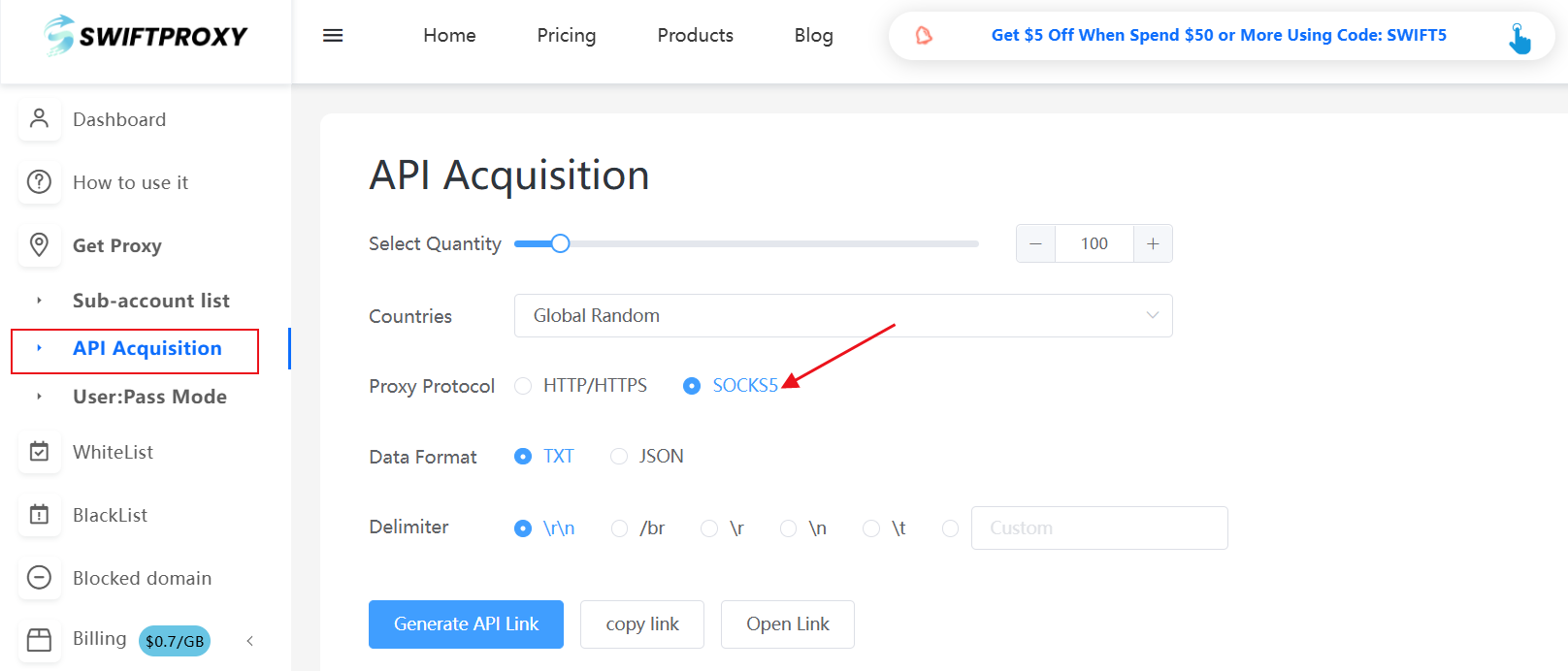
* 在**API Acquisition**中進行代理設定時,在【Proxy Protocol】選擇【SOCKS5】
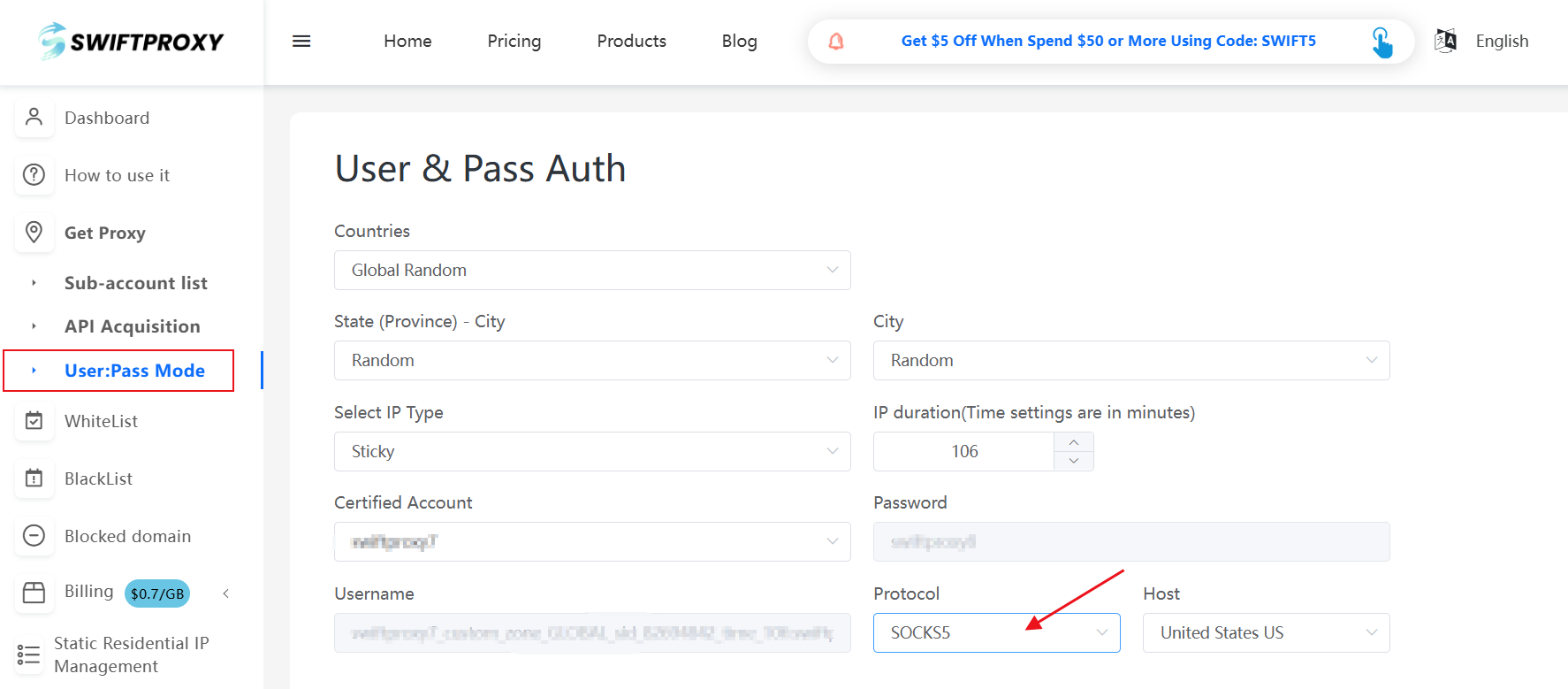
* 在**User and Pass Auth**中在設定代理時,於【Protocol】中選擇【SOCKS5】