> For the complete documentation index, see [llms.txt](https://docs.swiftproxy.net/llms.txt). Markdown versions of documentation pages are available by appending `.md` to page URLs; this page is available as [Markdown](https://docs.swiftproxy.net/zh-tw/dai-li/ji-cheng-dai-li/zhu-zhai-dai-li-ji-cheng/lauth.md).
# Lauth
## **什麼是 Lauth?**
Lauth 瀏覽器提供進階工具,可針對每個配置檔修改瀏覽器指紋,確保每個帳號看起來都來自不同的裝置。這對於希望防止平台根據瀏覽行為關聯帳號的用戶非常重要。
## **如何配置 Lauth 和 Swiftproxy 住宅代理?**
### **Step 1: 獲取代理信息與下載**
1. 從[官方網站](https://lauth.com.br/)下載並安裝 **Lauth**
2. 前往 Swiftproxy 官網獲取您的代理IP
* [**API 獲取**](/zh-tw/dai-li/zhu-zhai-dai-li/huo-qu-dai-li/api-qu-de.md)
* [**賬密認證**](/zh-tw/dai-li/zhu-zhai-dai-li/huo-qu-dai-li/zhang-mi-ren-zheng.md)
### **Step 2: 在 Lauth 中配置 Swiftproxy**
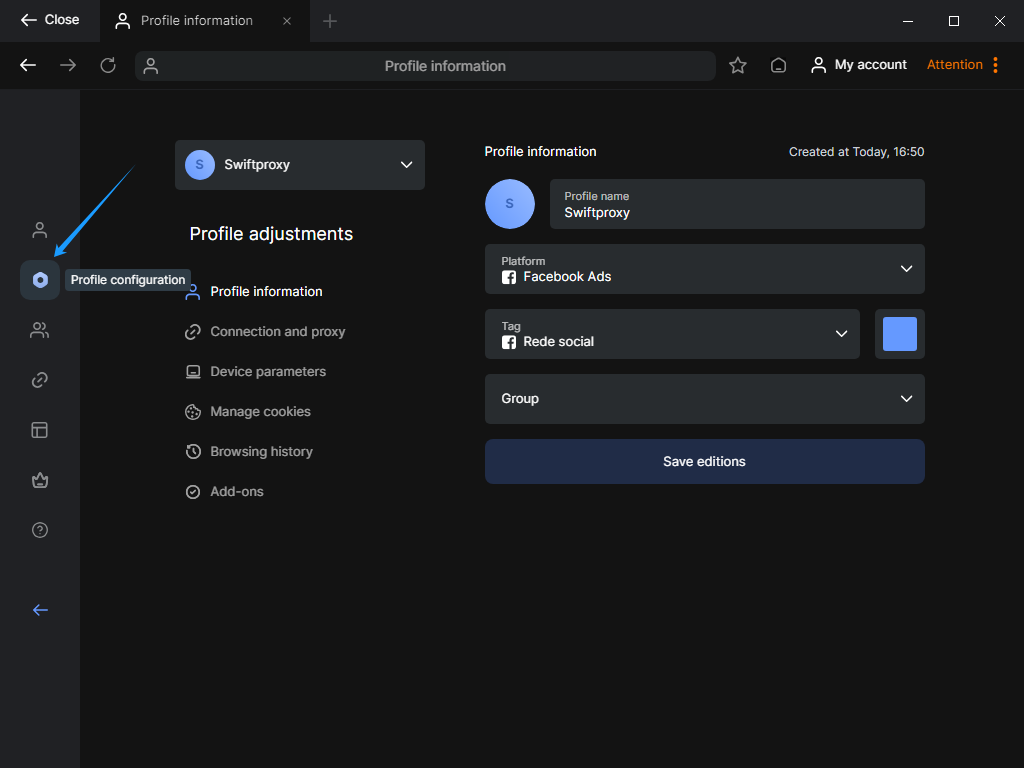
1. 登入後,從側邊欄選擇【Profile Configuration】
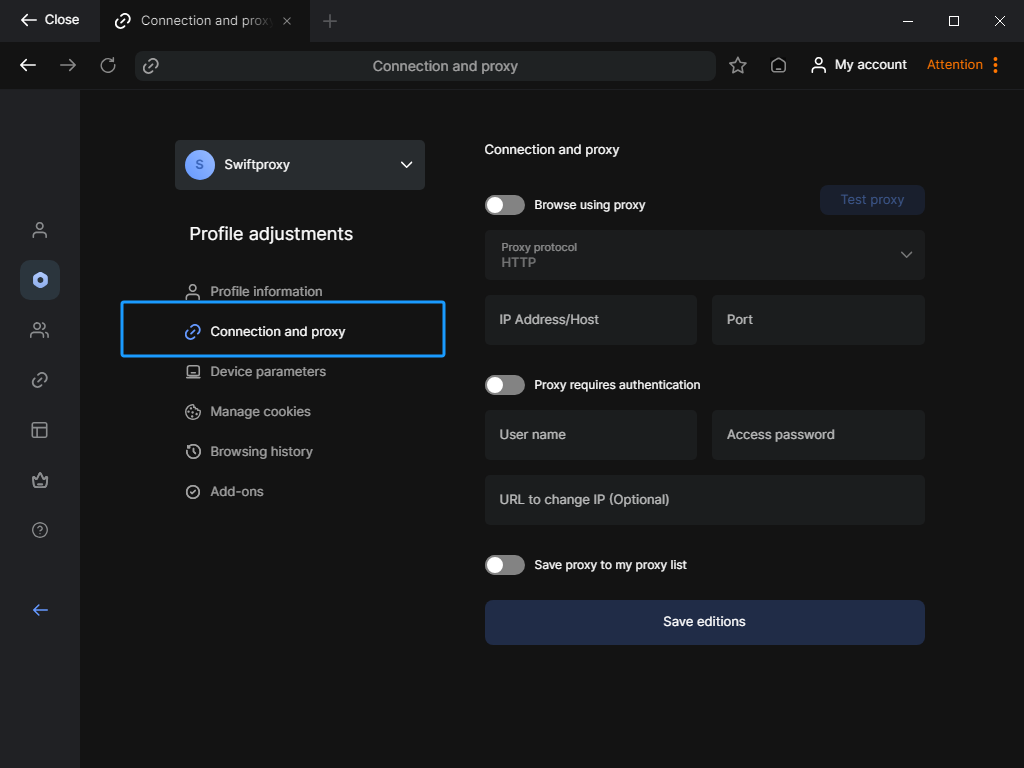
 2. 在【Profile Configuration】區域,點擊主介面中的【Connection and Proxy】欄位
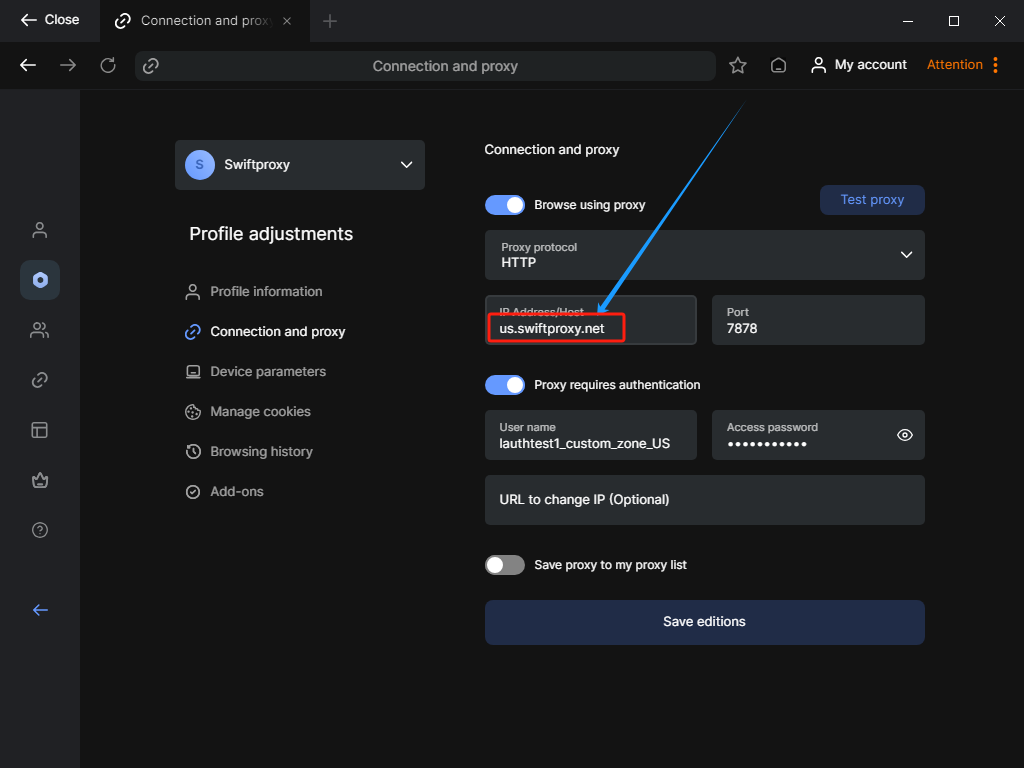
 3. 要配置您的代理,請將您從 Swiftproxy 控制台複製的代理資訊貼到 Lauth 中。\
**注意**:所需的代理詳情可參考Step1\
\**重要提醒:在 Lauth 的代理設定中貼上代理字串後,還需手動再次新增代理地址。舉例來說,如果您的代理設定在美國,則在紅色標示欄位中,需將「swiftproxy.net」改為「us.swiftproxy.net」*
3. 要配置您的代理,請將您從 Swiftproxy 控制台複製的代理資訊貼到 Lauth 中。\
**注意**:所需的代理詳情可參考Step1\
\**重要提醒:在 Lauth 的代理設定中貼上代理字串後,還需手動再次新增代理地址。舉例來說,如果您的代理設定在美國,則在紅色標示欄位中,需將「swiftproxy.net」改為「us.swiftproxy.net」*
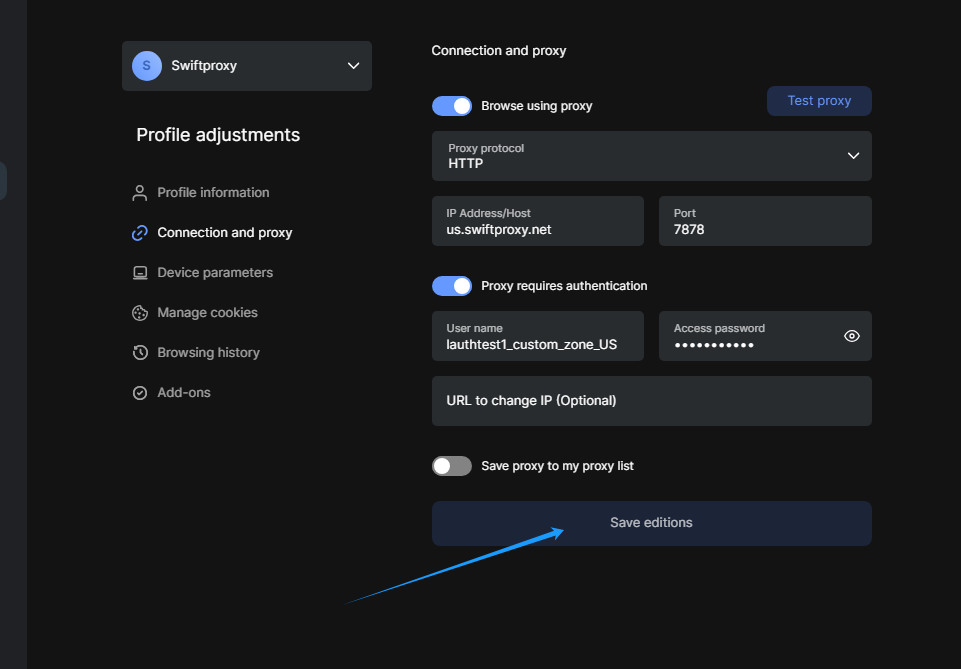
 4. 點擊【Test Proxy】按鈕,檢查代理是否已啟用
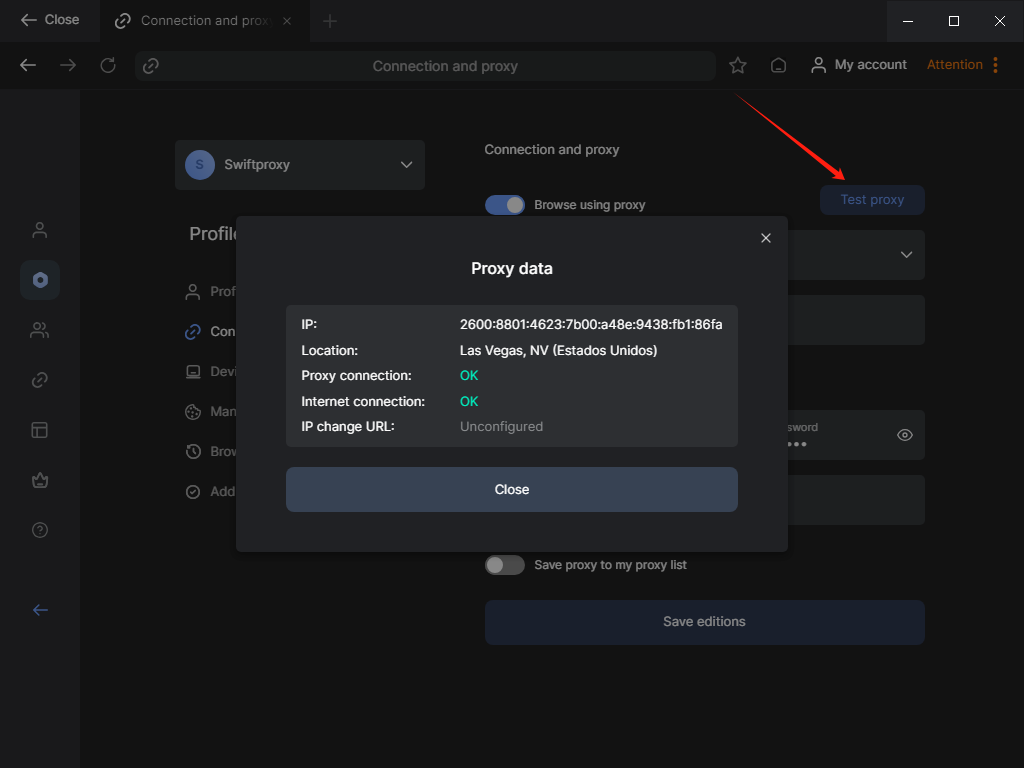 5. 點擊【Save edition】完成代理設定