> For the complete documentation index, see [llms.txt](https://docs.swiftproxy.net/llms.txt). Markdown versions of documentation pages are available by appending `.md` to page URLs; this page is available as [Markdown](https://docs.swiftproxy.net/zh-tw/dai-li/ji-cheng-dai-li/jing-tai-zhu-zhai-dai-li/xlogin.md).
# XLogin
## **什麼是 XLogin?**
XLogin 反偵測瀏覽器為用戶提供獨特且無限的瀏覽器指紋環境。每個瀏覽器環境模擬自然且本地化的設定,大幅降低帳號被封鎖的風險。\
這款工具適用於多種瀏覽器操作,包括管理 Google、Facebook、Twitter、Amazon、eBay、Etsy、TikTok、Tinder、PayPal、Stripe、Outlook、Gmail 等平台的帳號。\
同時支援帳號註冊、廣告驗證、店鋪管理、聯盟行銷、自動化任務等多種應用場景。
## **如何配置 XLogin 和 Swiftproxy 靜態住宅代理?**
### **Step 1: 獲取代理信息與下載**
1. 從[官方網站](https://xlogin.us/?sub=swiftproxy)下載並安裝 XLogin
2. 前往 Swiftproxy [用戶中心](https://www.swiftproxy.net/user/ucenter),複製用戶名、密碼、服務器名和端口
 ### **Step 2: 在 XLogin 中配置 Swiftproxy**
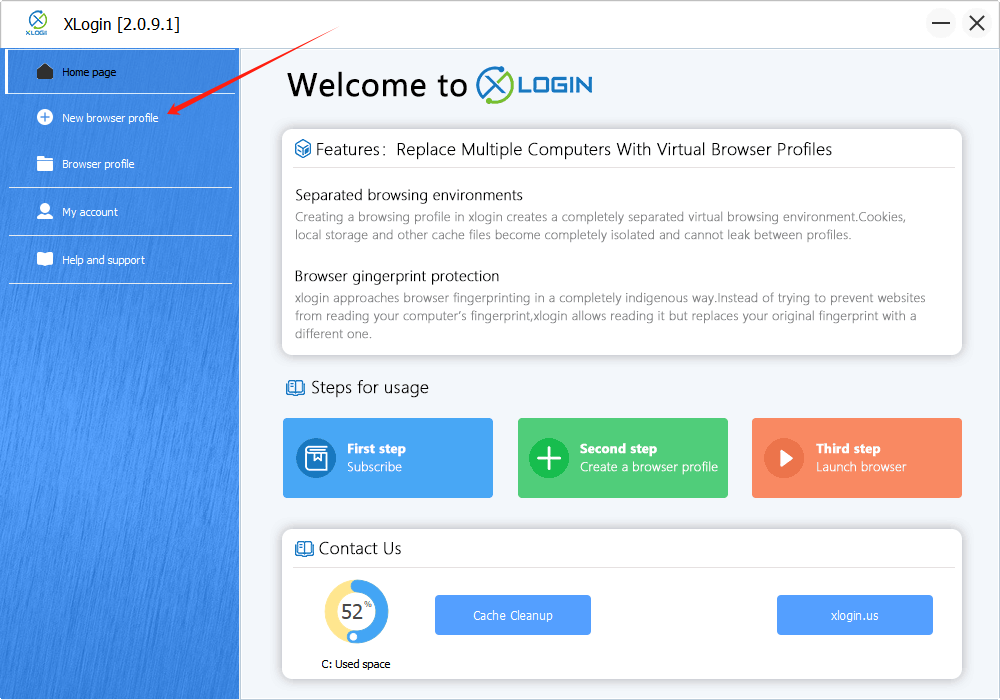
1. 登入後,從側邊欄選擇【New Browser Profile】
### **Step 2: 在 XLogin 中配置 Swiftproxy**
1. 登入後,從側邊欄選擇【New Browser Profile】
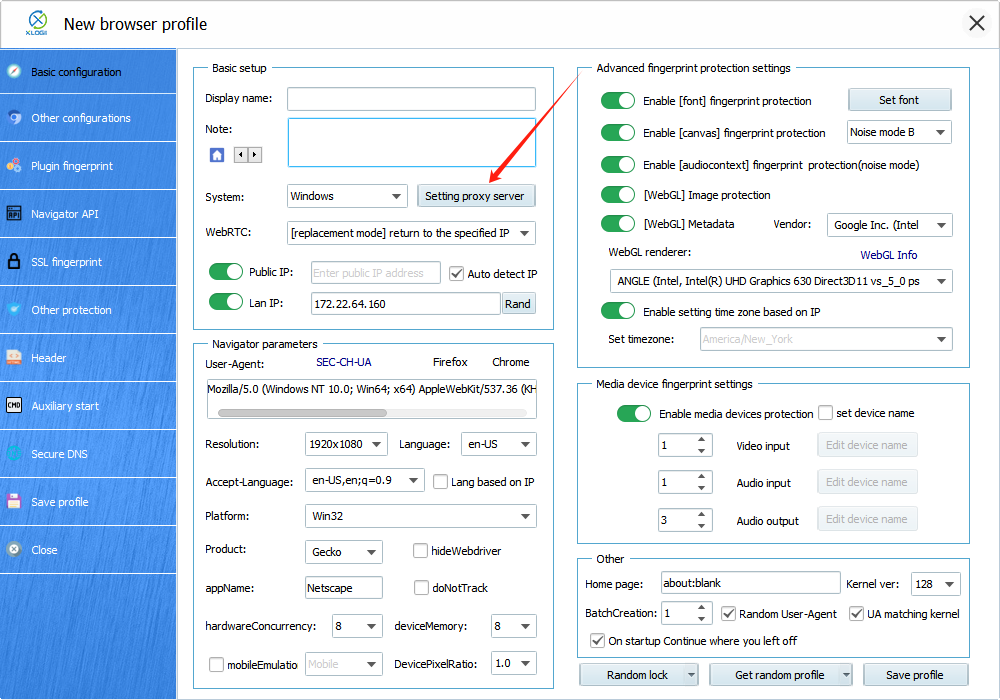
 2. 隨後會跳出一個新視窗,點擊【Setting proxy server】按鈕
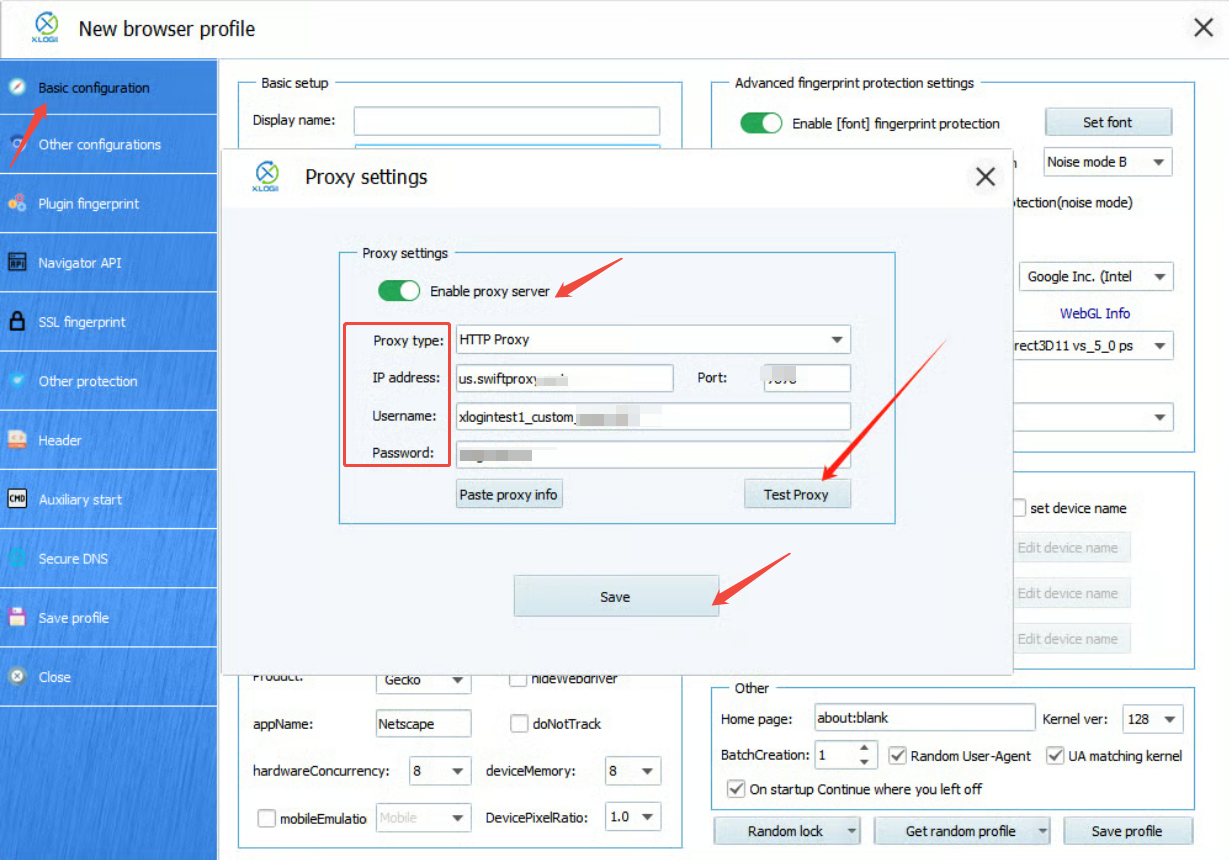
 3. 要配置您的代理,請選擇【Basic Configuration】,點擊【Setting proxy server】,並確保【Enable proxy server】已啟用。將您從 Swiftproxy 用戶中心複製的用戶名、密碼、服務器名和端口填入 XLogin,然後點擊【Save】完成設定,最後點擊【Save profile】儲存配置檔。
 4. 這裡顯示連線有效。
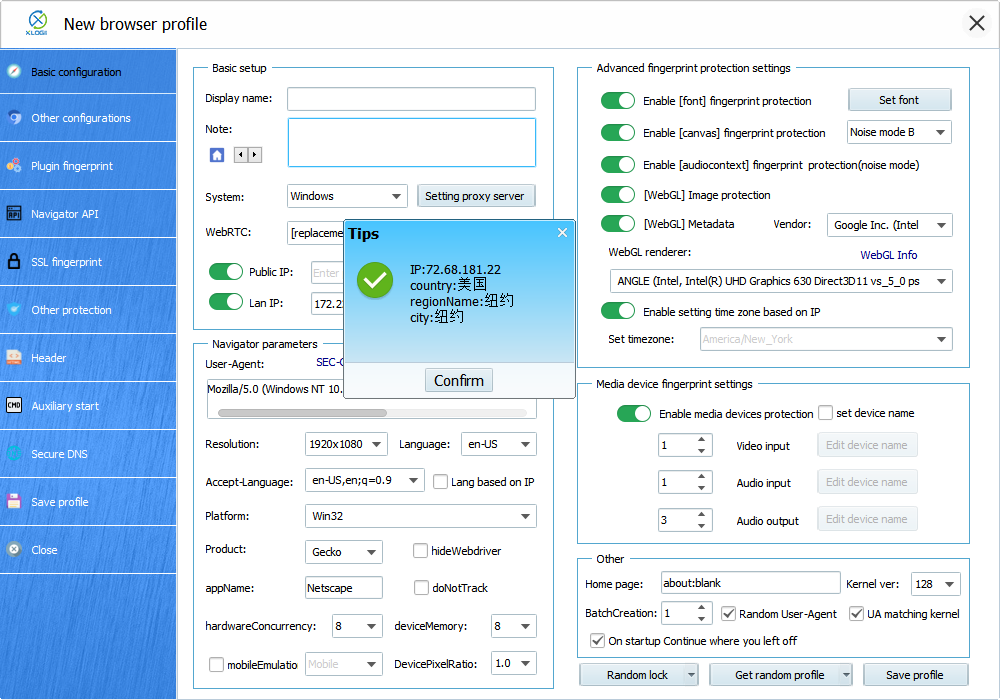 5. 設定好代理後,您現在可以點擊【Save profile】以完成在 XLogin 反偵測瀏覽器中的代理設定