> For the complete documentation index, see [llms.txt](https://docs.swiftproxy.net/llms.txt). Markdown versions of documentation pages are available by appending `.md` to page URLs; this page is available as [Markdown](https://docs.swiftproxy.net/zh-tw/dai-li/ji-cheng-dai-li/jing-tai-zhu-zhai-dai-li/waterfox-browser.md).
# Waterfox Browser
## **什麼是 Waterfox Browser?**
Waterfox 是一款基于 Mozilla Firefox 开源代码开发的 64 位浏览器,专注于隐私保护和性能优化。
**核心特点**\
隐私优先:默认禁用用户追踪、遥测上报和广告插件(如 Pocket),严格保护用户数据。\
64 位性能:针对 64 位系统优化,使用 SSE/AVX 指令集和 Intel C++ 编译器,运行速度优于原生 Firefox。\
扩展兼容性:完全支持 Firefox 扩展生态,用户可以自由安装各种插件。
## **如何配置 Waterfox Browser 和 Swiftproxy 靜態住宅代理?**
### **Step 1: 獲取代理信息與下載**
1. 從[官方網站](https://www.waterfox.net/)下載並安裝 Waterfox browser
2. 前往 Swiftproxy [用戶中心](https://www.swiftproxy.net/user/ucenter),複製用戶名、密碼、服務器名和端口
 ### **Step 2: 在 Waterfox Browser 中配置 Swiftproxy**
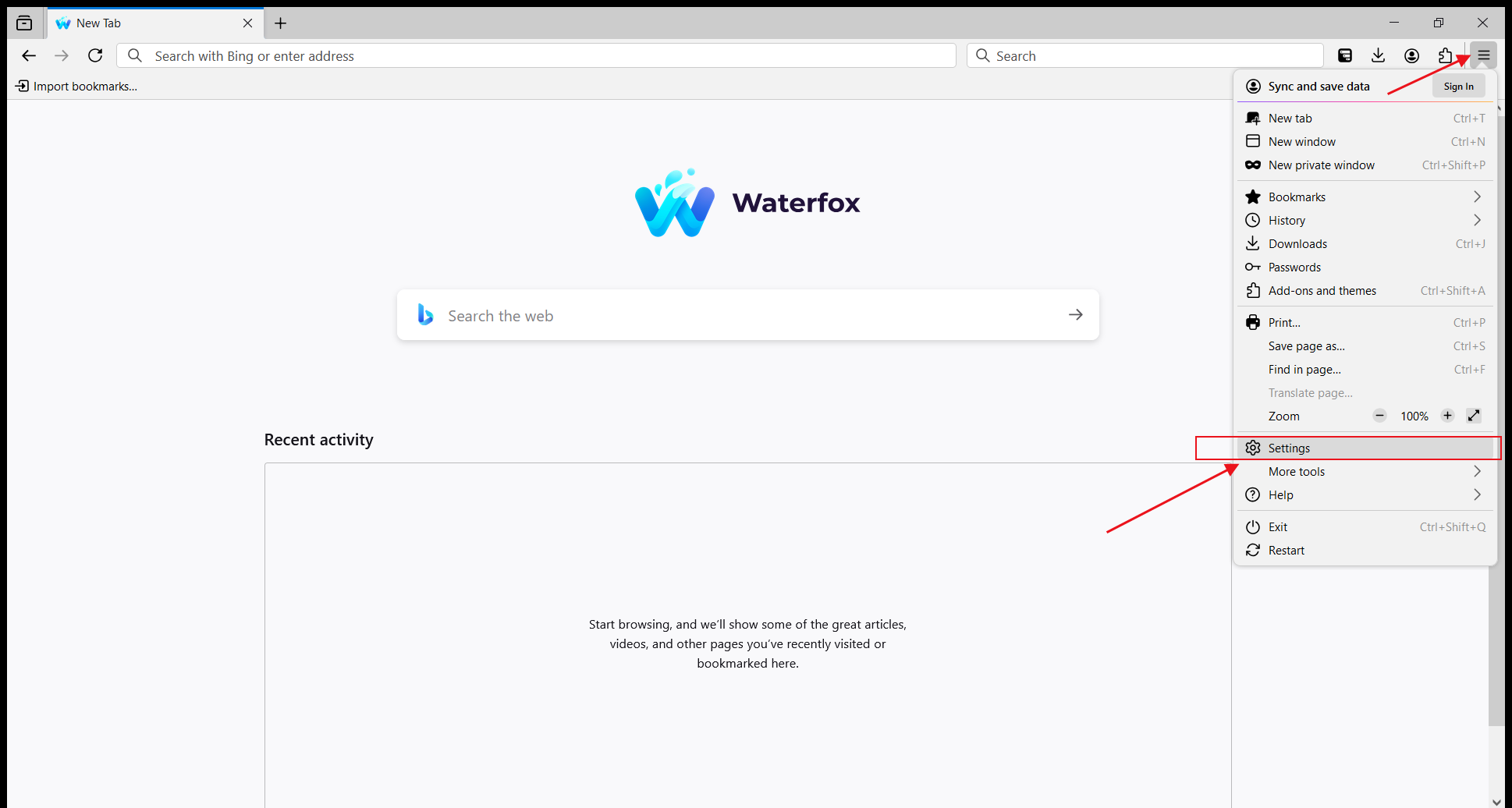
1. 打開 Waterfox,點擊右上角的選單,然後選擇【Settings】
### **Step 2: 在 Waterfox Browser 中配置 Swiftproxy**
1. 打開 Waterfox,點擊右上角的選單,然後選擇【Settings】
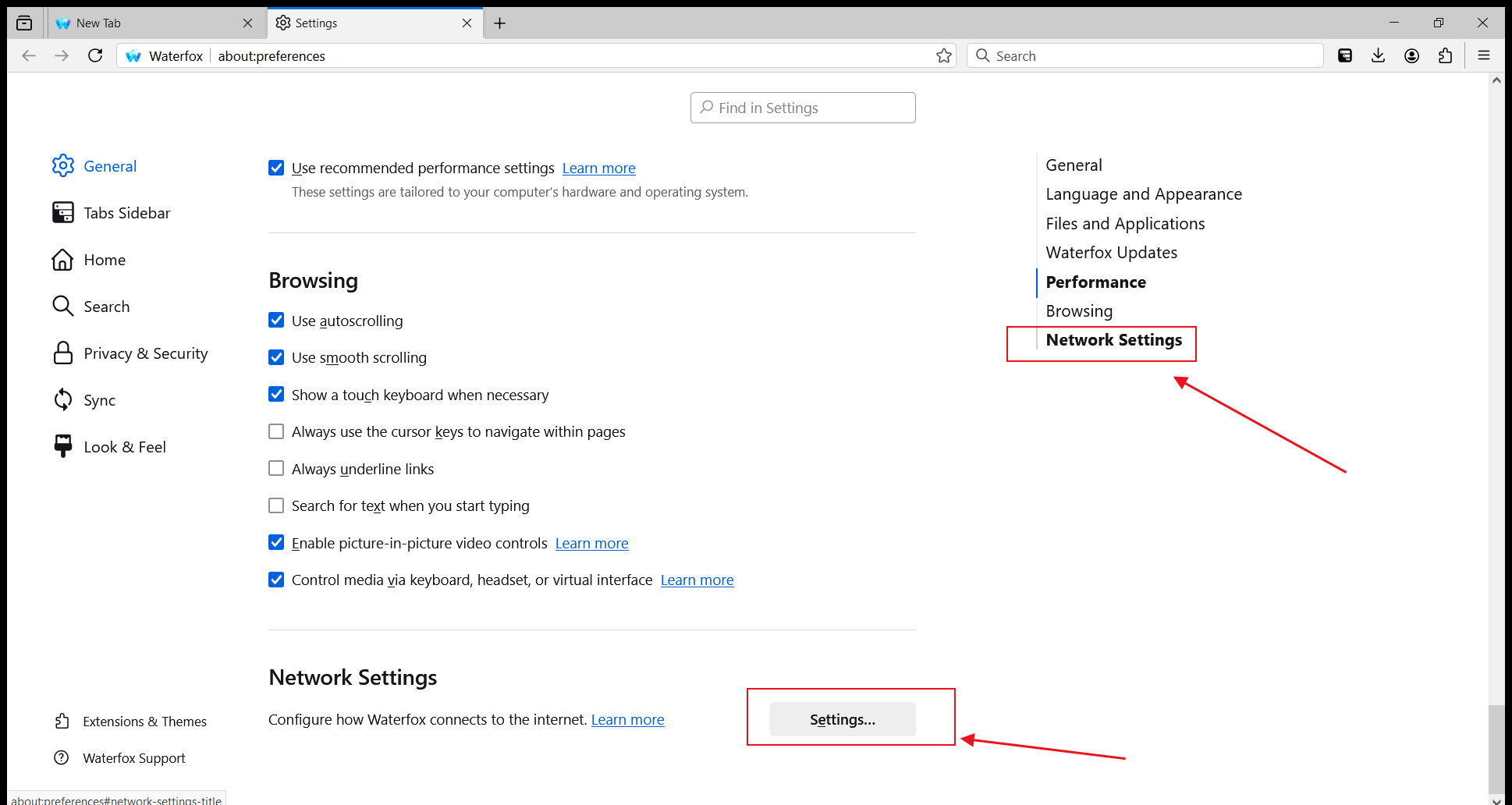
 2. 在右側選項中選擇【Network Settings】,點擊進入設定頁面
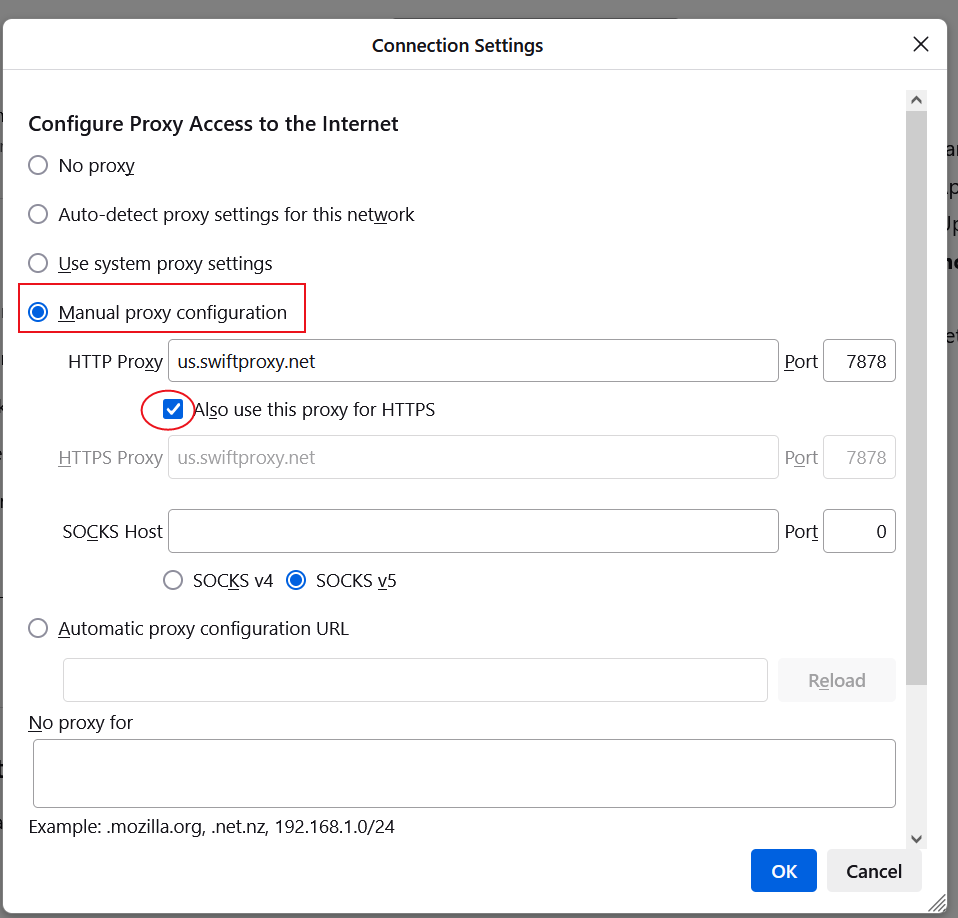
 3. 在【Connection Settings】中選擇【Manual proxy configuration】,然後填入 Swiftproxy 提供的 HTTP 代理服務器位址與埠號,並勾選【Also use this proxy for HTTPS】
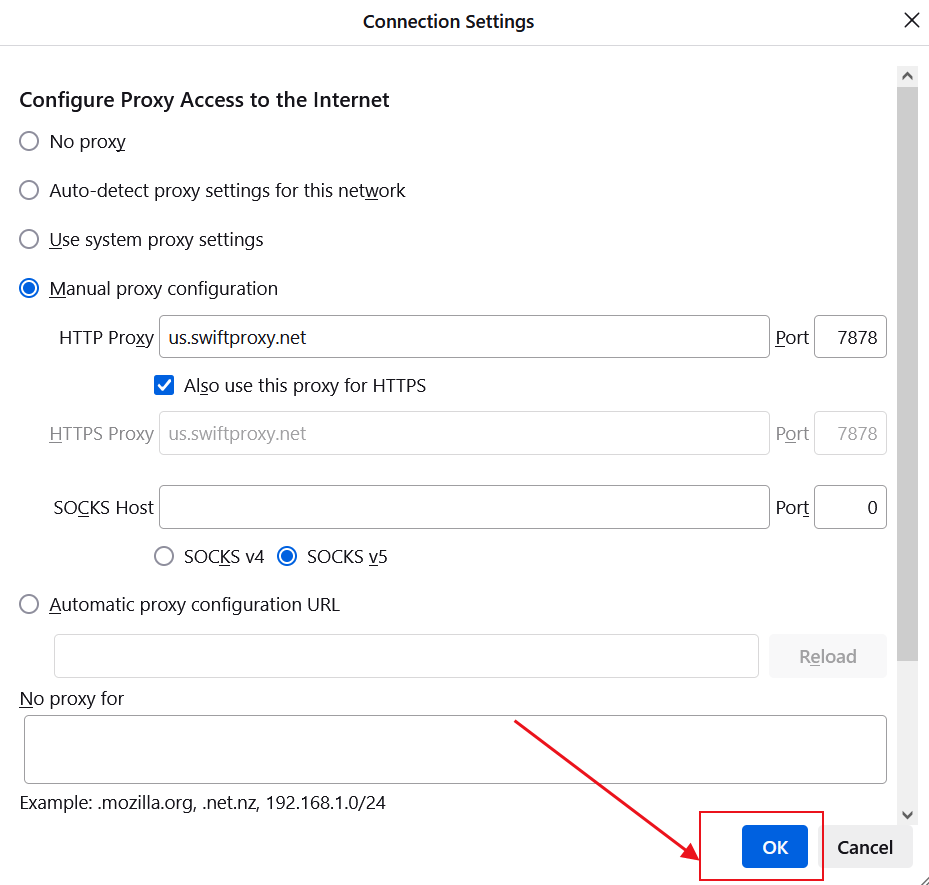
 4. 點擊【OK】以保存設定
 5. 接著,當你打開新的網頁時,會跳出代理用戶名與密碼的登入提示。依序填入相應資訊後,點擊【Sign in】即可