> For the complete documentation index, see [llms.txt](https://docs.swiftproxy.net/llms.txt). Markdown versions of documentation pages are available by appending `.md` to page URLs; this page is available as [Markdown](https://docs.swiftproxy.net/zh-tw/dai-li/ji-cheng-dai-li/jing-tai-zhu-zhai-dai-li/undetectable.md).
# Undetectable
## **什麼是 Undetectable Browser?**
Undetectable.io 是一款反偵測瀏覽器,透過變更設備的數位指紋(包括作業系統、Cookie、語言、字型、User-Agent,甚至是行動裝置資料)來保護您的線上身份。搭配代理使用時,能建立具備獨立設定與擴充功能的獨特瀏覽器配置檔,讓它們看起來像是真實使用者。這項先進的指紋切換技術提供更高層級的安全與匿名性,遠勝一般代理或 VPN,能防止網站偵測不同配置檔間的連結,特別適合多帳號操作、加密貨幣錢包管理與網路爬蟲使用。
**Undetectable Browser 的優勢:**
* 年度正常運作時間高達 99.99%
* 代理、Cookie、書籤可輕鬆匯出與匯入
* 自動 Cookie 培養,提升配置檔活躍度
* 支援批量管理代理與擴充功能
* 透過 API 自動化操作
* 同步管理多個瀏覽器配置檔的同步器
* 【貼上如同真人】功能,模擬人類貼上文字的行為
## **如何配置 Undetectable Browser 和 Swiftproxy 靜態住宅代理?**
### **Step 1: 獲取代理信息與下載**
1. 從[官方網站](https://undetectable.io/?r=kbTbu\&utm_source=swiftproxy\&utm_medium=affiliate)下載並安裝 Undetectable
2. 前往 Swiftproxy [用戶中心](https://www.swiftproxy.net/user/ucenter),複製用戶名、密碼、服務器名和端口
 ### **Step 2: 在 Undetectable 中配置 Swiftproxy**
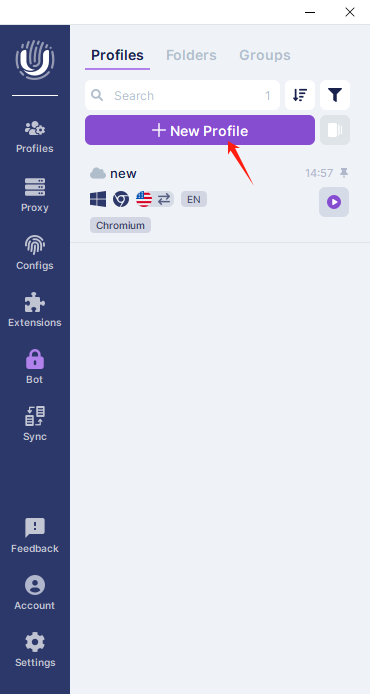
1. 登入後,點擊側邊欄的【Add Profile】
### **Step 2: 在 Undetectable 中配置 Swiftproxy**
1. 登入後,點擊側邊欄的【Add Profile】
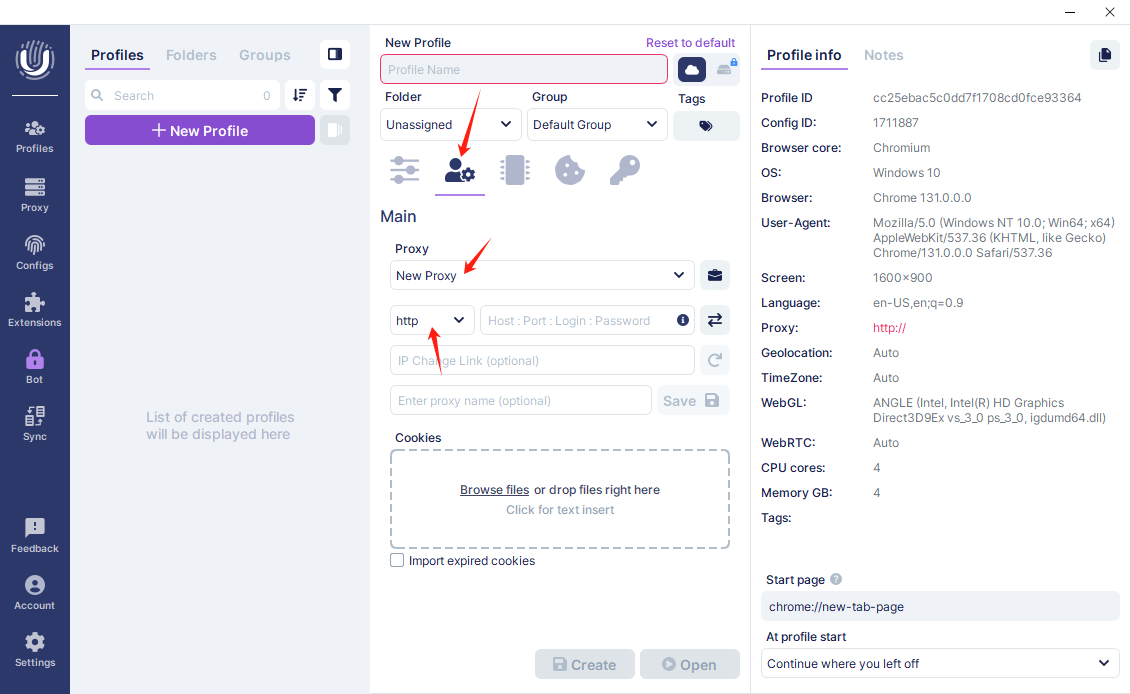
 2. 接著會跳出一個配置檔設定視窗,請切換至【Main】頁籤。在代理設定區塊,點擊下拉選單並選擇【New Proxy】,然後選擇合適的代理協議,本例中請選擇【HTTP】協議。
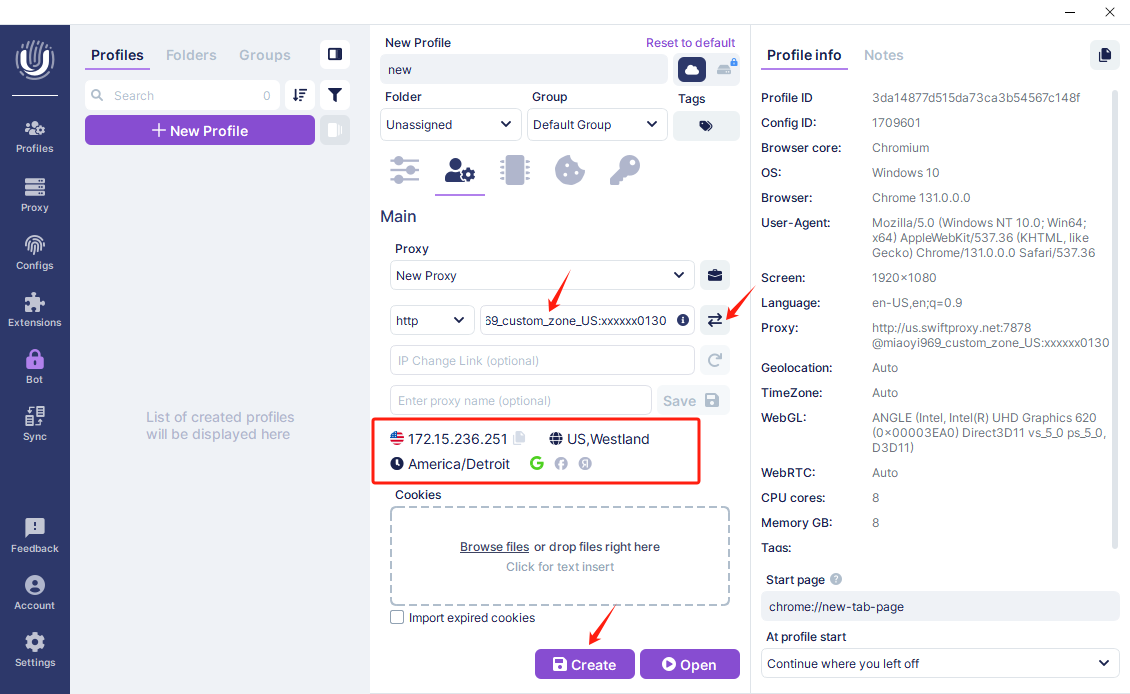
 3. 要配置您的代理,請選擇【HTTP】作為代理協議,並在旁邊的欄位貼上從 Swiftproxy 用户中心複製的用戶名、密碼、服務器名和端口。您可以點擊旁邊的測試按鈕,快速檢查代理是否可用。確認代理有效後,最後點擊【Create】完成建立。
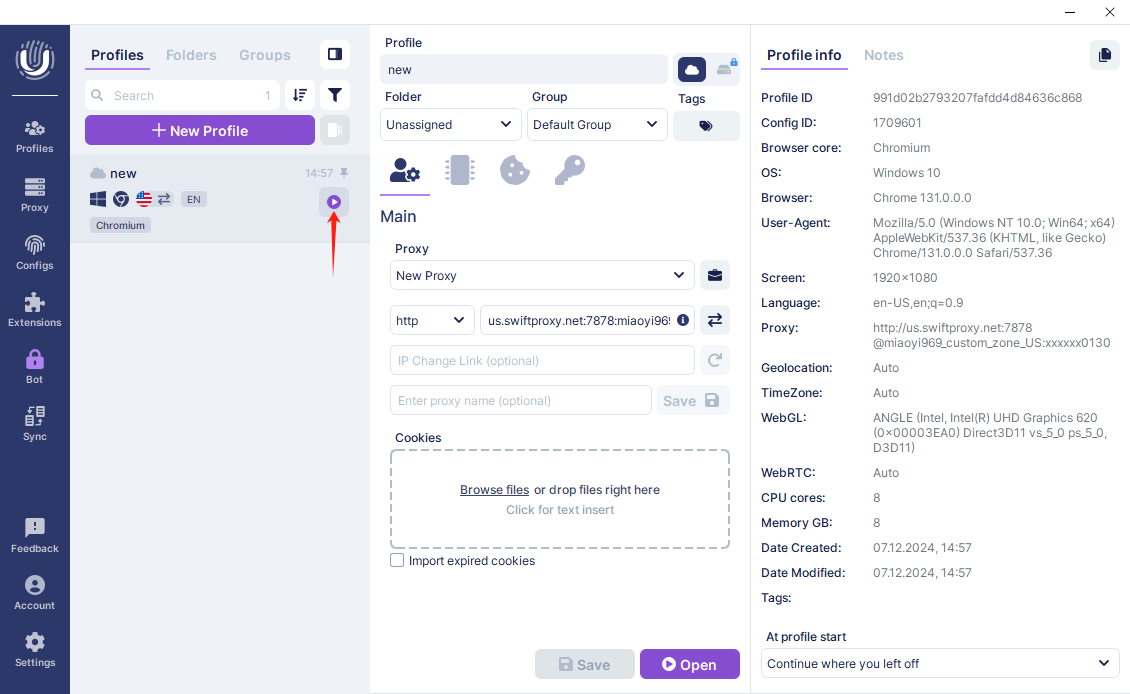
 4. 點擊【Start】以開啟瀏覽器視窗