> For the complete documentation index, see [llms.txt](https://docs.swiftproxy.net/llms.txt). Markdown versions of documentation pages are available by appending `.md` to page URLs; this page is available as [Markdown](https://docs.swiftproxy.net/zh-tw/dai-li/ji-cheng-dai-li/jing-tai-zhu-zhai-dai-li/masq-browser.md).
# MASQ Browser
## **為什麼選擇 MASQ Browser?**
選擇 MASQ Browser 的理由可歸納如下:
* **隱私保護**:MASQ Browser 注重用戶隱私保護,可能提供更嚴格的隱私設定與資料加密功能,確保使用者的瀏覽行為不被追蹤或洩露。
* **廣告阻擋**:該瀏覽器可能內建高效的廣告阻擋功能,減少網頁上的干擾性廣告與追蹤器,提升瀏覽體驗。
* **速度優化**:透過優化網頁載入速度及減少不必要的資源消耗,MASQ Browser 可能帶來更快速的瀏覽速度。
綜上所述,選擇 MASQ Browser 主要基於其在隱私保護、廣告過濾與速度優化方面的優勢。
## **如何配置 MASQ Browser 和 Swiftproxy 靜態住宅代理?**
### **Step 1: 獲取代理信息與下載**
1. 從[官方網站](https://masqad.com/)下載並安裝 MASQ Browser
2. 前往 Swiftproxy [用戶中心](https://www.swiftproxy.net/user/ucenter),複製用戶名、密碼、服務器名和端口
 ### **Step 2: 在 MASQ Browser 中配置 Swiftproxy**
1. 打開瀏覽器,點擊左側的 【Profile】 選項,選擇一個資料夾,並開始建立檔案
### **Step 2: 在 MASQ Browser 中配置 Swiftproxy**
1. 打開瀏覽器,點擊左側的 【Profile】 選項,選擇一個資料夾,並開始建立檔案
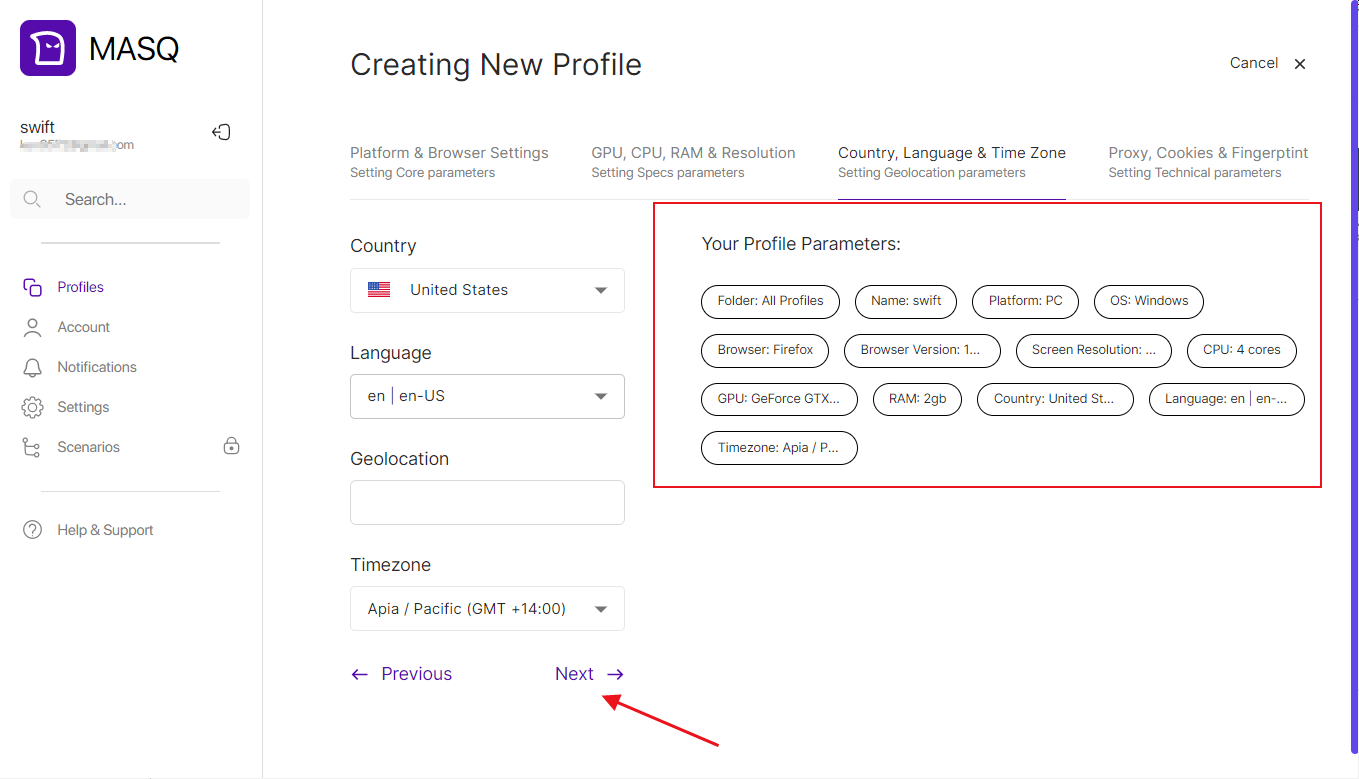
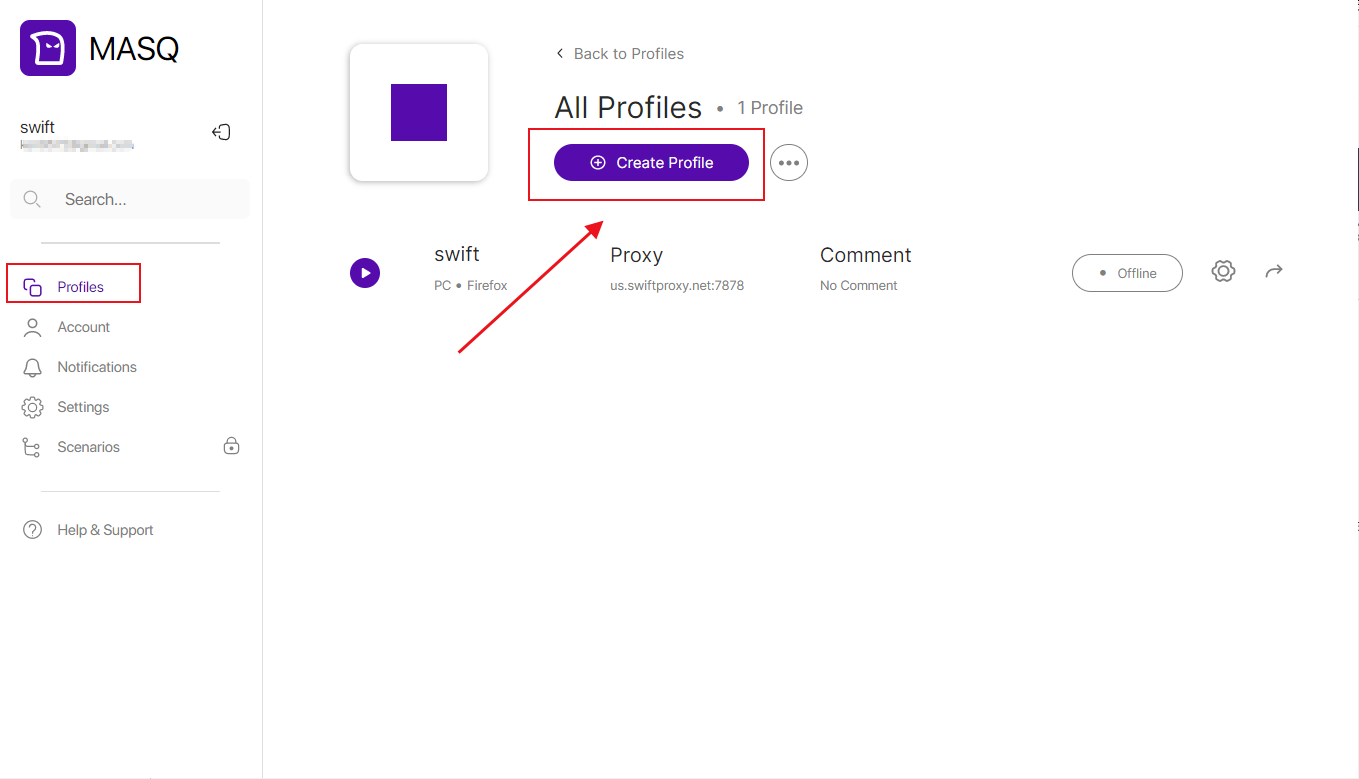 2. 設置瀏覽器名稱及各項配置選項,可根據您的需求進行設定
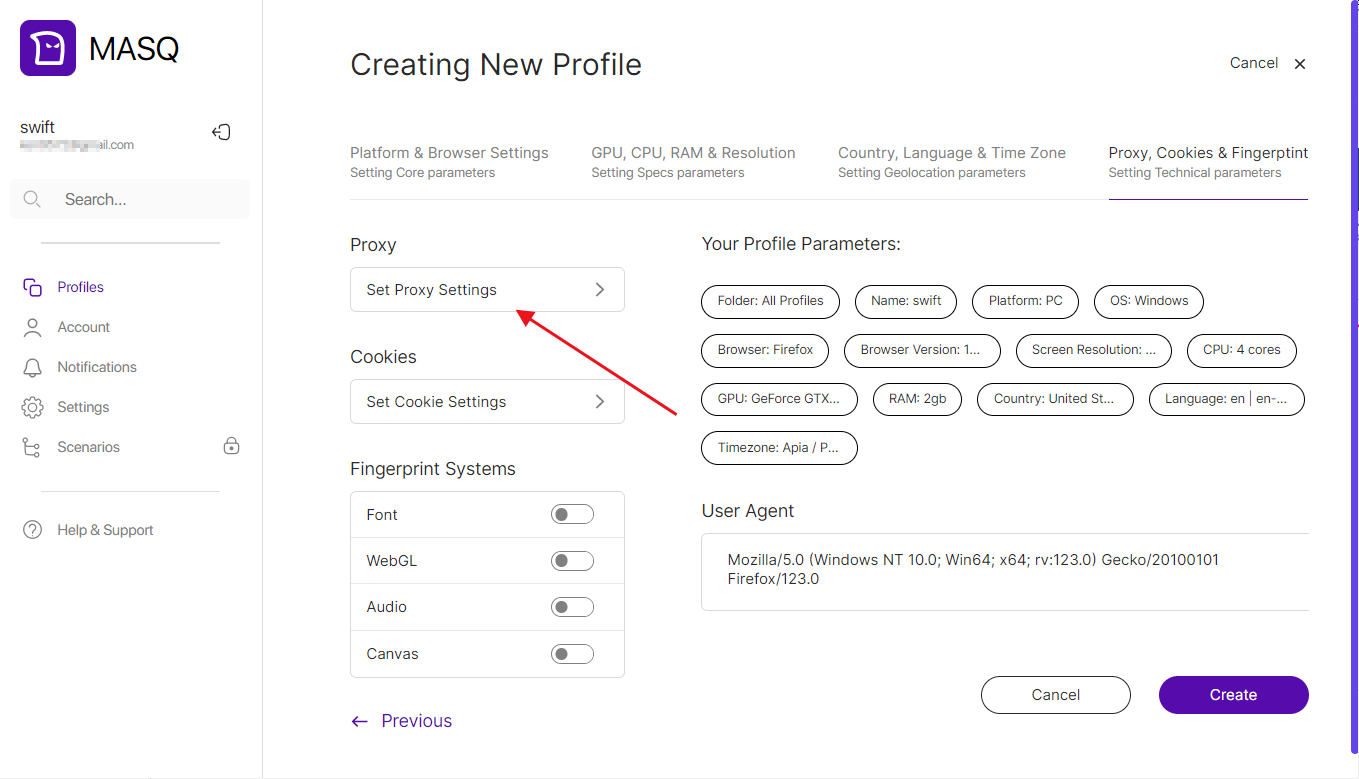
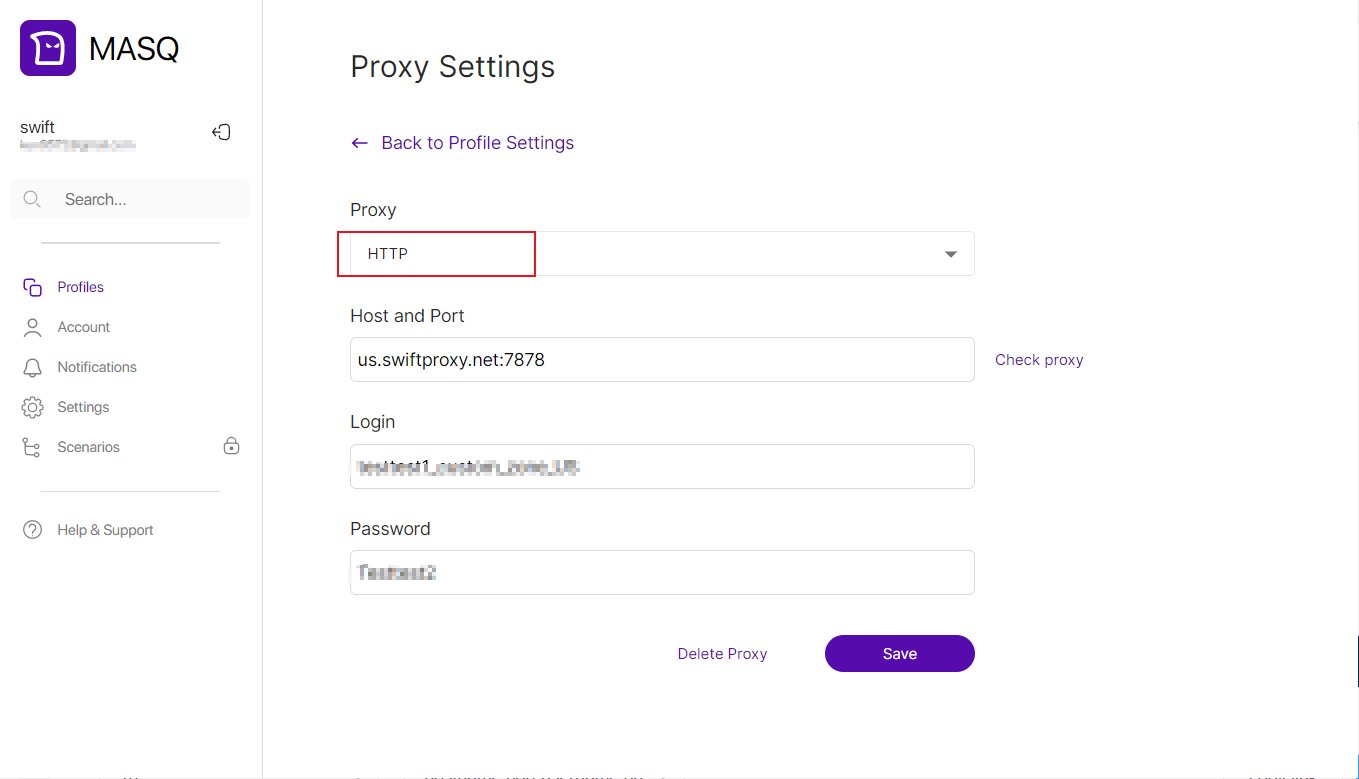
 3. 點擊【Set Proxy Settings】選擇代理協議,然後依次粘貼剛複製的用戶名、密碼、服務器名和端口
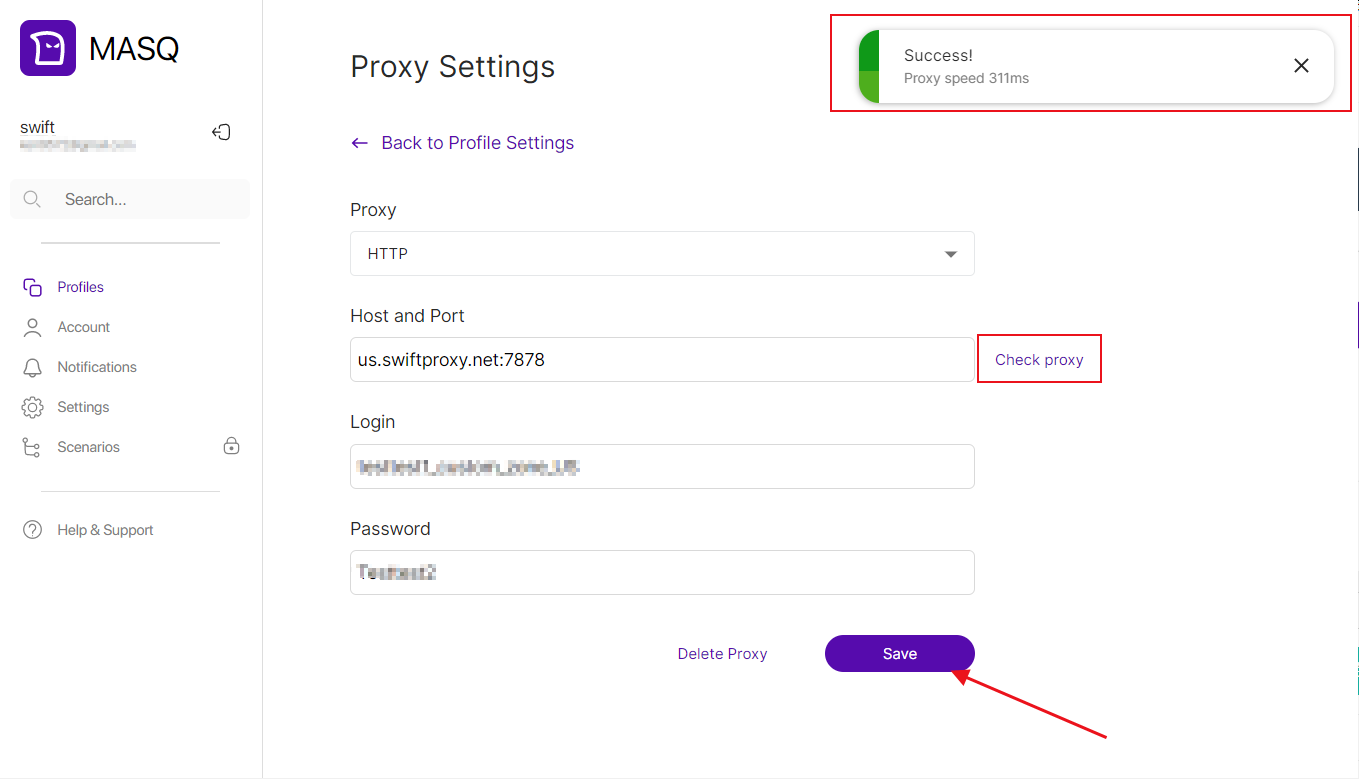
 4. 點擊【Check proxy】檢測代理,看到成功提示按鈕後,保存代理設置
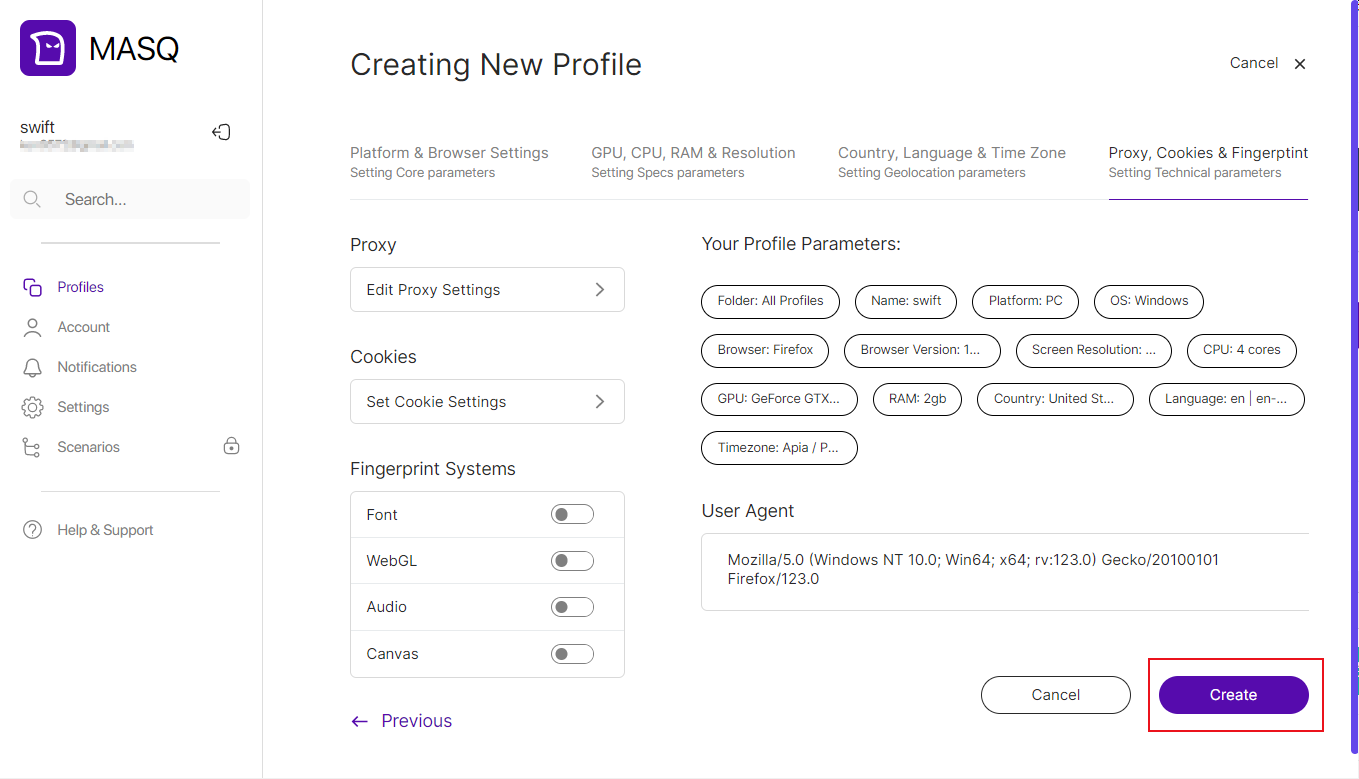
 5. 點擊【Create】按鈕完成瀏覽器創建