> For the complete documentation index, see [llms.txt](https://docs.swiftproxy.net/llms.txt). Markdown versions of documentation pages are available by appending `.md` to page URLs; this page is available as [Markdown](https://docs.swiftproxy.net/zh-tw/dai-li/ji-cheng-dai-li/jing-tai-zhu-zhai-dai-li/incogniton.md).
# Incogniton
## **什麼是 Incogniton 反偵測瀏覽器?**
Incogniton 是一款功能強大的反偵測瀏覽器,能全面掌控您的線上數據隱私,同時輕鬆管理多個瀏覽器配置檔。\
透過 Incogniton,您可以用虛擬瀏覽器配置檔取代多台電腦,並確保您的數據始終安全且私密。每個配置檔都會對應一組獨特的數位指紋,使其看起來就像不同的使用者在操作相同的瀏覽器!
## **如何配置 Incogniton 和 Swiftproxy 靜態住宅代理?**
### **Step 1: 獲取代理信息與下載**
1. 從[官方網站](https://incogniton.com/?utm_source=proxy\&utm_campaign=swiftproxy)下載並安裝 Incogniton
2. 前往 Swiftproxy [用戶中心](https://www.swiftproxy.net/user/ucenter),複製用戶名、密碼、服務器名和端口
### **Step 2: 在 Incogniton Browser 中配置 Swiftproxy**
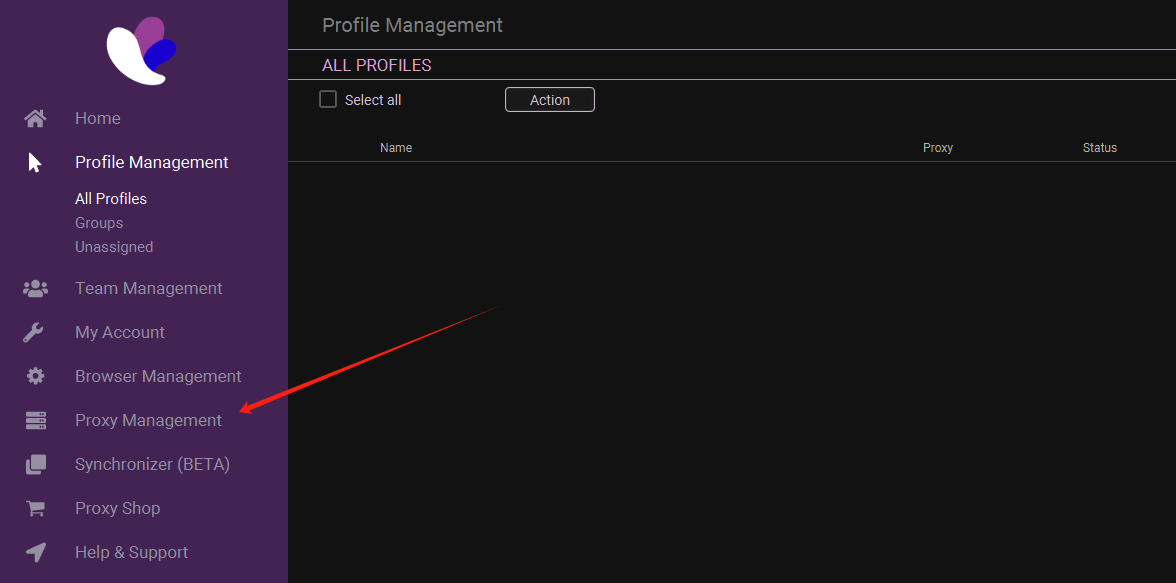
1. 登入後,從側邊欄選擇【Proxy Management】
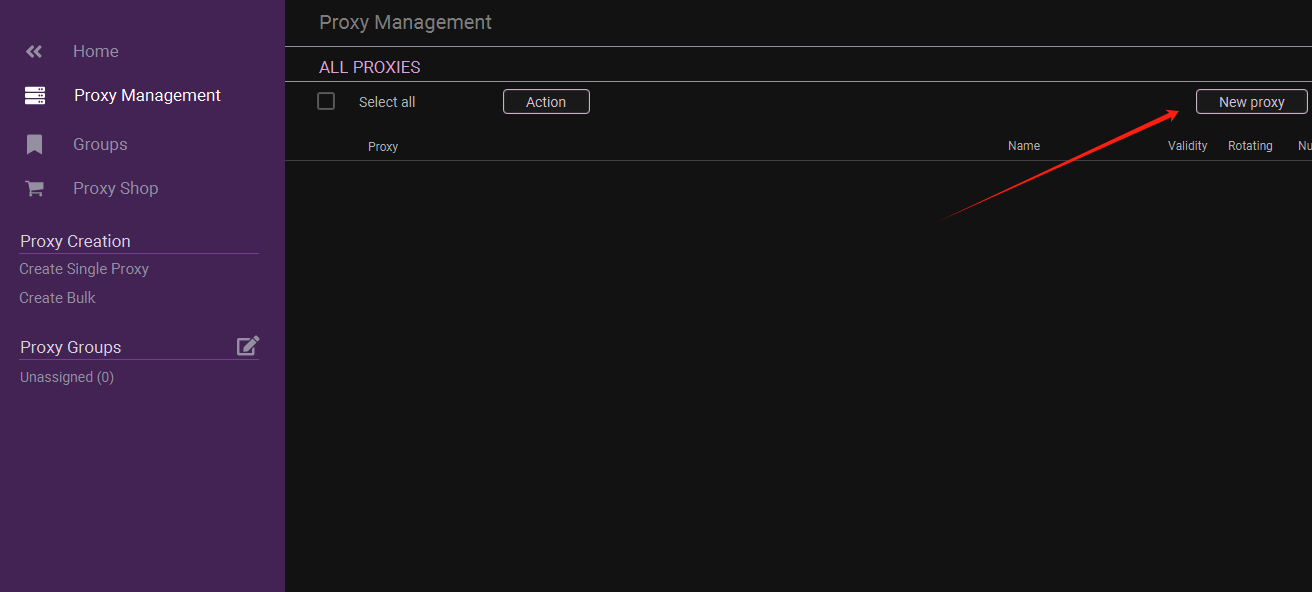
2. 點擊右上角的【Add Proxy】
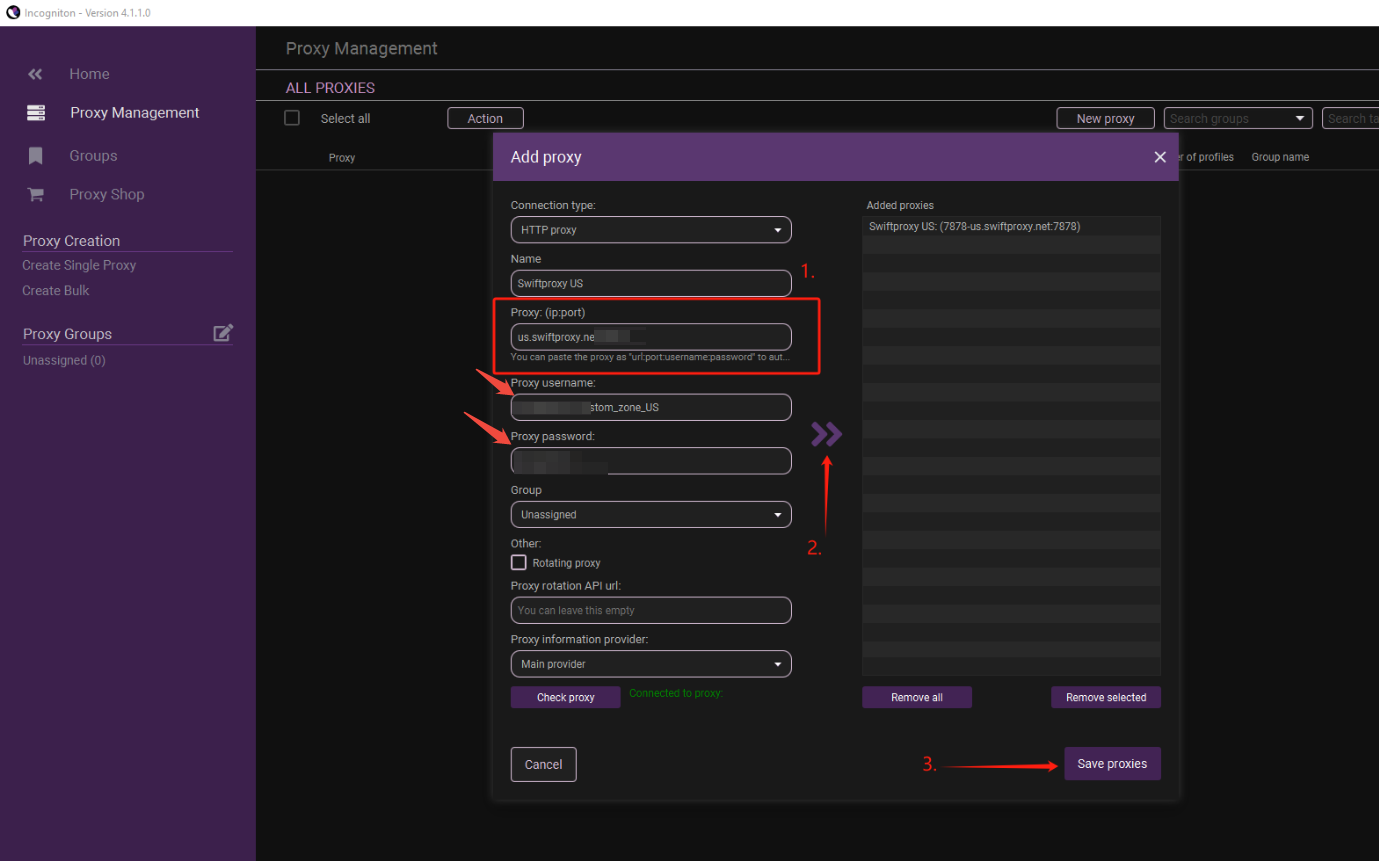
3. To configure your proxies, choose "Advanced", paste Username, Password, Hostname, and Port into column 1. Checkmark the "Rotating Proxy" if your proxy is in Rotating mode. Then, finally, click Save Proxy to proceed.
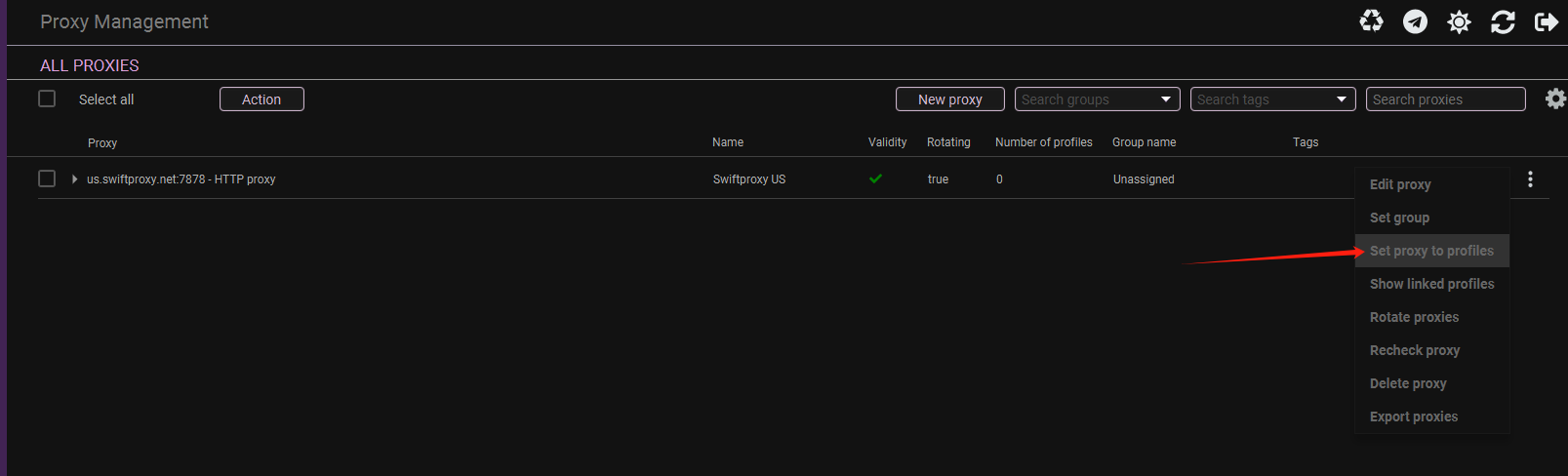
4. Once the proxy is configured, you may set it into one of your created Incognito browser profiles.

 2. 點擊右上角的【Add Proxy】
 3. To configure your proxies, choose "Advanced", paste Username, Password, Hostname, and Port into column 1. Checkmark the "Rotating Proxy" if your proxy is in Rotating mode. Then, finally, click Save Proxy to proceed.