> For the complete documentation index, see [llms.txt](https://docs.swiftproxy.net/llms.txt). Markdown versions of documentation pages are available by appending `.md` to page URLs; this page is available as [Markdown](https://docs.swiftproxy.net/proxies/integration-and-usage/static-residential-proxies-integration/vmlogin.md).
# VMlogin
## **What is VMLogin?**
VMLogin Antidetect Browser offers users an unlimited environment of unique browser fingerprints. Each browser environment mimics natural and local settings, significantly reducing the risk of account blocks.
This tool is versatile for all types of browser-based activities, including account registrations, advertising verification, and management on platforms like Google, Facebook, Twitter, Amazon, eBay, Etsy, TikTok, Tinder, PayPal, Stripe, Outlook, and Gmail. It's also ideal for store operations, affiliate marketing, automated tasks, and more across various industries.
## **How to configure VMlogin with Swiftproxy Static Residential Proxy?**
### **Step 1: Get Proxy Information and Download**
1. Download VMlogin from the [official website](https://www.vmlogin.us/download.html).
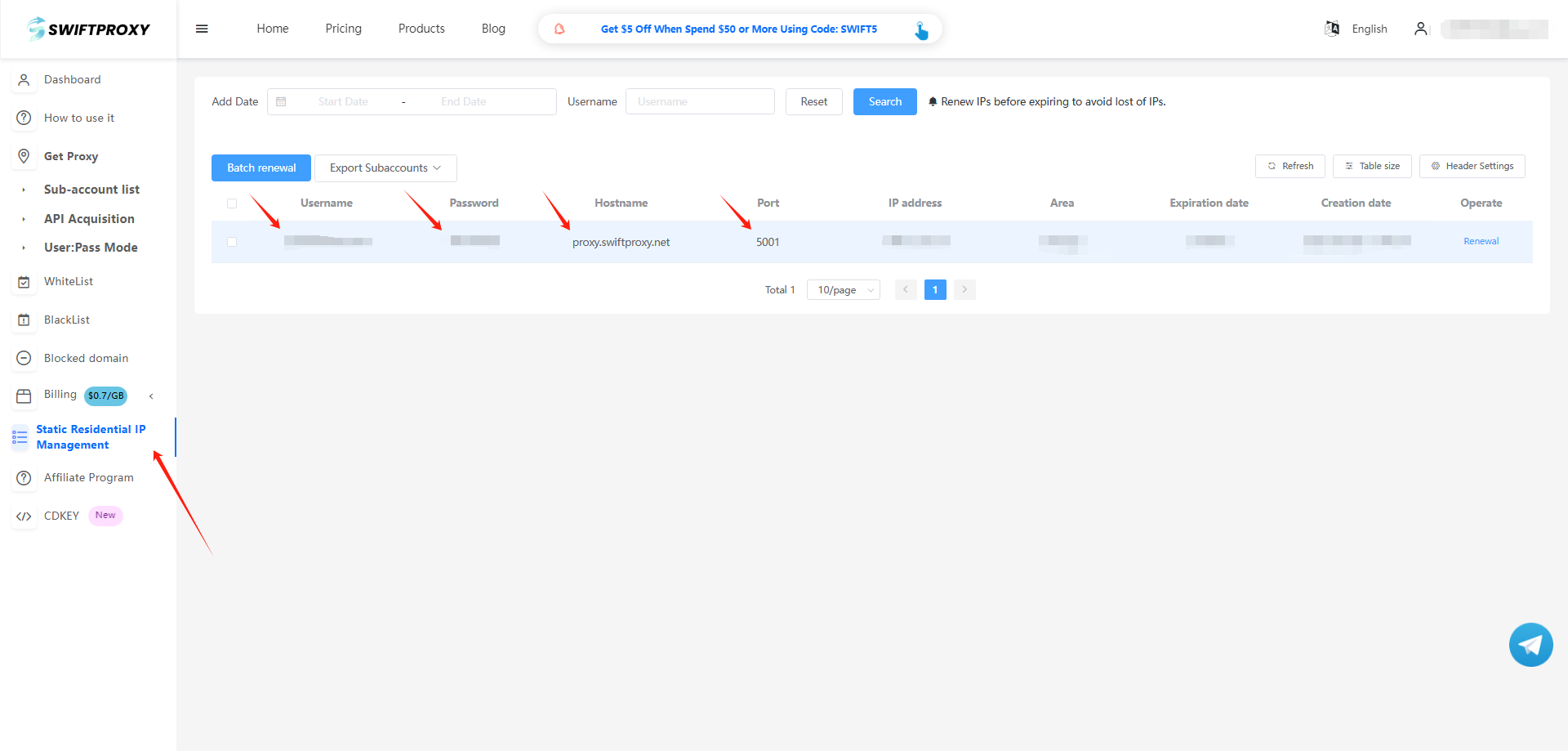
2. Visit the [Swiftproxy dashboard](https://www.swiftproxy.net/user/ucenter) and copy Username, Password, Hostname, and Port.
### **Step 2: Configure Swiftproxy in VMlogin Browser**
1. Log in to VMlogin, click "New Browser Profile" first.
2. To configure your proxies, choose "Basic Configuration", click "Setting proxy server", and make sure "Enable proxy server" is on. Paste the proxy information, including the username, password, hostname, and port that you copied from the Swiftproxy dashboard, and click "Save" to complete the configuration. Tap "Save profile" in the end.