> For the complete documentation index, see [llms.txt](https://docs.swiftproxy.net/llms.txt). Markdown versions of documentation pages are available by appending `.md` to page URLs; this page is available as [Markdown](https://docs.swiftproxy.net/proxies/integration-and-usage/static-residential-proxies-integration/mbbrowser.md).
# Mbbrowser
## **Why Choose Mbbrowser?**
Mbbrowser is a fingerprint browser designed for multi-account management and privacy protection, with the following core advantages:
1. Professional anti-association capability: Provides an independent browser fingerprint environment to effectively isolate browsing data of different accounts
2. Proxy integration advantage: Natively supports proxy protocols such as SOCKS5/HTTP, and can seamlessly connect to residential proxy services such as Swiftproxy.
3. Outstanding cost-effectiveness: Compared with similar products, it has more focused functions and more competitive prices.
## **How to configure Mbbrowser with Swiftproxy Static Residential Proxy?**
### **Step 1: Get Proxy Information and Download**
1. Download Mbbrowserr from the [official website](https://www.mbbrowser.com/en/).
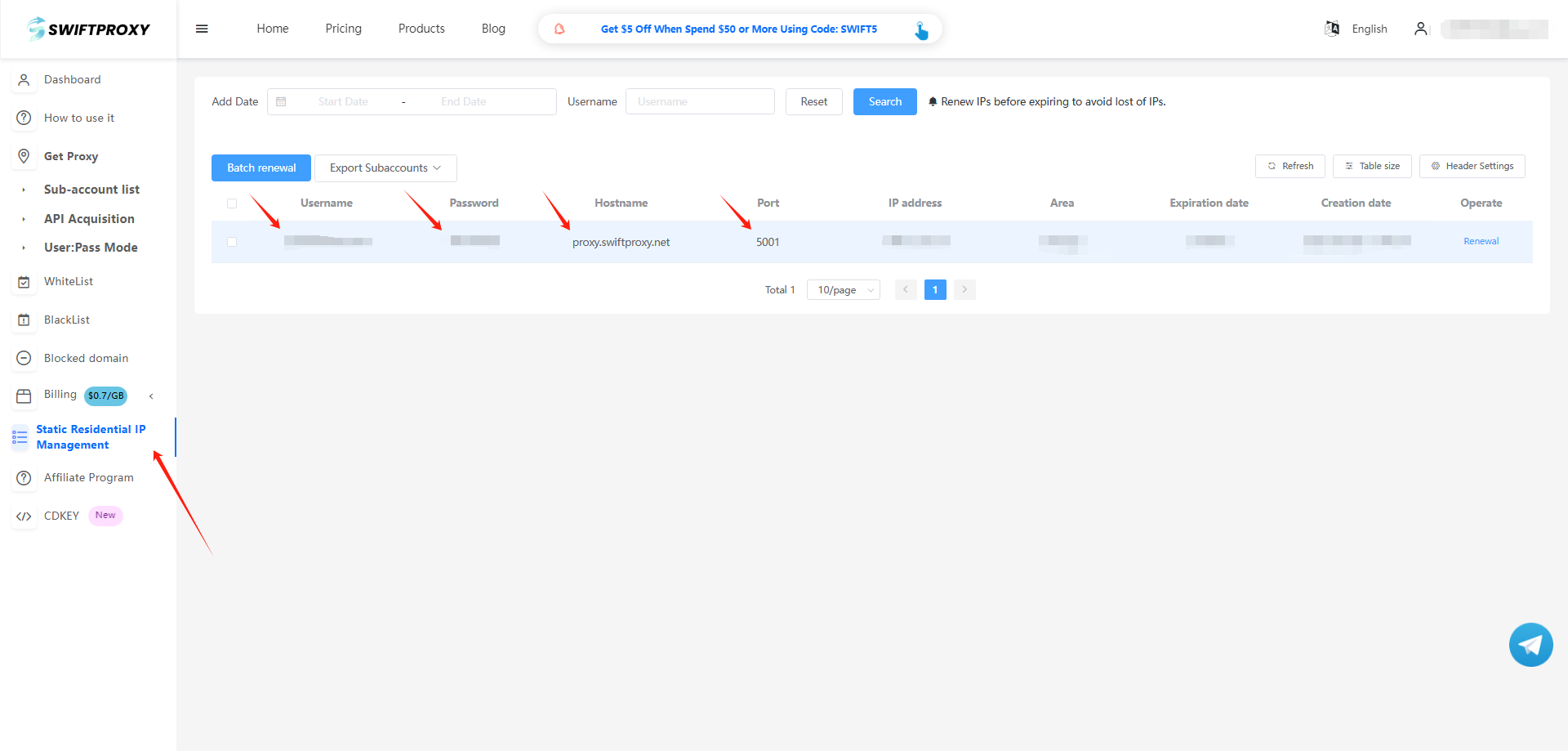
2. Visit the [Swiftproxy dashboard](https://www.swiftproxy.net/user/ucenter) and copy Username, Password, Hostname, and Port.
### **Step 2: Configure Swiftproxy in Mbbrowserr**
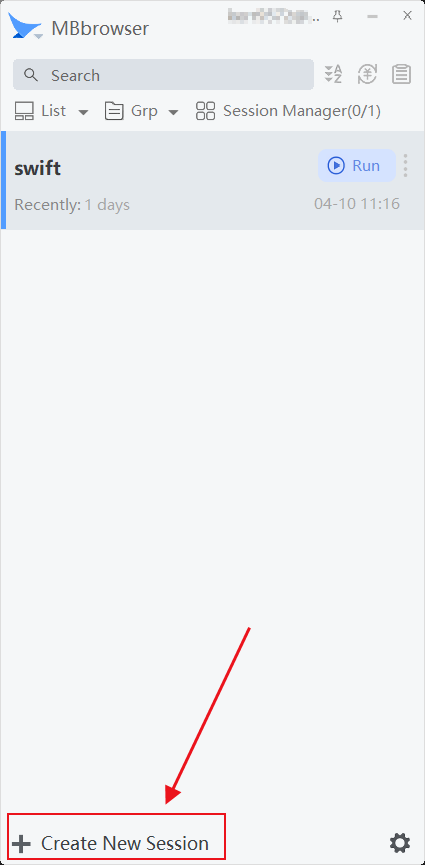
1. Register and log in. Click the "Create New Session" button to start the setup
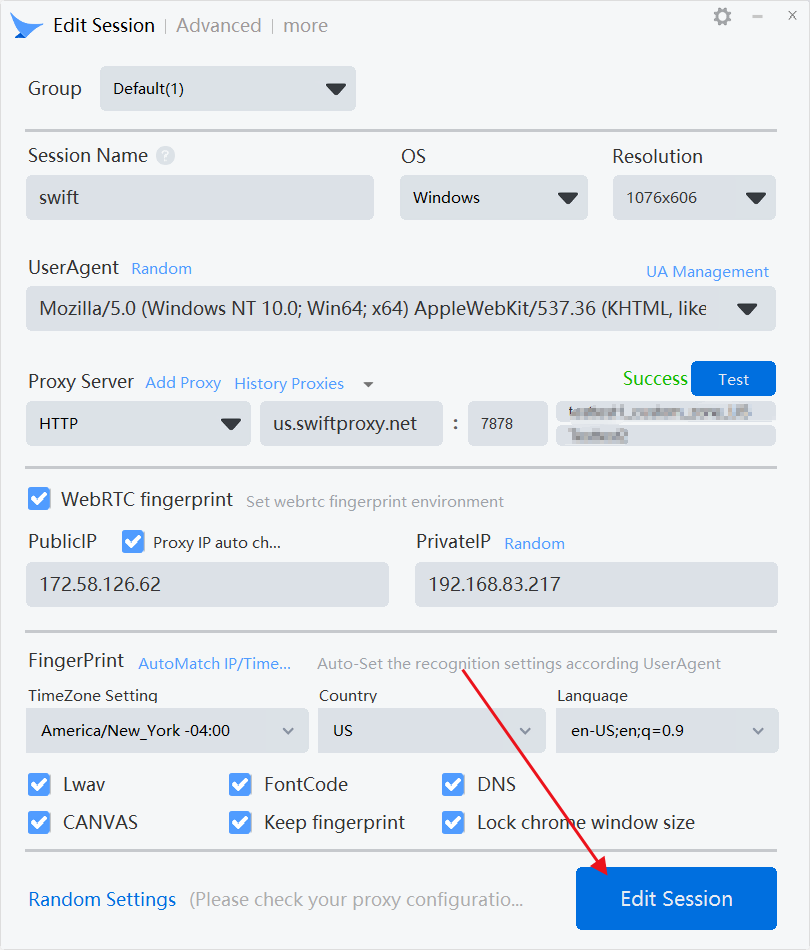
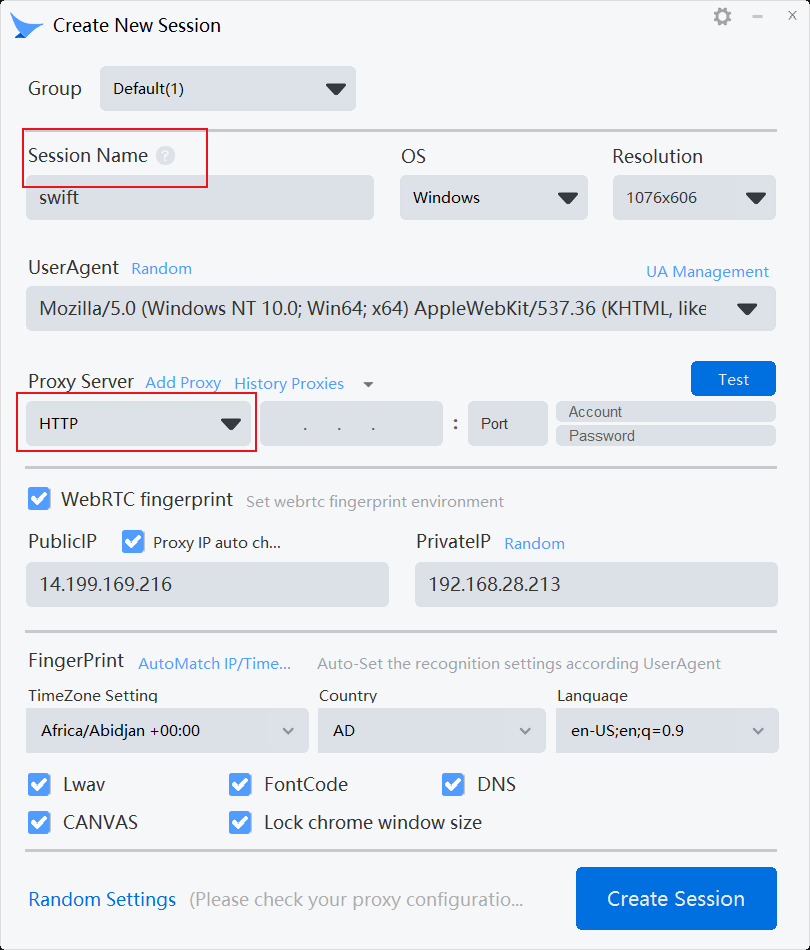
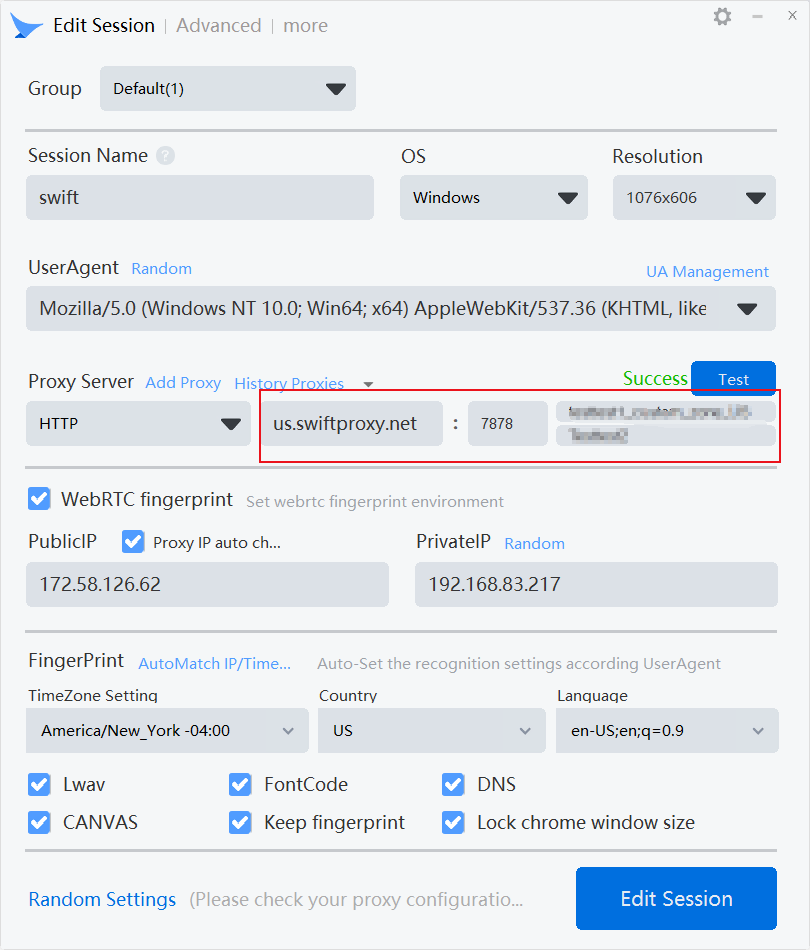
2. After creating the "Session Name", select the proxy protocol in "Proxy Server". It should be noted that the proxy protocol should be consistent with the proxy credentials you created.
3. Paste Username, Password, Hostname, and Port we obtained one by one.
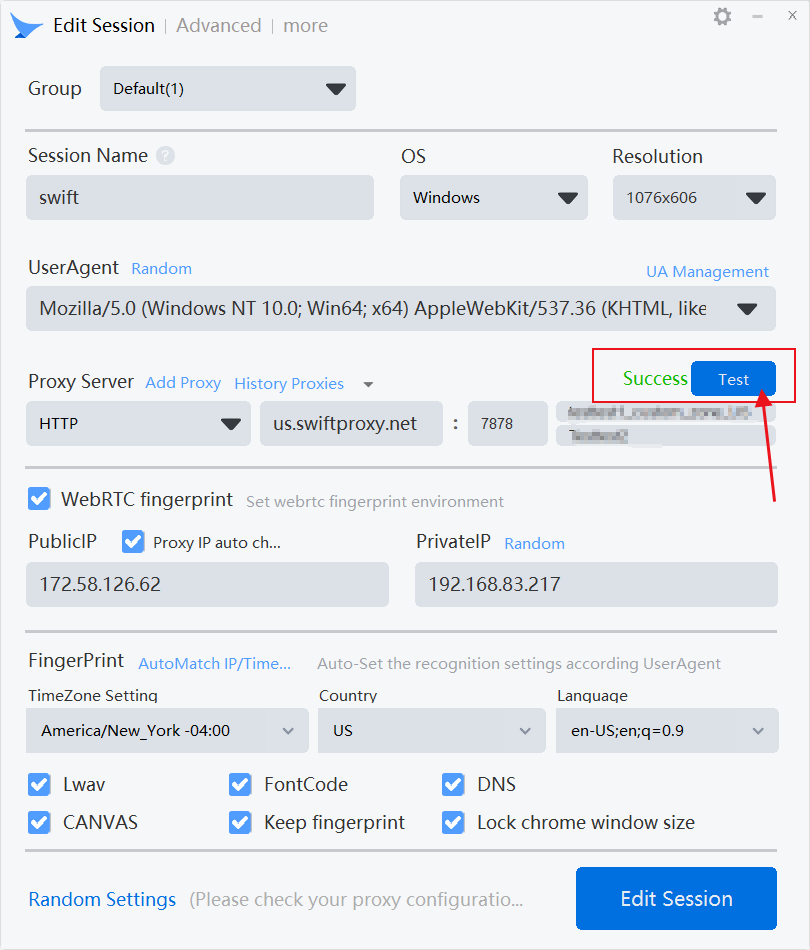
4. Click "Test" to check the proxy.
5. Finally, click "Create Session" to complete the creation.
 2. After creating the "Session Name", select the proxy protocol in "Proxy Server". It should be noted that the proxy protocol should be consistent with the proxy credentials you created.
 3. Paste Username, Password, Hostname, and Port we obtained one by one.
 4. Click "Test" to check the proxy.
 5. Finally, click "Create Session" to complete the creation.