> For the complete documentation index, see [llms.txt](https://docs.swiftproxy.net/llms.txt). Markdown versions of documentation pages are available by appending `.md` to page URLs; this page is available as [Markdown](https://docs.swiftproxy.net/proxies/integration-and-usage/static-residential-proxies-integration/lauth.md).
# Lauth
## **What is Lauth?**
Lauth Browser offers advanced tools to modify your browser fingerprint for each profile, ensuring that every account appears to originate from a distinct device. This feature is crucial for users who want to prevent platforms from associating their accounts based on browsing behavior.
## **How to configure Lauth with Swiftproxy Static Residential Proxy?**
### **Step 1: Get Proxy Information and Download**
1. Download Lauth from the [official website](https://lauth.com.br/).
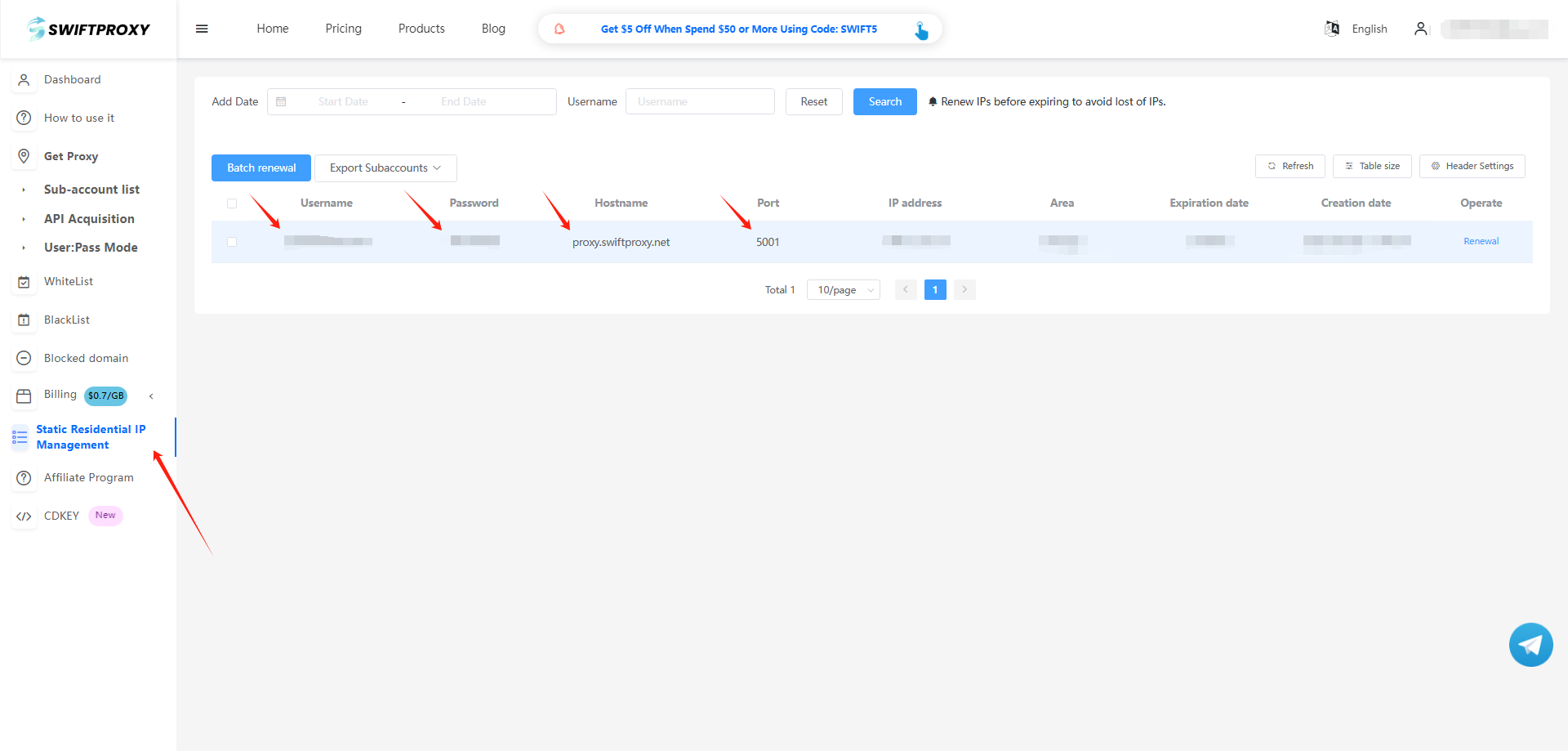
2. Visit the [Swiftproxy dashboard](https://www.swiftproxy.net/user/ucenter) and copy Username, Password, Hostname, and Port.
### **Step 2: Configure Swiftproxy in Lauth Browser**
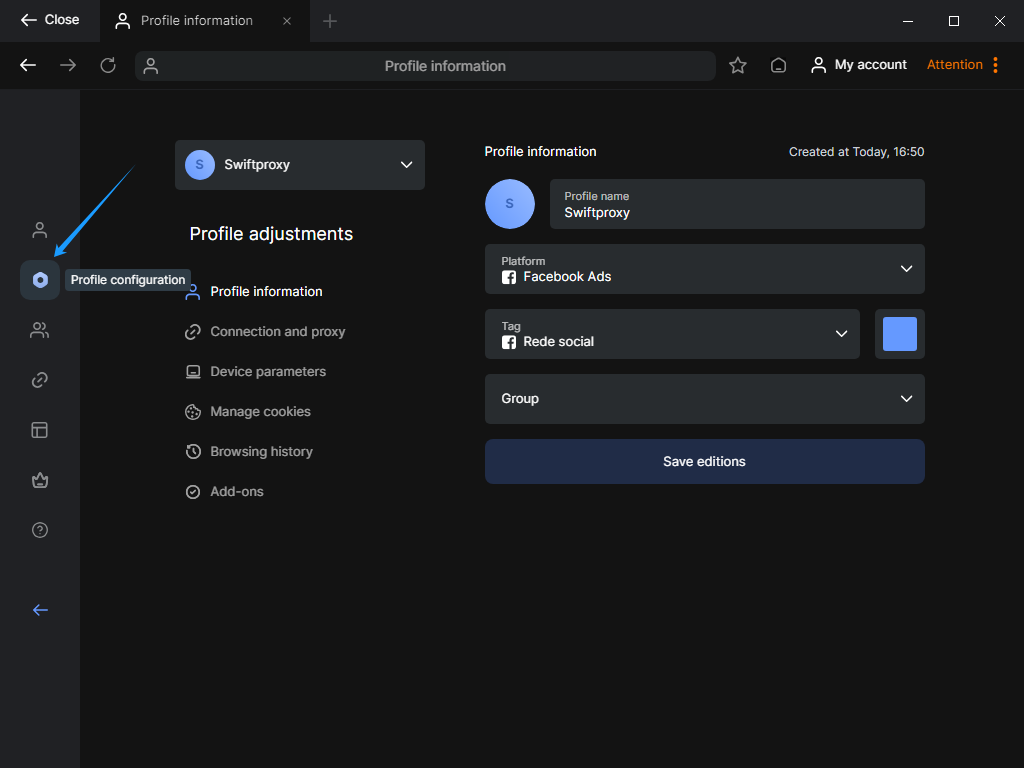
1. Once log in, select "Profile Configuration" at the sidebar:
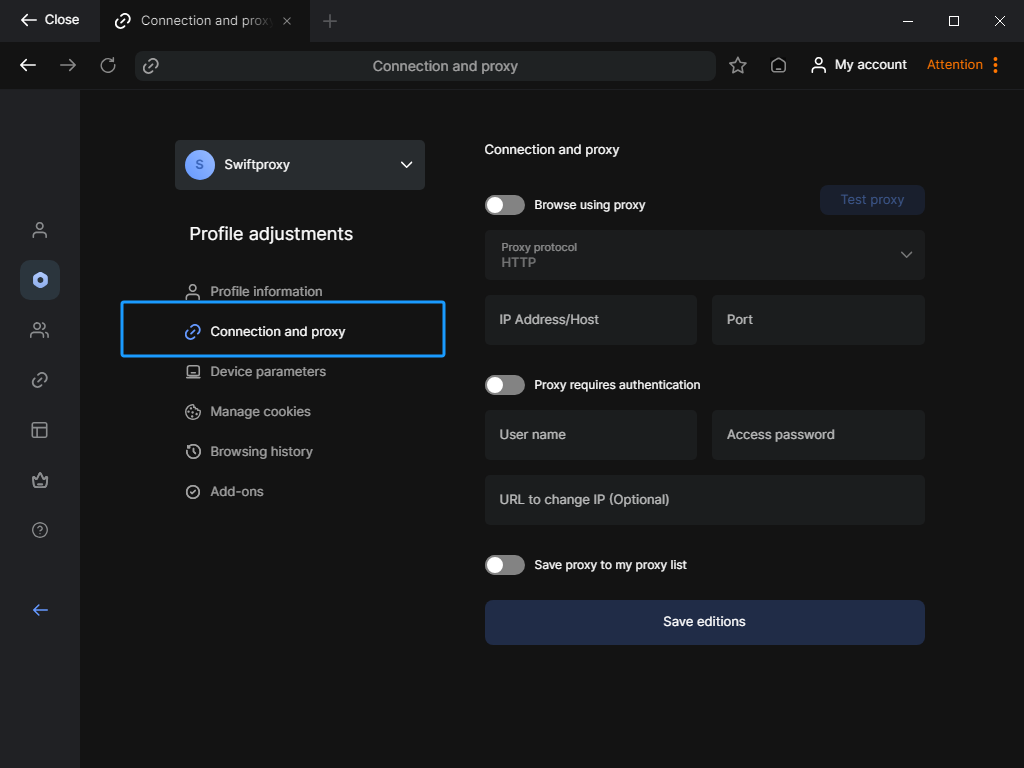
2. In the "Profile Configuration" section, tap the "Connection and Proxy" bar from the main dash.
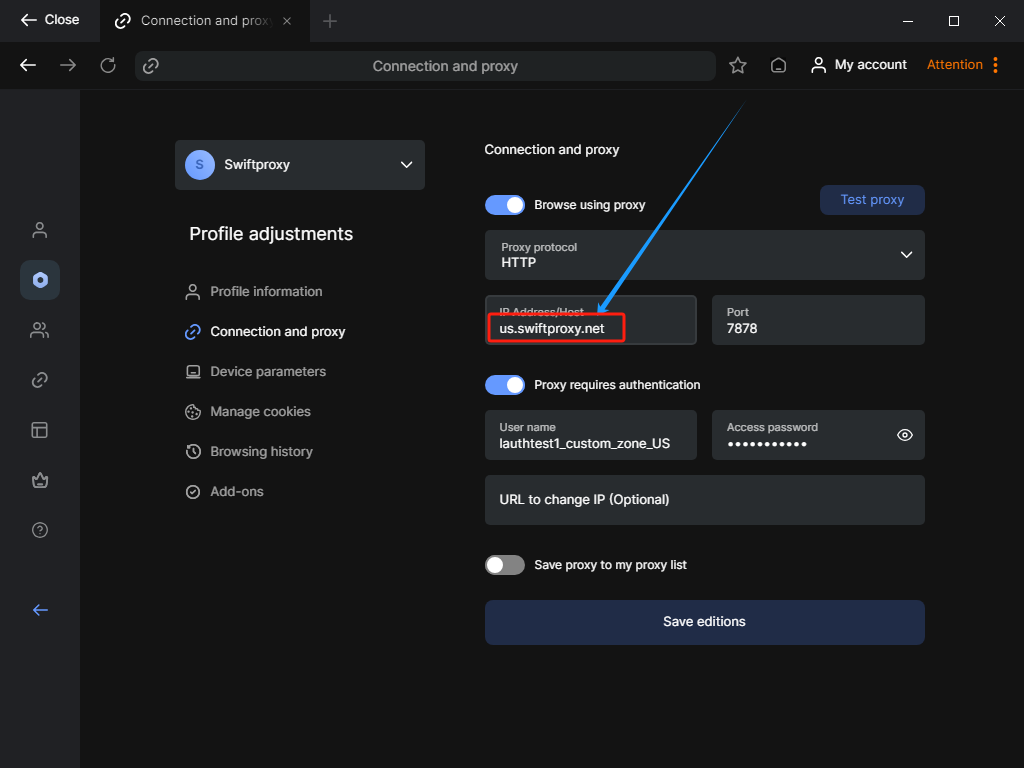
3. To configure your proxies, paste Username, Password, Hostname, and Port.\
\**Important: After pasting the proxy string in Lauth's proxy settings. We will have to manually add the proxy address again. Let's say we have the Proxy Address set in the United States. Then, here in the red column, we will have to add "us.swiftproxy.net" instead of "swiftproxy.net".*
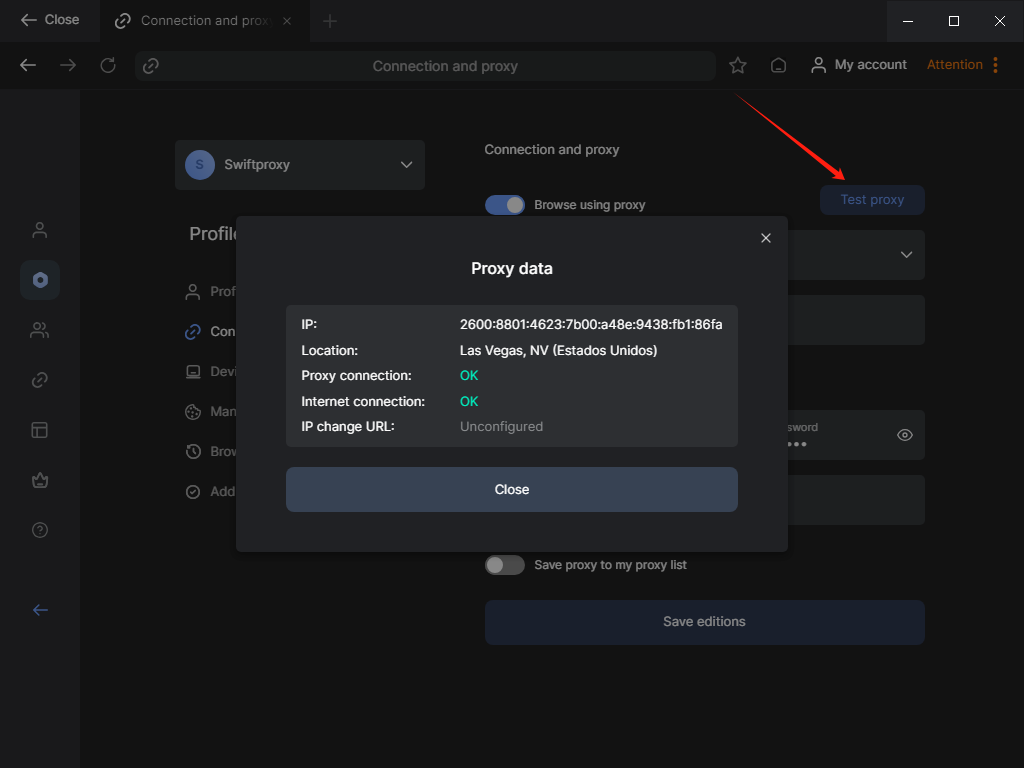
4. Tap the "Test Proxy" button to check if the proxy is activated.
5. Tap "Save edition" to finish configuring the proxy.
 2. In the "Profile Configuration" section, tap the "Connection and Proxy" bar from the main dash.
 3. To configure your proxies, paste Username, Password, Hostname, and Port.\
\**Important: After pasting the proxy string in Lauth's proxy settings. We will have to manually add the proxy address again. Let's say we have the Proxy Address set in the United States. Then, here in the red column, we will have to add "us.swiftproxy.net" instead of "swiftproxy.net".*
3. To configure your proxies, paste Username, Password, Hostname, and Port.\
\**Important: After pasting the proxy string in Lauth's proxy settings. We will have to manually add the proxy address again. Let's say we have the Proxy Address set in the United States. Then, here in the red column, we will have to add "us.swiftproxy.net" instead of "swiftproxy.net".*
 4. Tap the "Test Proxy" button to check if the proxy is activated.
 5. Tap "Save edition" to finish configuring the proxy.