> For the complete documentation index, see [llms.txt](https://docs.swiftproxy.net/llms.txt). Markdown versions of documentation pages are available by appending `.md` to page URLs; this page is available as [Markdown](https://docs.swiftproxy.net/proxies/integration-and-usage/static-residential-proxies-integration/hubstudio.md).
# Hubstudio
## **What is Hubstudio?**
HubStudio is a powerful anti-detect browser designed for managing multiple accounts across various platforms without triggering fingerprint or identity verification systems. It allows users to create and control separate browser environments, each with its own unique fingerprint, cookies, proxy settings, and device profiles. This makes Hubstudio an ideal solution for digital marketers, e-commerce sellers, affiliate marketers, and anyone who needs to manage multiple online identities securely and efficiently. With its intuitive interface and strong compatibility with proxy services like Swiftproxy, Hubstudio helps users stay anonymous, reduce risks of bans, and streamline account operations at scale.
## **How to configure HubStudio with Swiftproxy Static Residential Proxy?**
### **Step 1: Get Proxy Information and Download**
1. Download HubStudio from the [official website](https://www.hubstudio.cn/index.html?hub=swiftproxy).
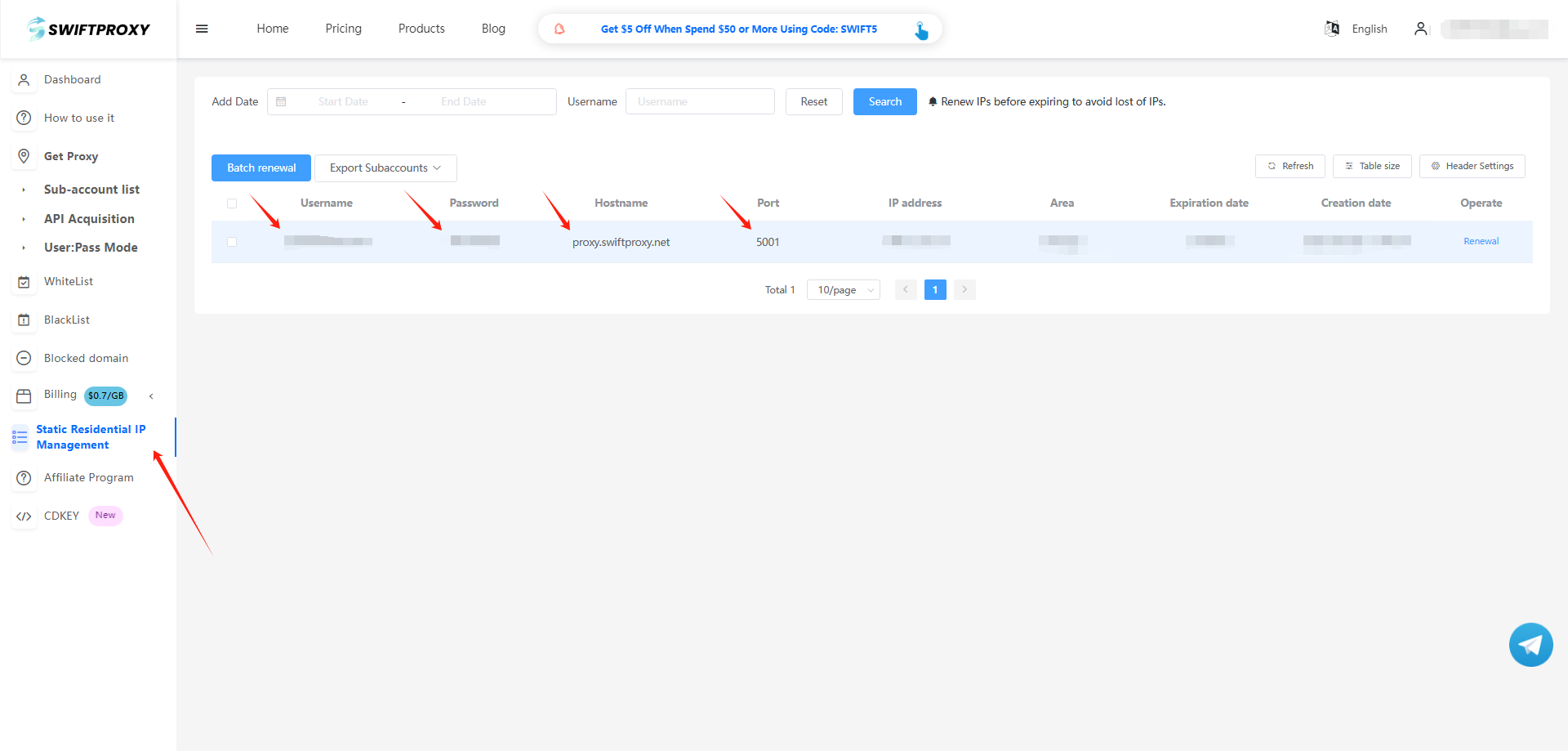
2. Visit the [Swiftproxy dashboard](https://www.swiftproxy.net/user/ucenter) and copy Username, Password, Hostname, and Port.
### **Step 2: Configure Swiftproxy in HubStudio Browser**
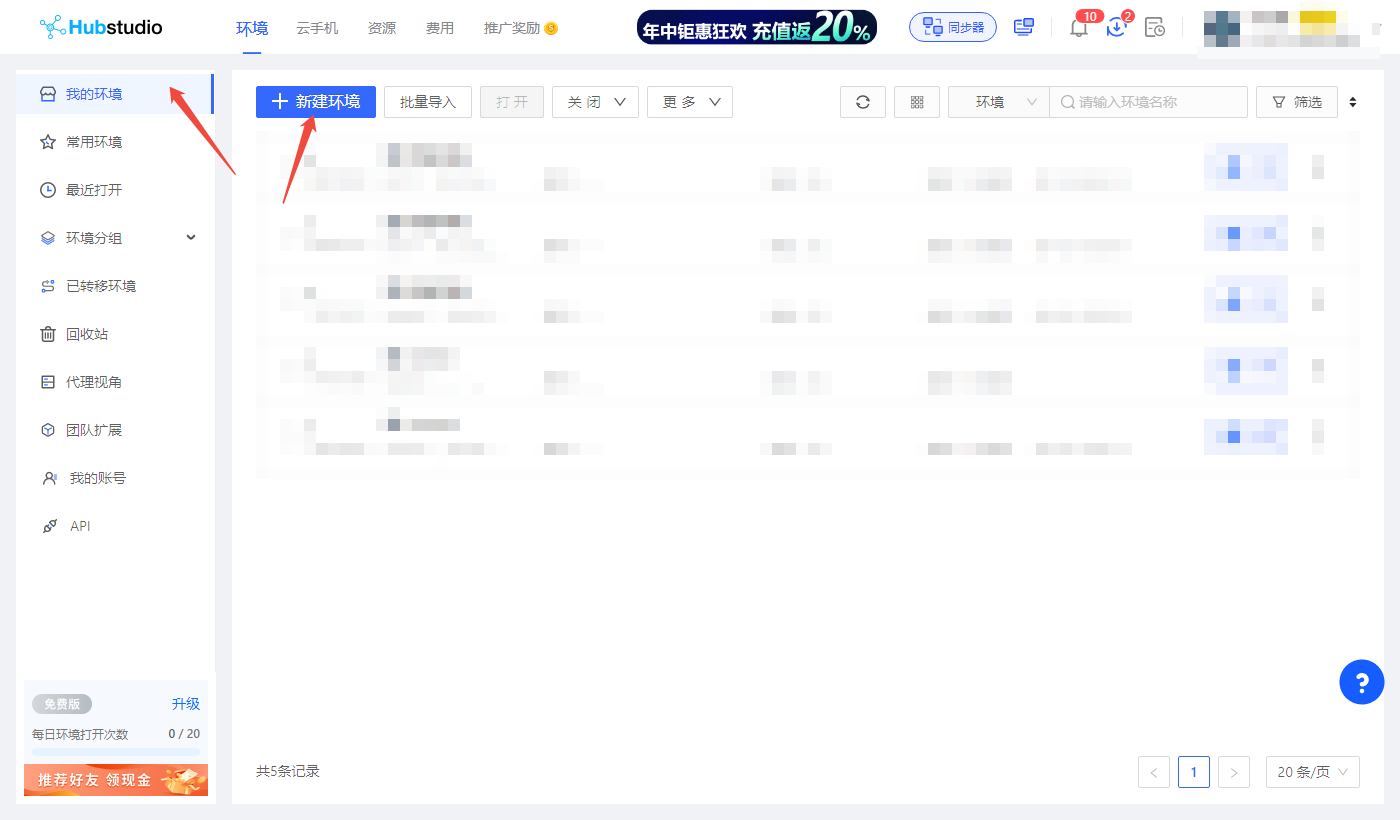
1. Log in to HubStudio, click "我的环境" first, and click "新建环境".
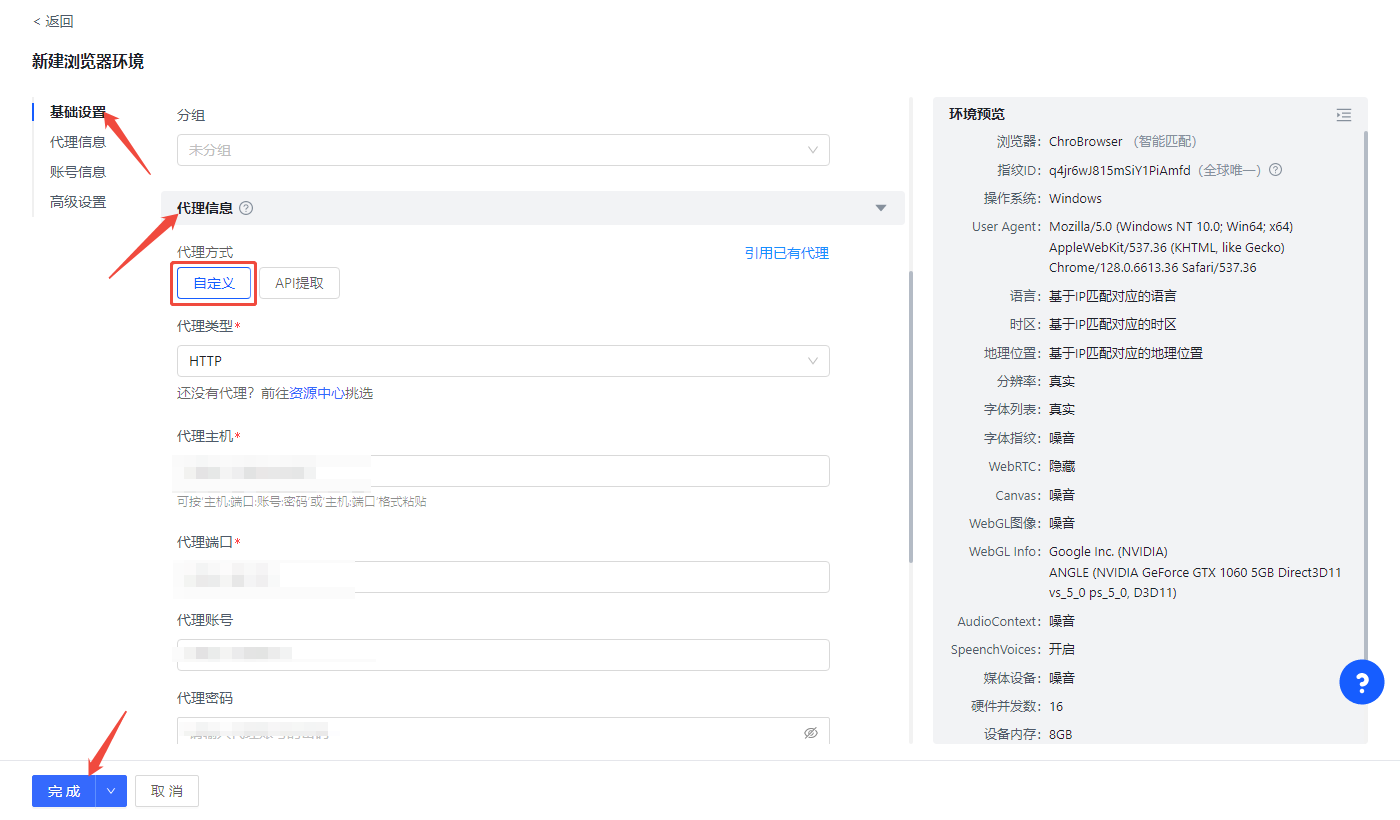
2. To configure your proxies, choose "基础设置" and fine "代理信息", choose "自定义代理". Paste the proxy information, including the username, password, hostname, and port that you copied from the Swiftproxy dashboard, and click "完成" to complete the configuration.\
**Note:** You can find the required proxy details in **Step 1.**
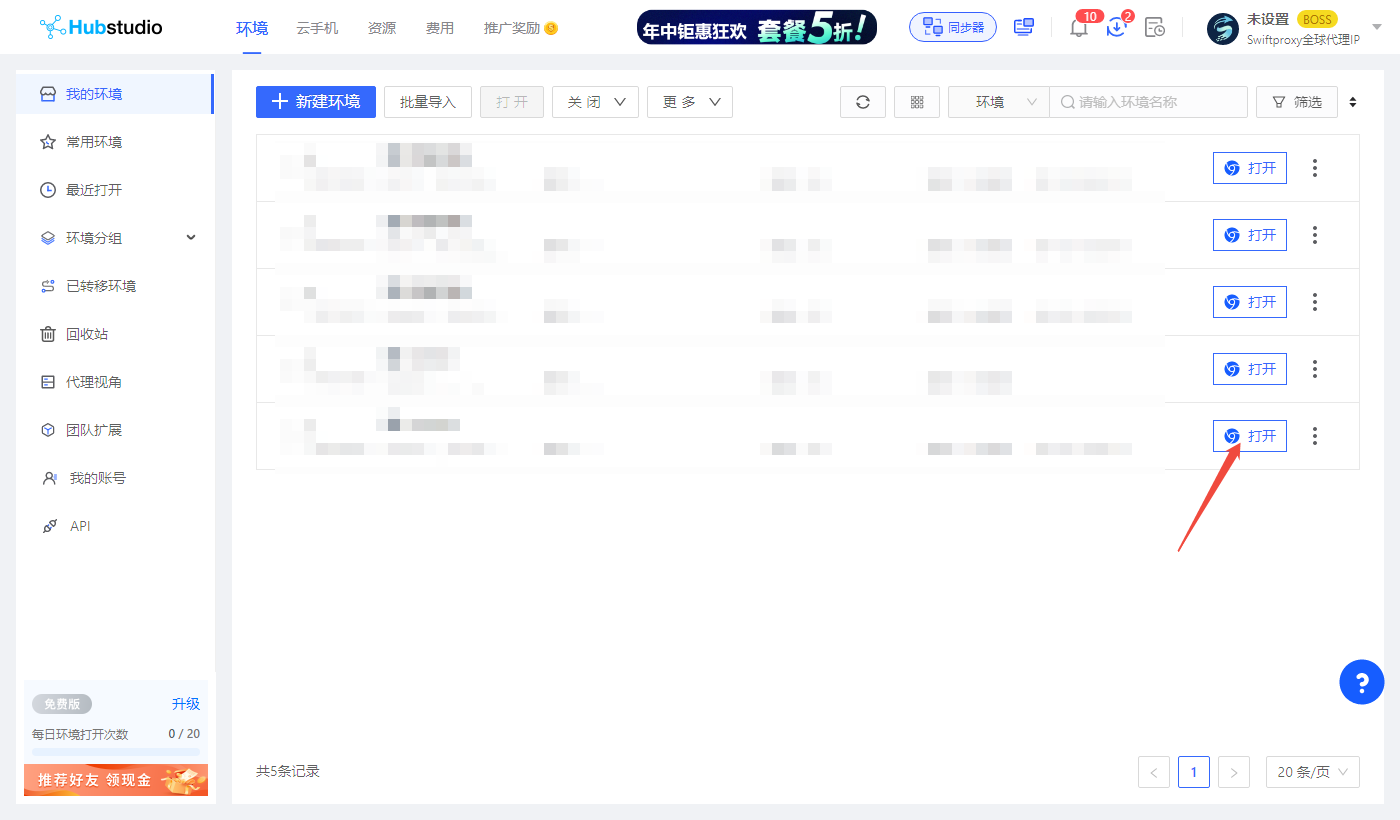
3. Tap "完成" to start browsing using Swiftproxy’s residential proxy service via Hubstudio.