> For the complete documentation index, see [llms.txt](https://docs.swiftproxy.net/llms.txt). Markdown versions of documentation pages are available by appending `.md` to page URLs; this page is available as [Markdown](https://docs.swiftproxy.net/proxies/integration-and-usage/static-residential-proxies-integration/hidemyacc.md).
# HideMyAcc
## **Why choose HideMyAcc browser?**
The core advantage of choosing HideMyAcc browser lies in its multi-account management capabilities and anti-detection technology:
1. Unique anti-detection technology: Adopts dynamically updated browser fingerprint technology to simulate real user behavior, performs well on mainstream detection platforms (such as Creepjs, Pixelscan), and effectively avoids account association.
2. Multi-account management convenience: Supports unlimited identity creation, can simulate different operating systems (Windows, MacOS, etc.) and browser versions (Chrome, Edge, etc.) at the same time, and meets cross-platform multi-account operation needs.
3. Automation script function: Built-in codeless automation tools, generate scripts by recording user operations (such as mouse movement, input), improve batch operation efficiency, save time and cost.
Compared with ordinary private browsing mode, which only deletes local data, HideMyAcc provides more comprehensive privacy protection and account isolation solutions through deep camouflage technology.
## **How to configure HideMyAcc with Swiftproxy Static Residential Proxy?**
### **Step 1: Get Proxy Information and Download**
1. Download HideMyAcc from the [official website](https://hidemyacc.com/zh).
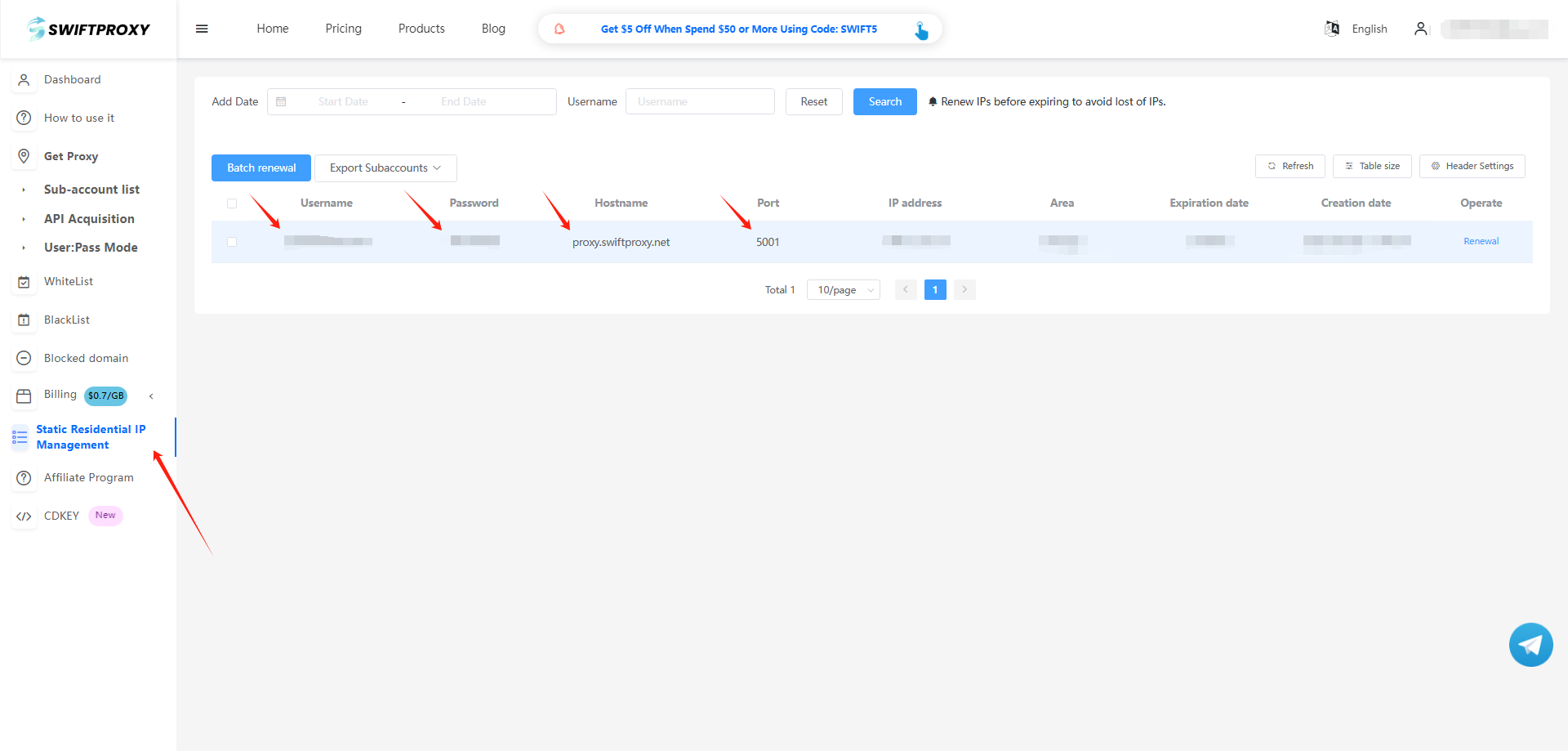
2. Visit the [Swiftproxy dashboard](https://www.swiftproxy.net/user/ucenter) and copy Username, Password, Hostname, and Port.
### **Step 2: Configure Swiftproxy in HideMyAcc**
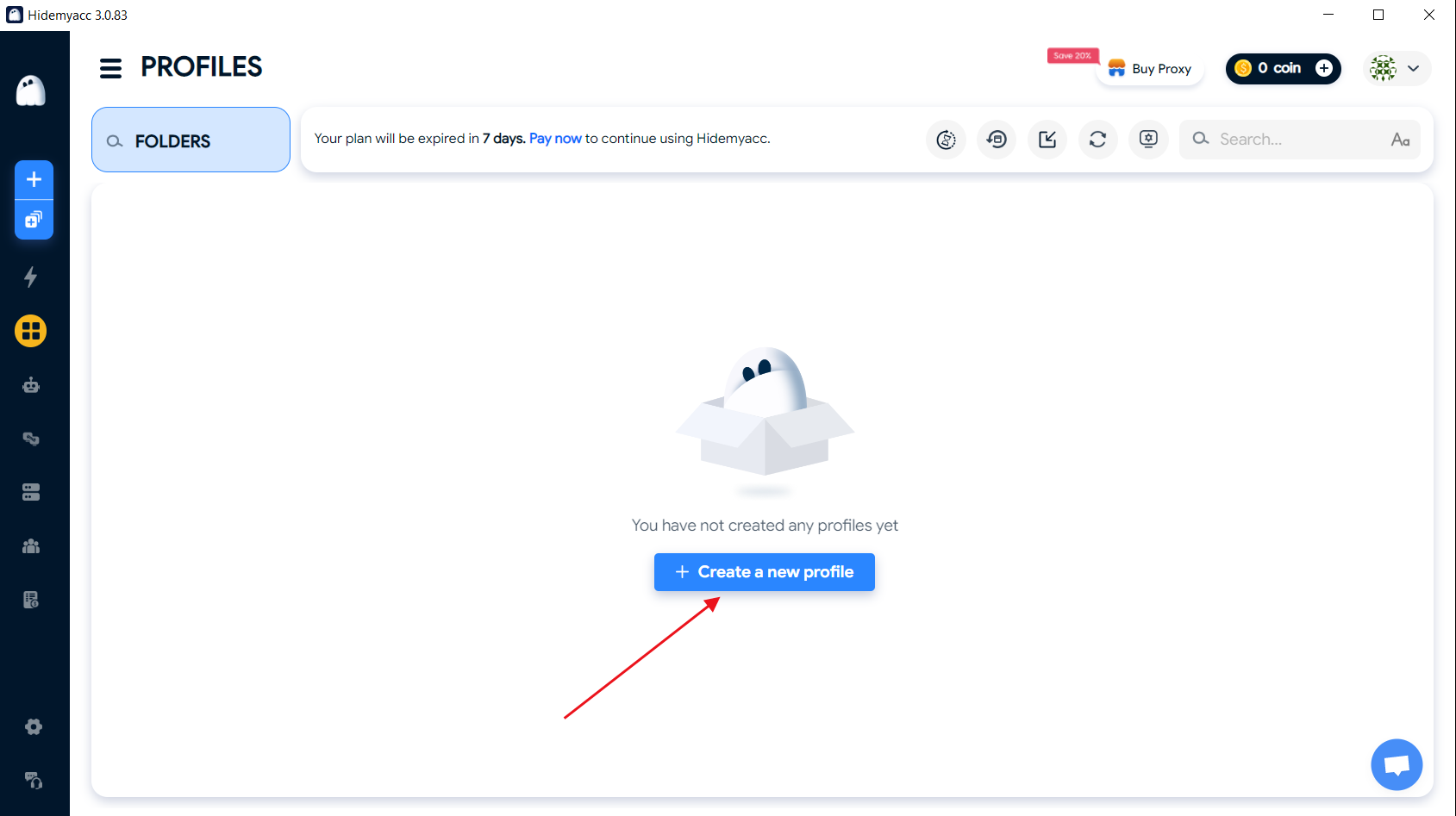
1. Open HideMyAcc for the first time, log in, and click "Create a new profile".
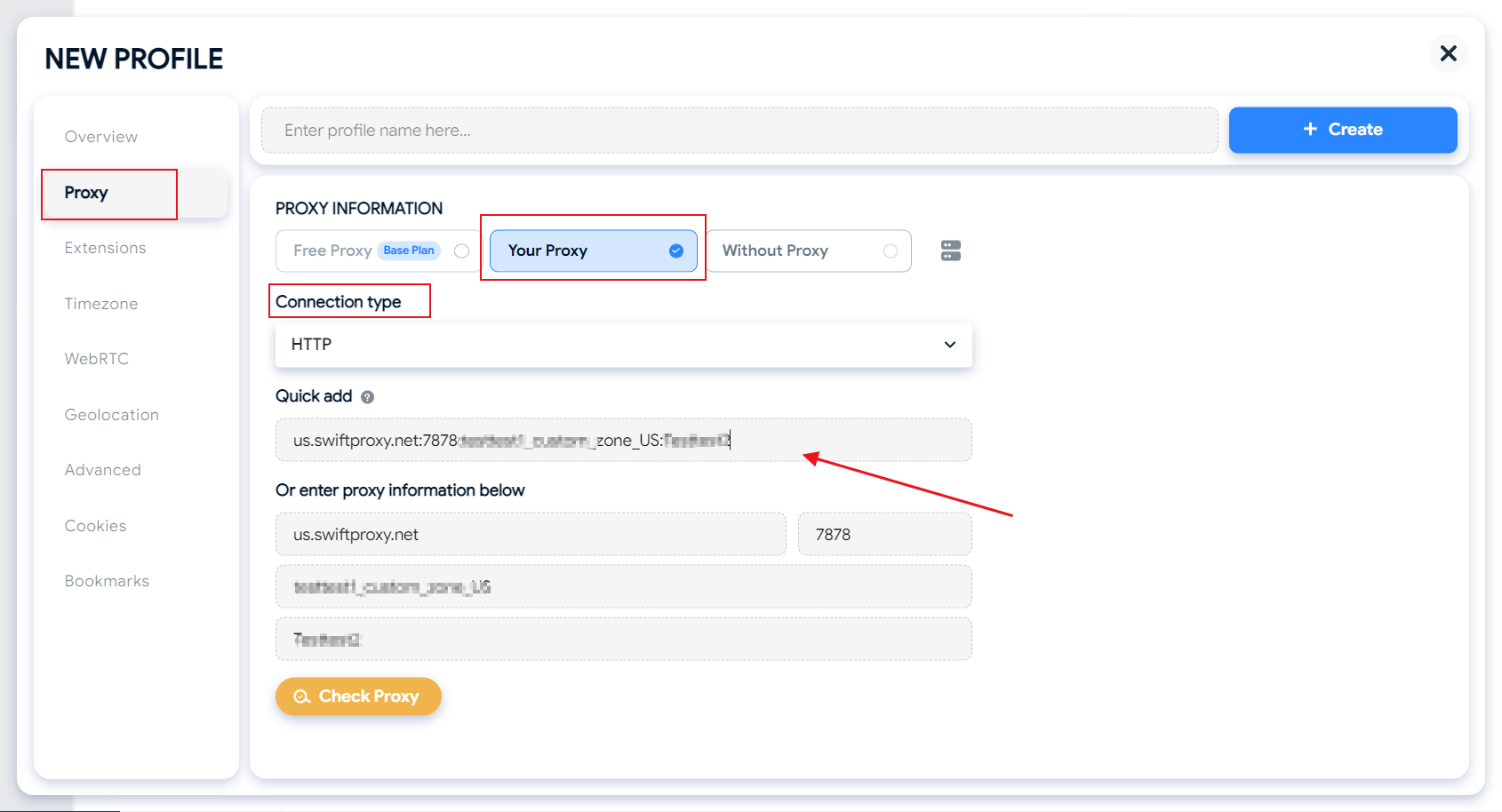
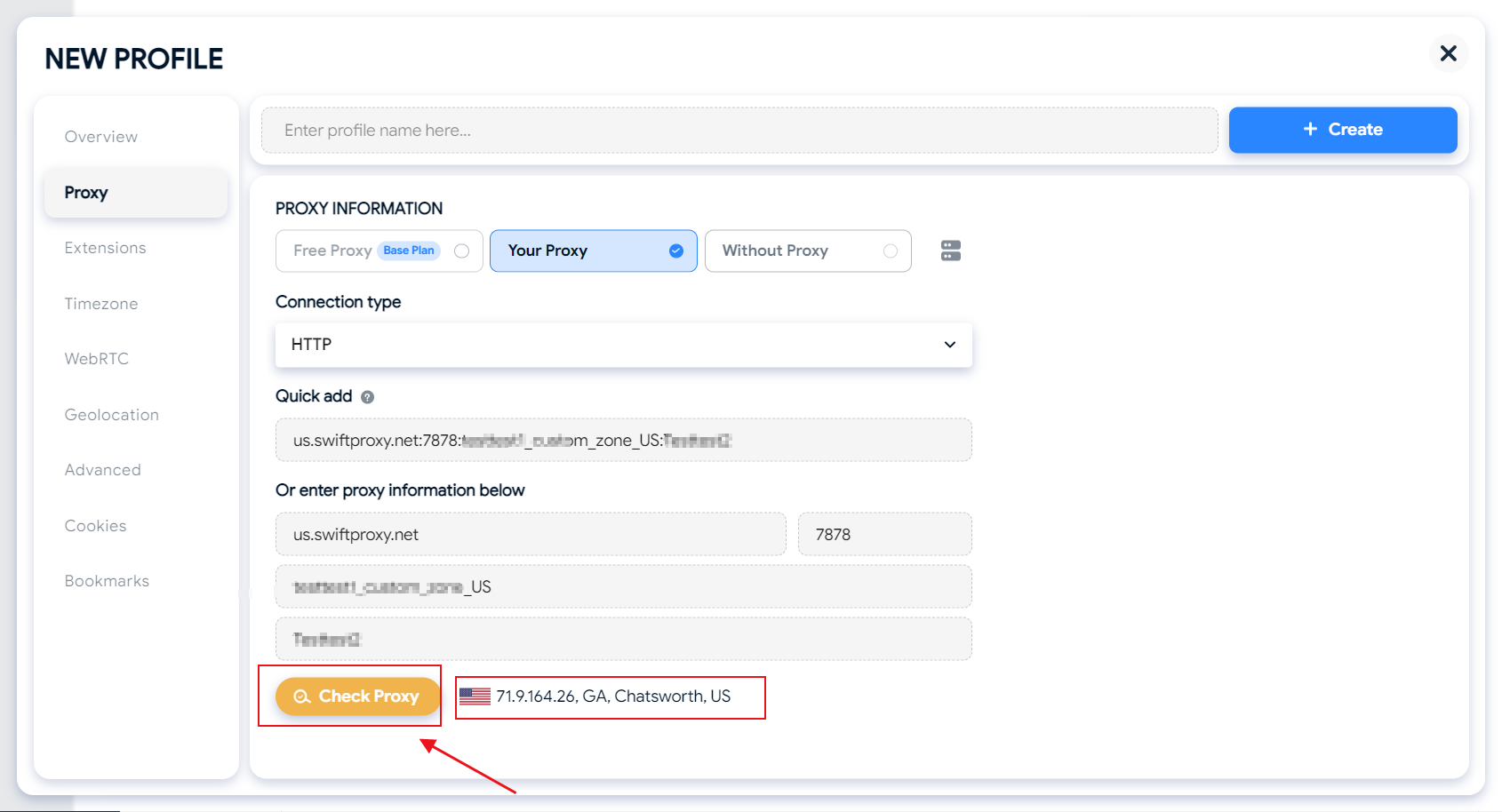
2. Enter the proxy settings page. Select "Your Proxy", and keep the Connection type consistent with the generated proxy protocol. Paste Username, Password, Hostname, and Port just generated in "Quick add" and press Enter to automatically fill in the options below.
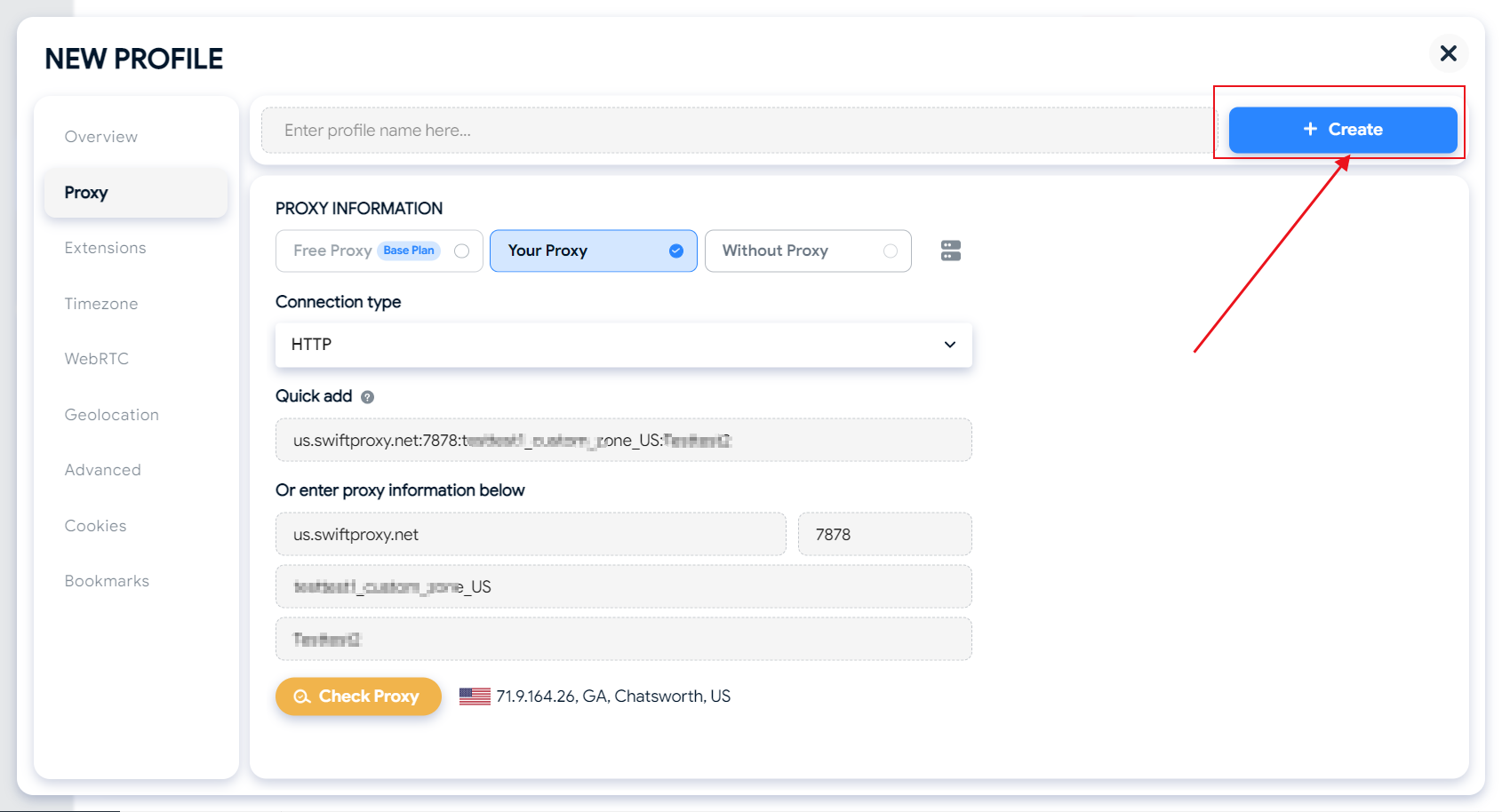
3. Click "Check Proxy" to check whether the proxy is normal.
4. Finally, click "Create" in the upper right corner to save the browser.
 2. Enter the proxy settings page. Select "Your Proxy", and keep the Connection type consistent with the generated proxy protocol. Paste Username, Password, Hostname, and Port just generated in "Quick add" and press Enter to automatically fill in the options below.
 3. Click "Check Proxy" to check whether the proxy is normal.
 4. Finally, click "Create" in the upper right corner to save the browser.