> For the complete documentation index, see [llms.txt](https://docs.swiftproxy.net/llms.txt). Markdown versions of documentation pages are available by appending `.md` to page URLs; this page is available as [Markdown](https://docs.swiftproxy.net/proxies/integration-and-usage/static-residential-proxies-integration/hidemium.md).
# Hidemium
## **What is Hidemium Anti-detect Browser?**
Hidemium is an anti-detect browser software designed for users who need to manage multiple accounts with distinct profiles on the same computer. Each profile operates independently, with separate browser fingerprints including IP address, User-agent, proxy settings, cookies, time zone, language, media devices, hardware, and more.
## **How to configure Hidemium with Swiftproxy Static Residential Proxy?**
### **Step 1: Get Proxy Information and Download**
1. Download Hidemium from the [official website](https://hidemium.io/?utm_source=SwiftProxy\&utm_medium=referral\&utm_campaign=partner).
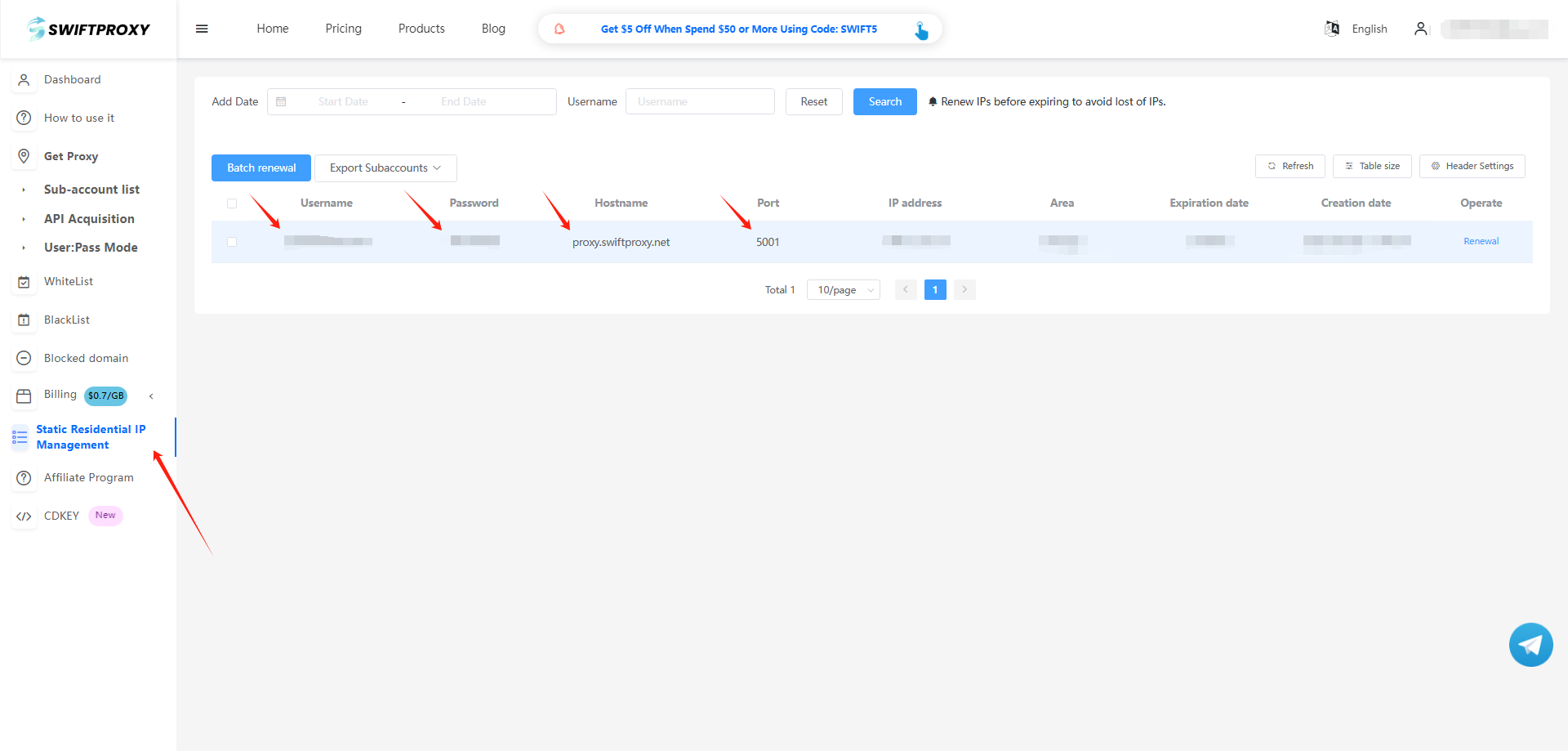
2. Visit the [Swiftproxy dashboard](https://www.swiftproxy.net/user/ucenter) and copy Username, Password, Hostname, and Port.
### **Step 2: Configure Swiftproxy in Hidemium**
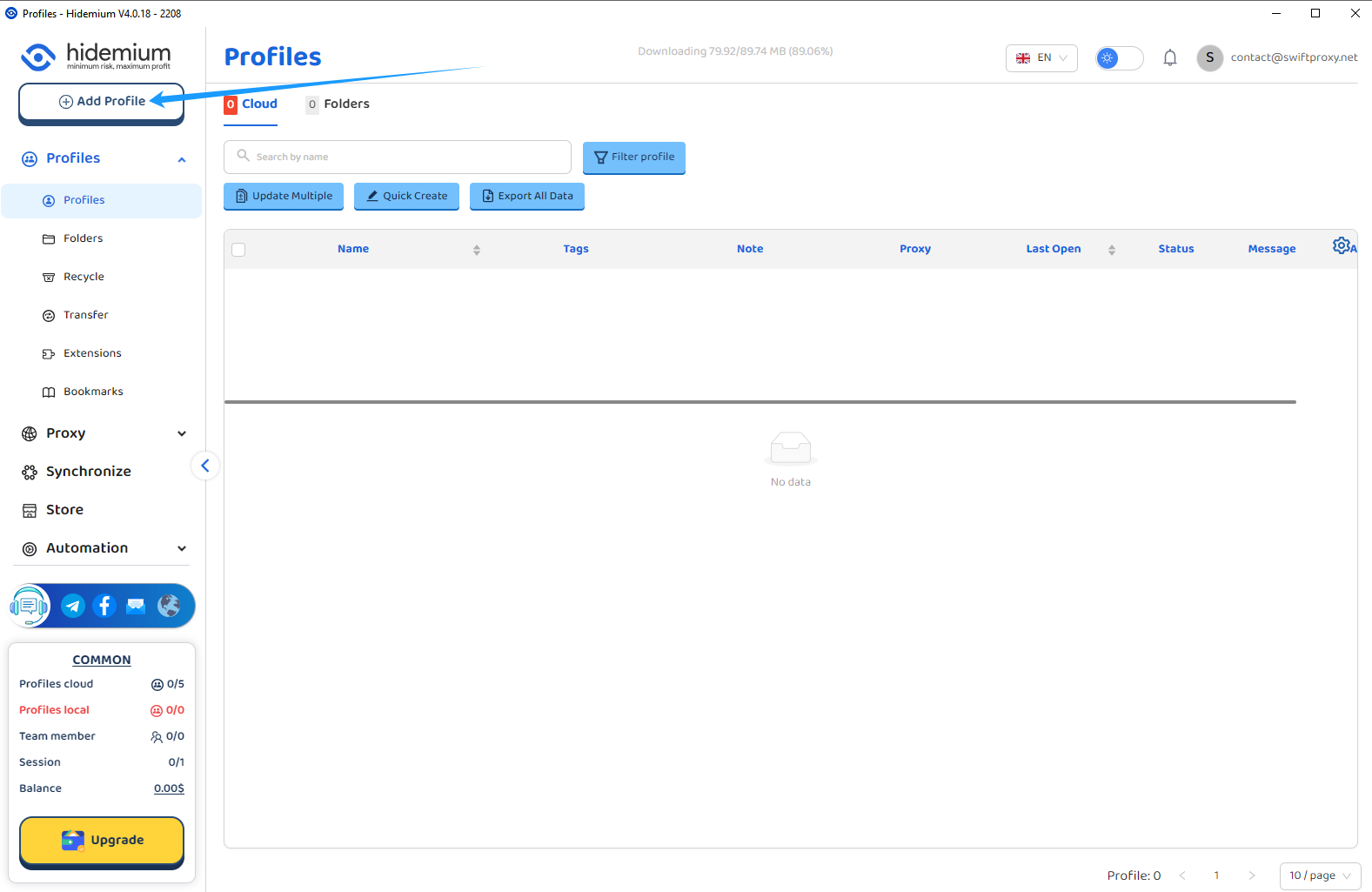
1. Once logged in, tap "Add Profile" on the sidebar:
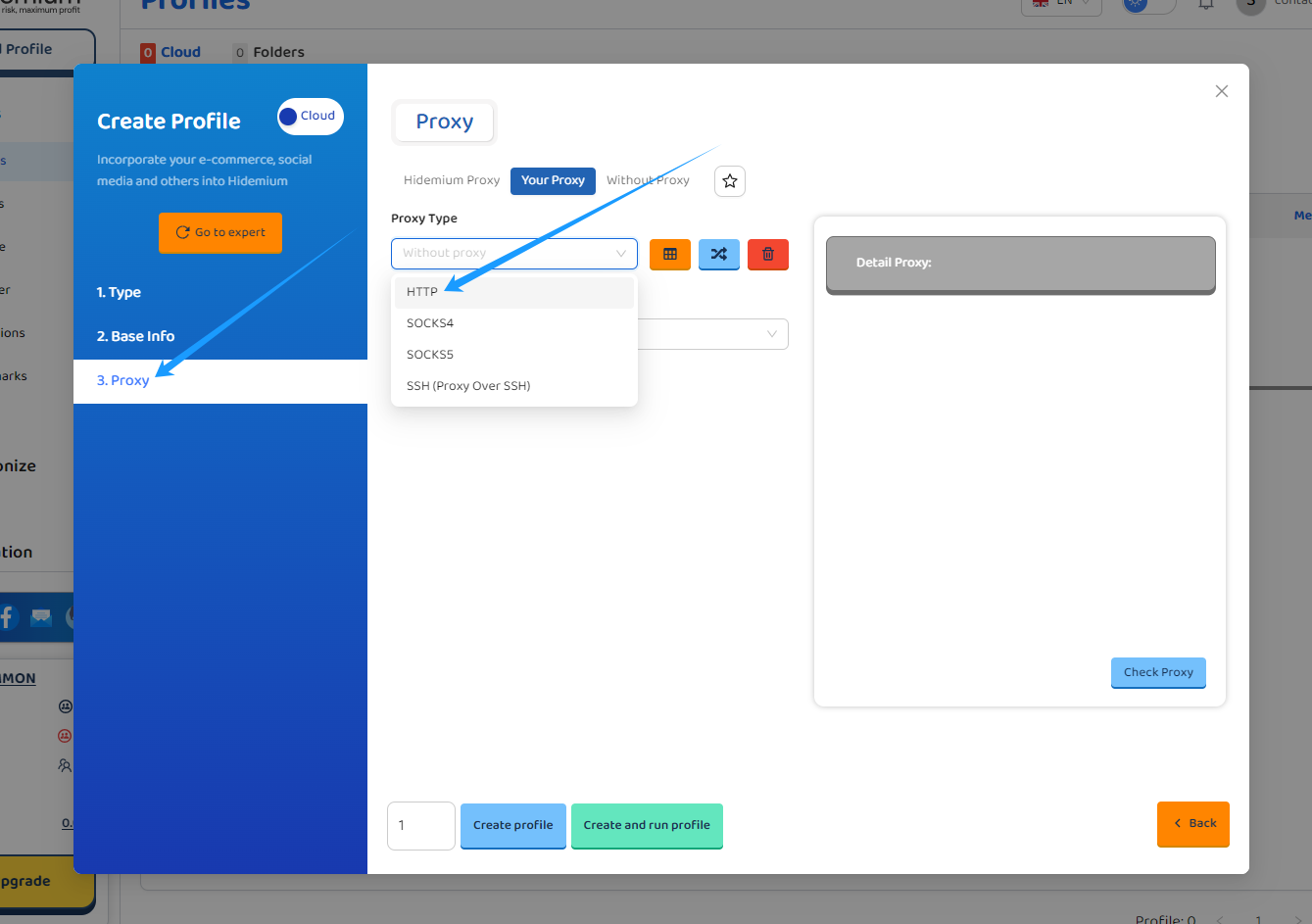
2. A window for profile configuration would pop up. Pick the type of tasks you are going to perform with then tap the "Proxy" button and choose the associated proxy protocol. In this case, we will be choosing the "HTTP" protocol.
3. Selecting HTTP as the proxy protocol to run with. Paste Username, Password, Hostname, and Port to Hidemium in "Format Proxy". The rest of the blanks will be auto-filled.
4. Tap the "Check Proxy" button to see if the proxy is valid.
5. From now on, we tap "Create Profile" to finish configuring the proxy for this profile.
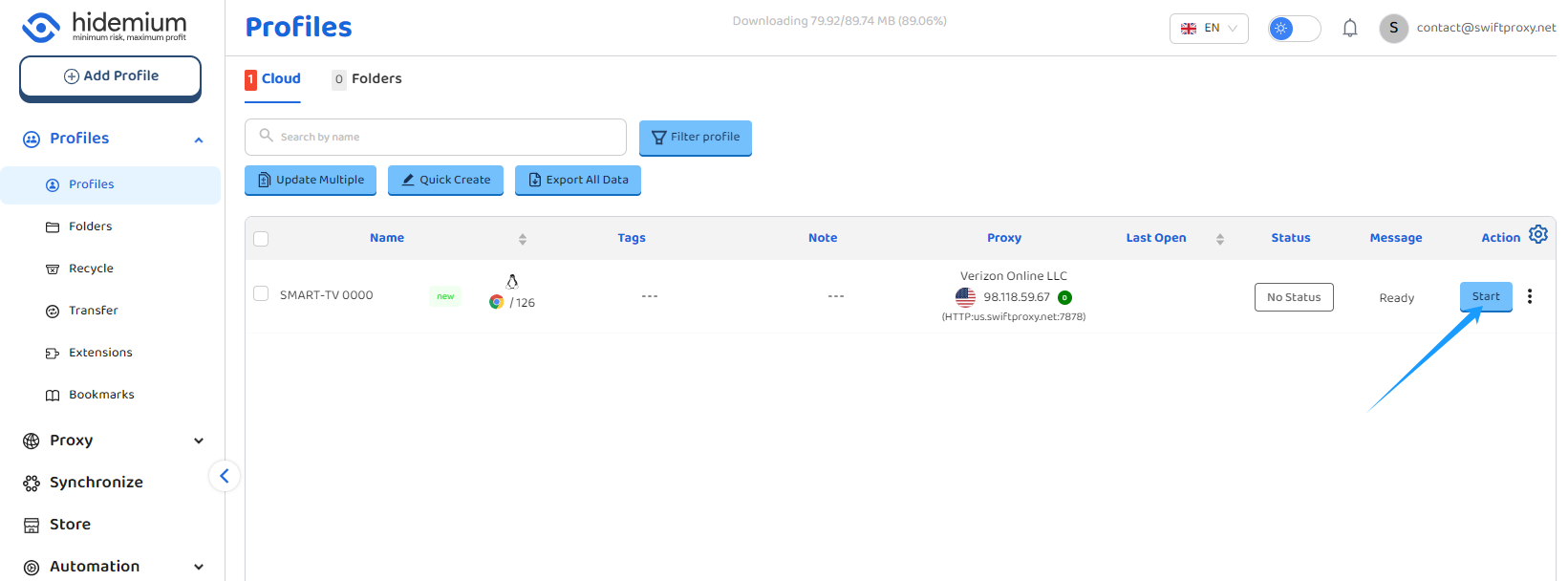
6. Tap "Start" to open the browser window:
 2. A window for profile configuration would pop up. Pick the type of tasks you are going to perform with then tap the "Proxy" button and choose the associated proxy protocol. In this case, we will be choosing the "HTTP" protocol.
 3. Selecting HTTP as the proxy protocol to run with. Paste Username, Password, Hostname, and Port to Hidemium in "Format Proxy". The rest of the blanks will be auto-filled.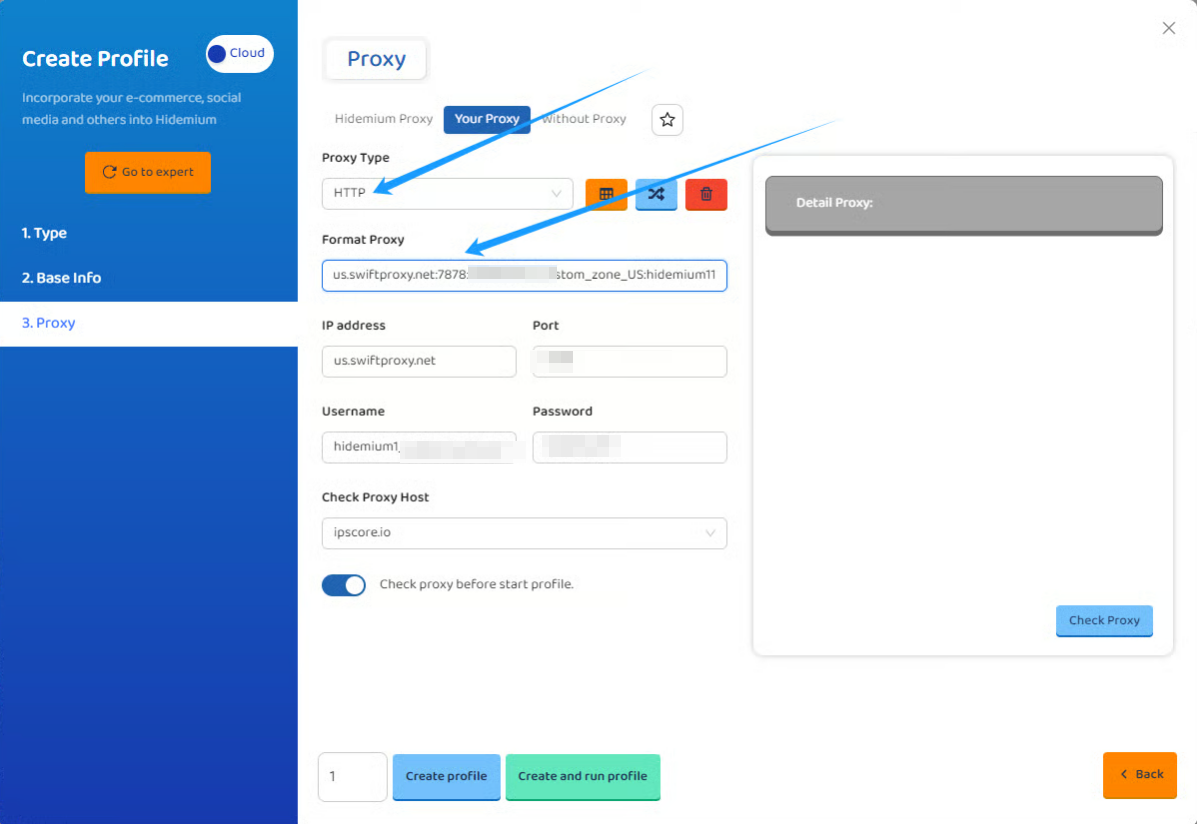
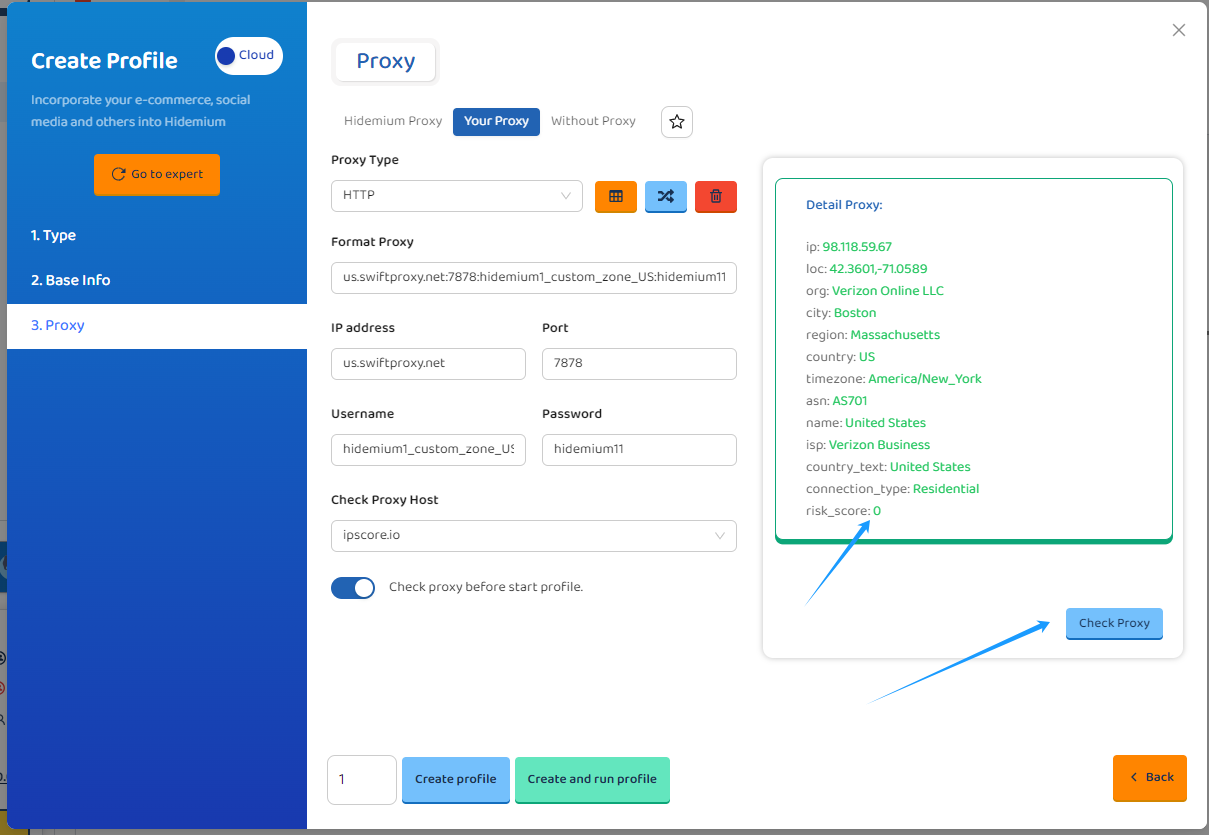 5. From now on, we tap "Create Profile" to finish configuring the proxy for this profile.
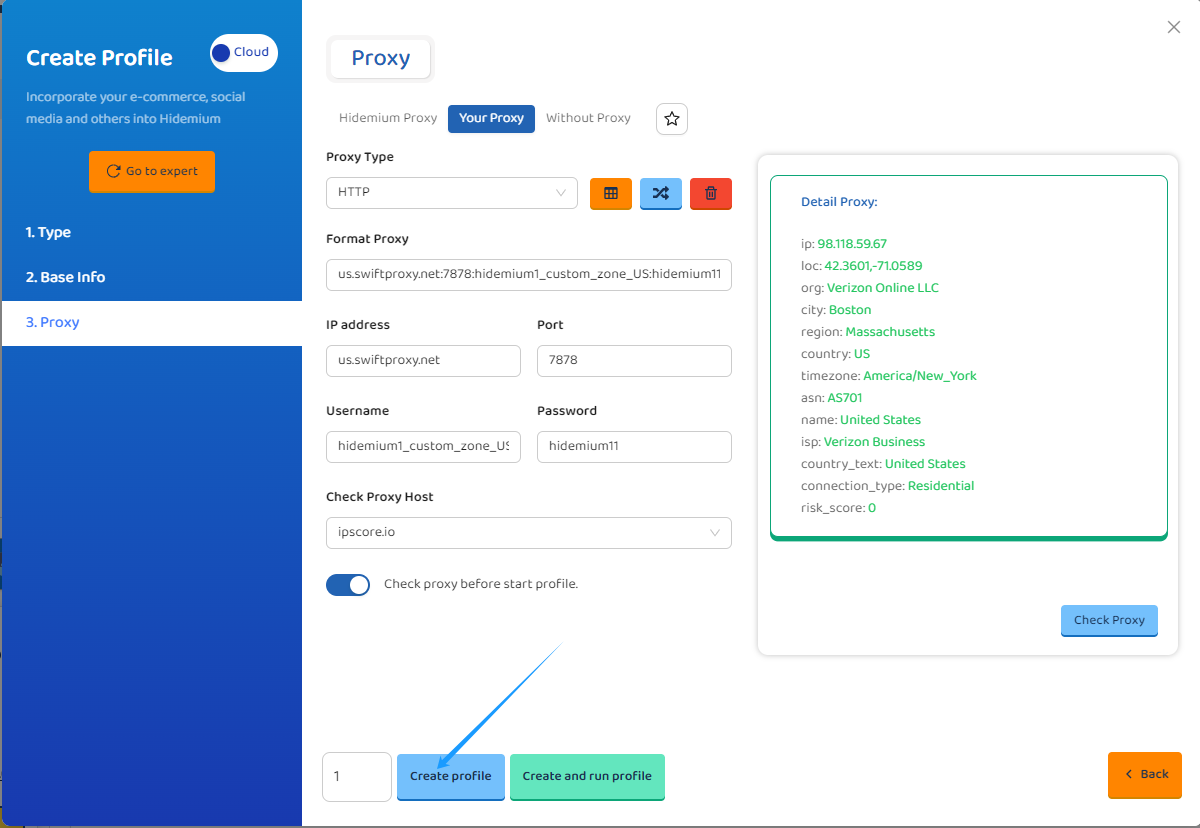 6. Tap "Start" to open the browser window: