> For the complete documentation index, see [llms.txt](https://docs.swiftproxy.net/llms.txt). Markdown versions of documentation pages are available by appending `.md` to page URLs; this page is available as [Markdown](https://docs.swiftproxy.net/proxies/integration-and-usage/static-residential-proxies-integration/gologin.md).
# Gologin
### **Why Choose Gologin?**
Choose GoLogin for efficient and secure multi-account management. It allows you to create unique profiles, set proxy locations, and share accounts with your team. With built-in high-quality proxies, AES-256 encryption, and 24/7 real-time support, GoLogin ensures data security and smooth operations. It also offers fast bulk actions and a high-performance API for enhanced efficiency.
## **How to configure Gologin with Swiftproxy Static Residential Proxy?**
### **Step 1: Get Proxy Information and Download**
1. Download Gologin from the [official website](https://gologin.com/).
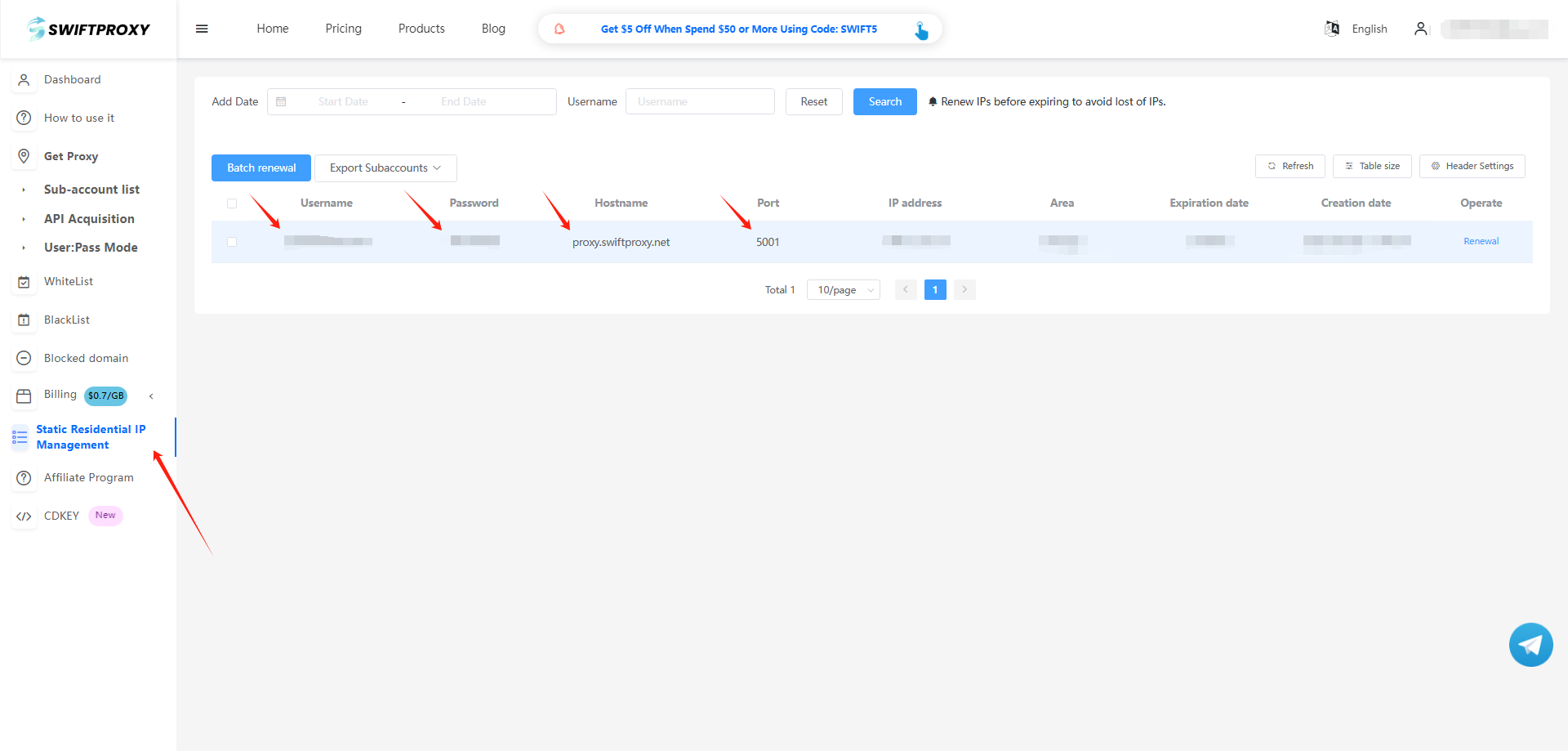
2. Visit the [Swiftproxy dashboard](https://www.swiftproxy.net/user/ucenter) and copy Username, Password, Hostname, and Port.
### **Step 2: Configure Swiftproxy in Gologin**
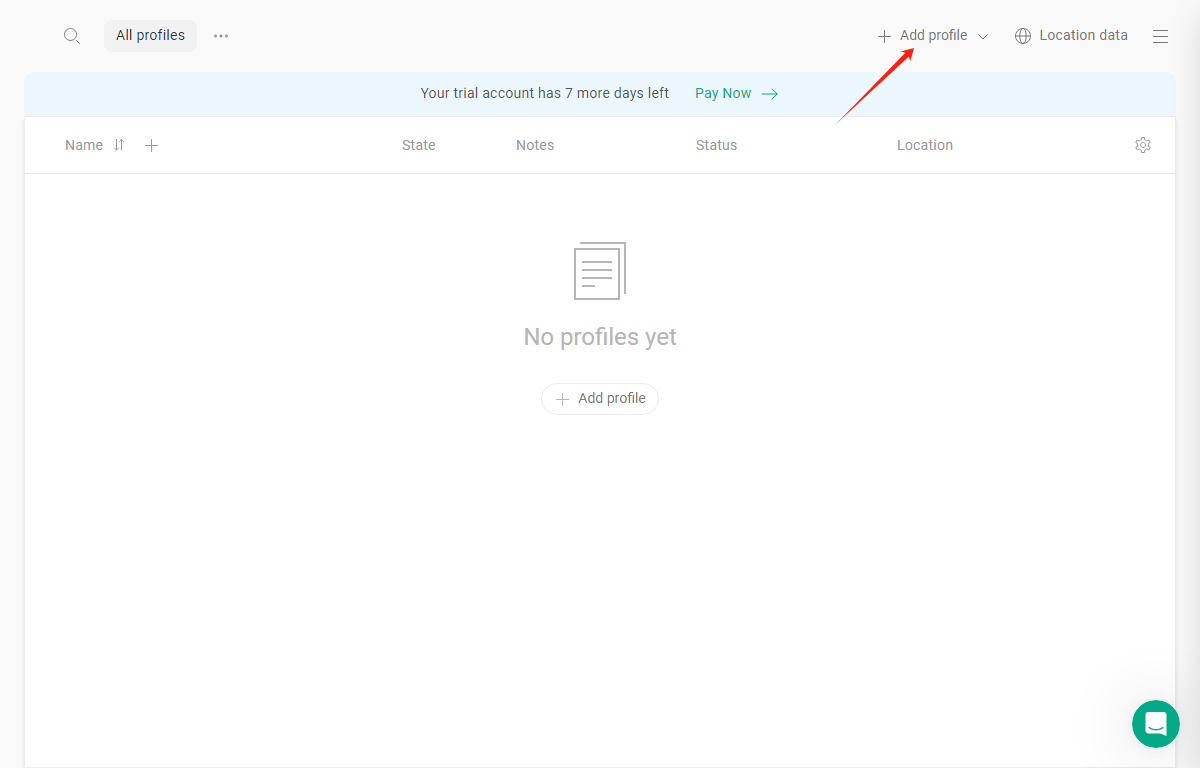
1. Once logged in, tap "Add Profile":
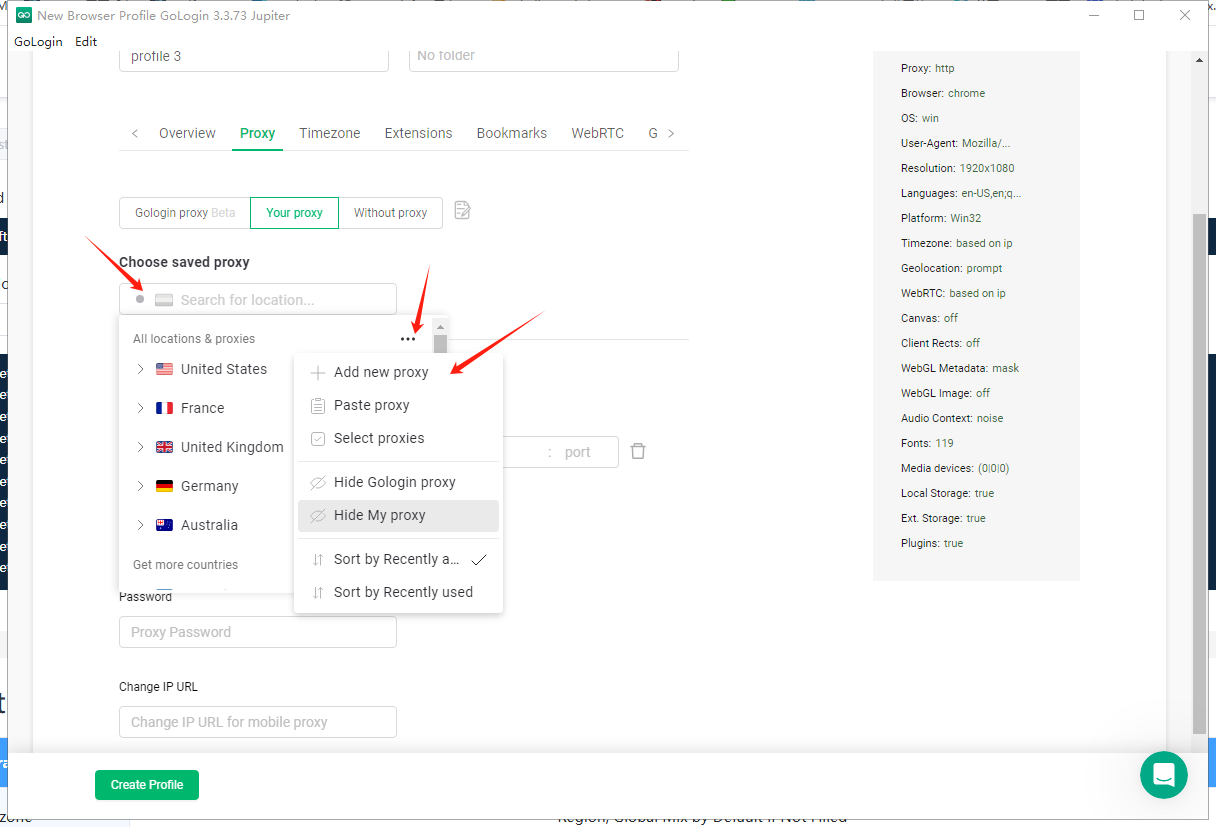
2. Tap "select saved proxy", tap the three-dot button, and tap "add new proxy".
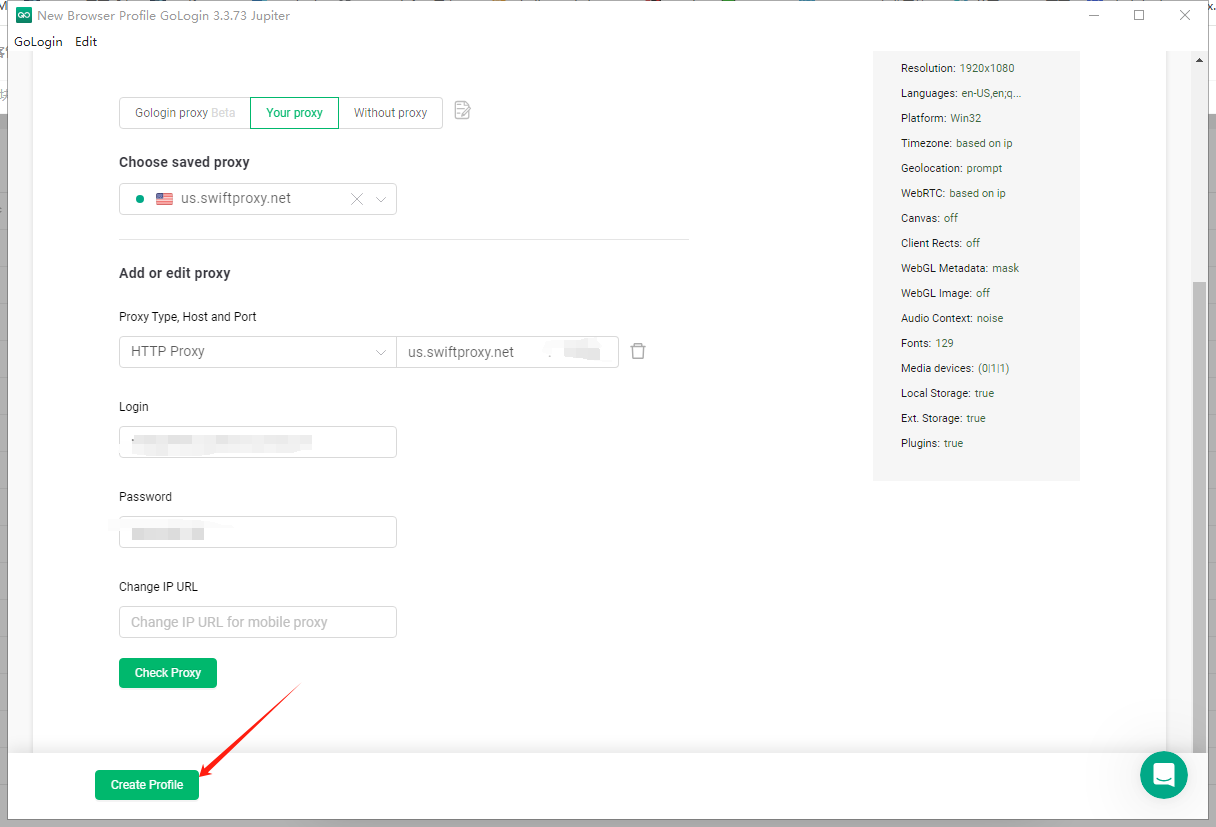
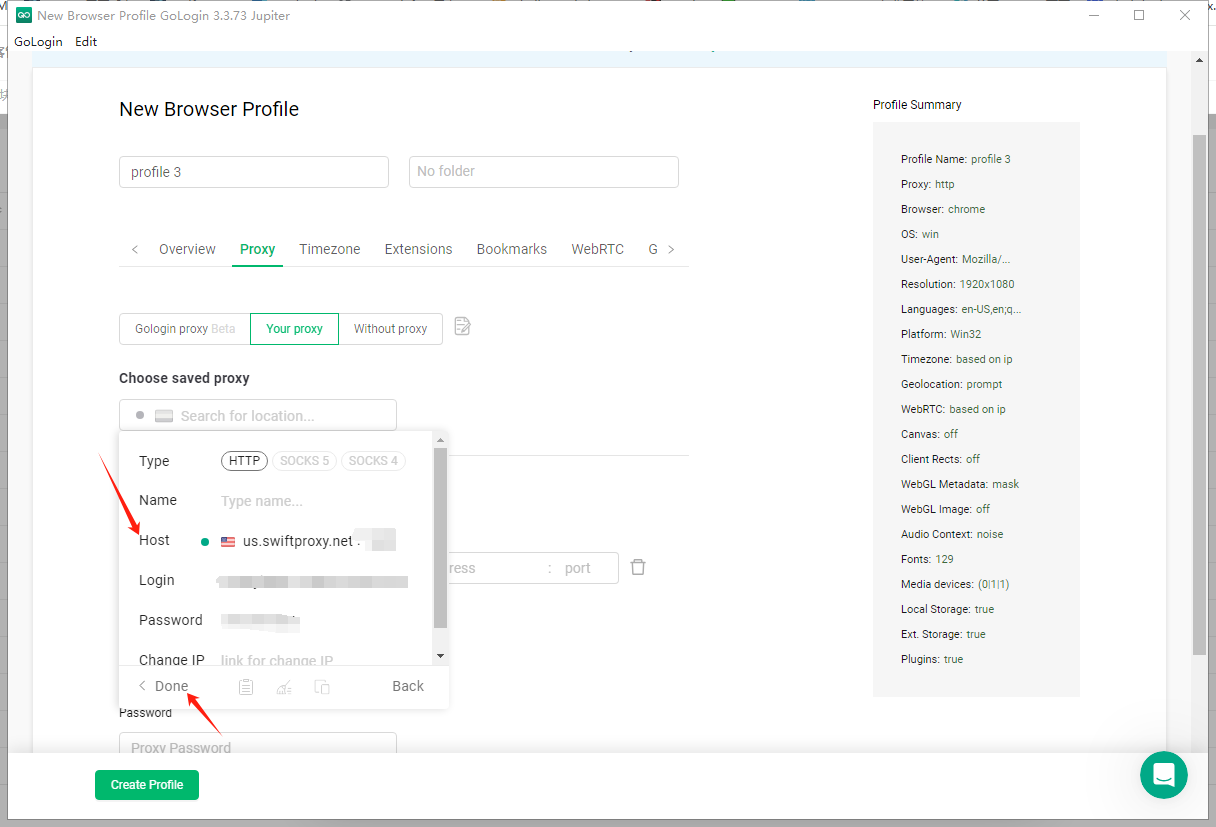
3. Paste Username, Password, Hostname, and Port, and click "done" in the end.
4. Tap "create profile".
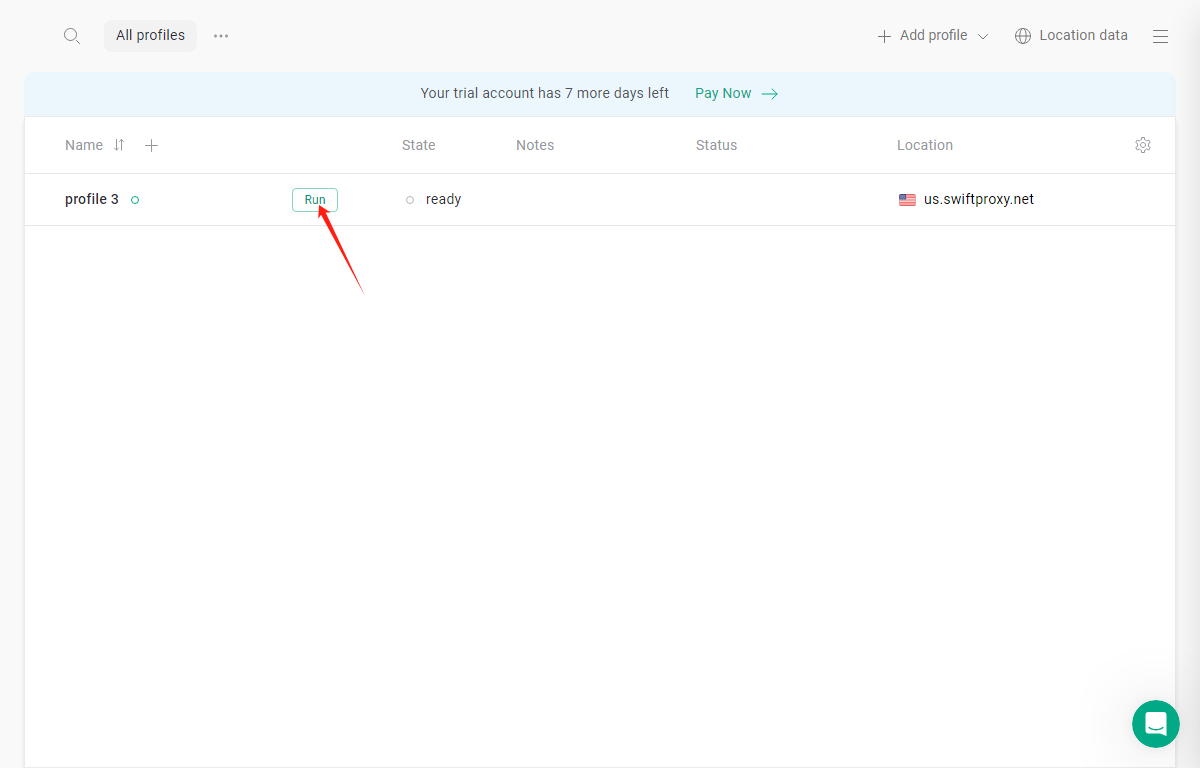
5. Tap "RUN" to open the browser window:
 3. Paste Username, Password, Hostname, and Port, and click "done" in the end.
 4. Tap "create profile".