> For the complete documentation index, see [llms.txt](https://docs.swiftproxy.net/llms.txt). Markdown versions of documentation pages are available by appending `.md` to page URLs; this page is available as [Markdown](https://docs.swiftproxy.net/proxies/integration-and-usage/static-residential-proxies-integration/easy-browser.md).
# Easy Browser
## **What is Easy Browser?**
Easy Browser is a user-friendly anti-detect browser that helps you manage multiple online identities securely. Each browser profile runs in a separate environment with its own fingerprint and proxy, making it ideal for affiliate marketing, social media, and e-commerce. With simple setup and support for Swiftproxy, Easy Browser is perfect for beginners and professionals alike.
## **How to configure Easy Browser with Swiftproxy Static Residential Proxy?**
### **Step 1: Get Proxy Information and Download**
1. Download Easy Browser from the [official website](https://ebrower.com/).
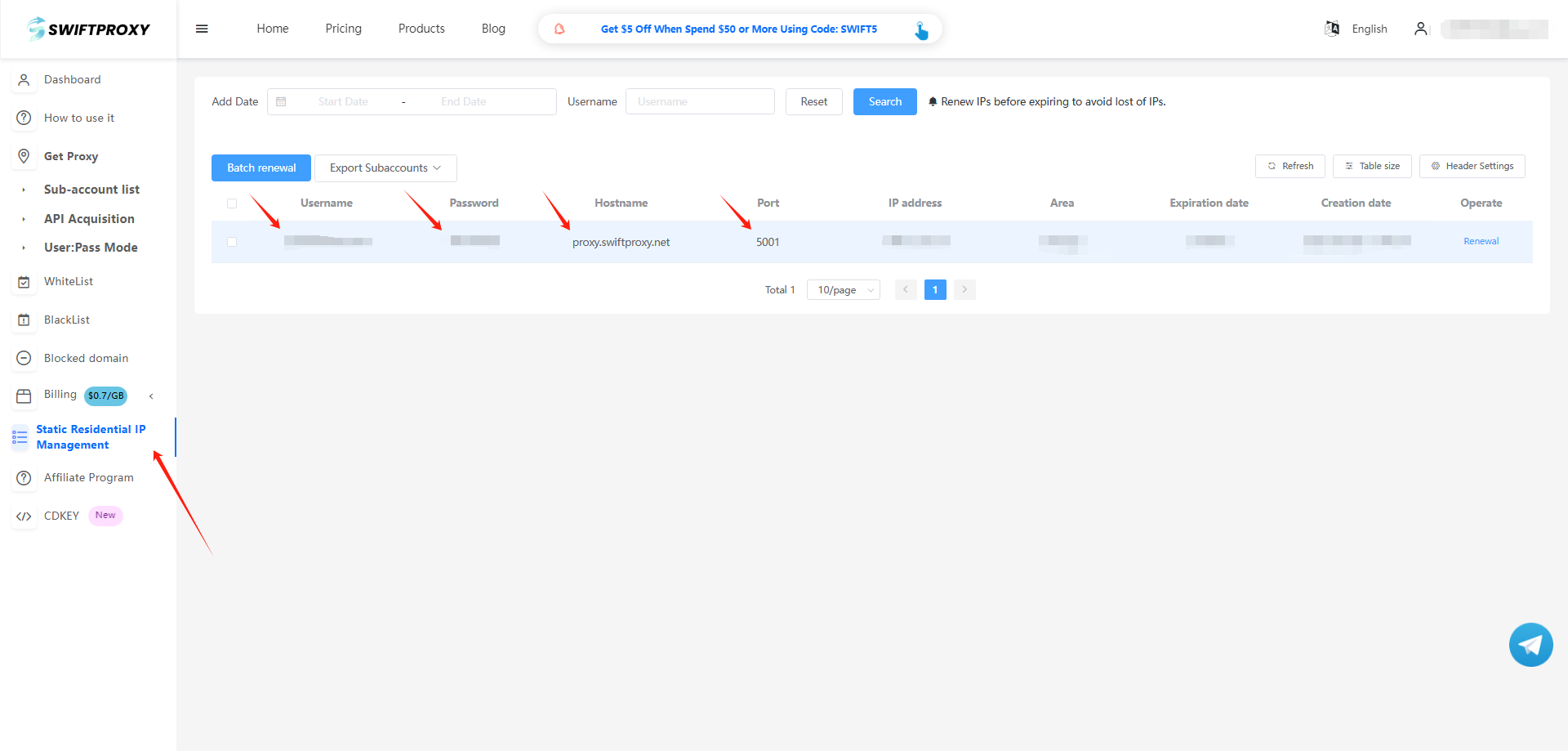
2. Visit the [Swiftproxy dashboard](https://www.swiftproxy.net/user/ucenter) and copy Username, Password, Hostname, and Port.
### **Step 2: Configure Swiftproxy in Easy Browser**
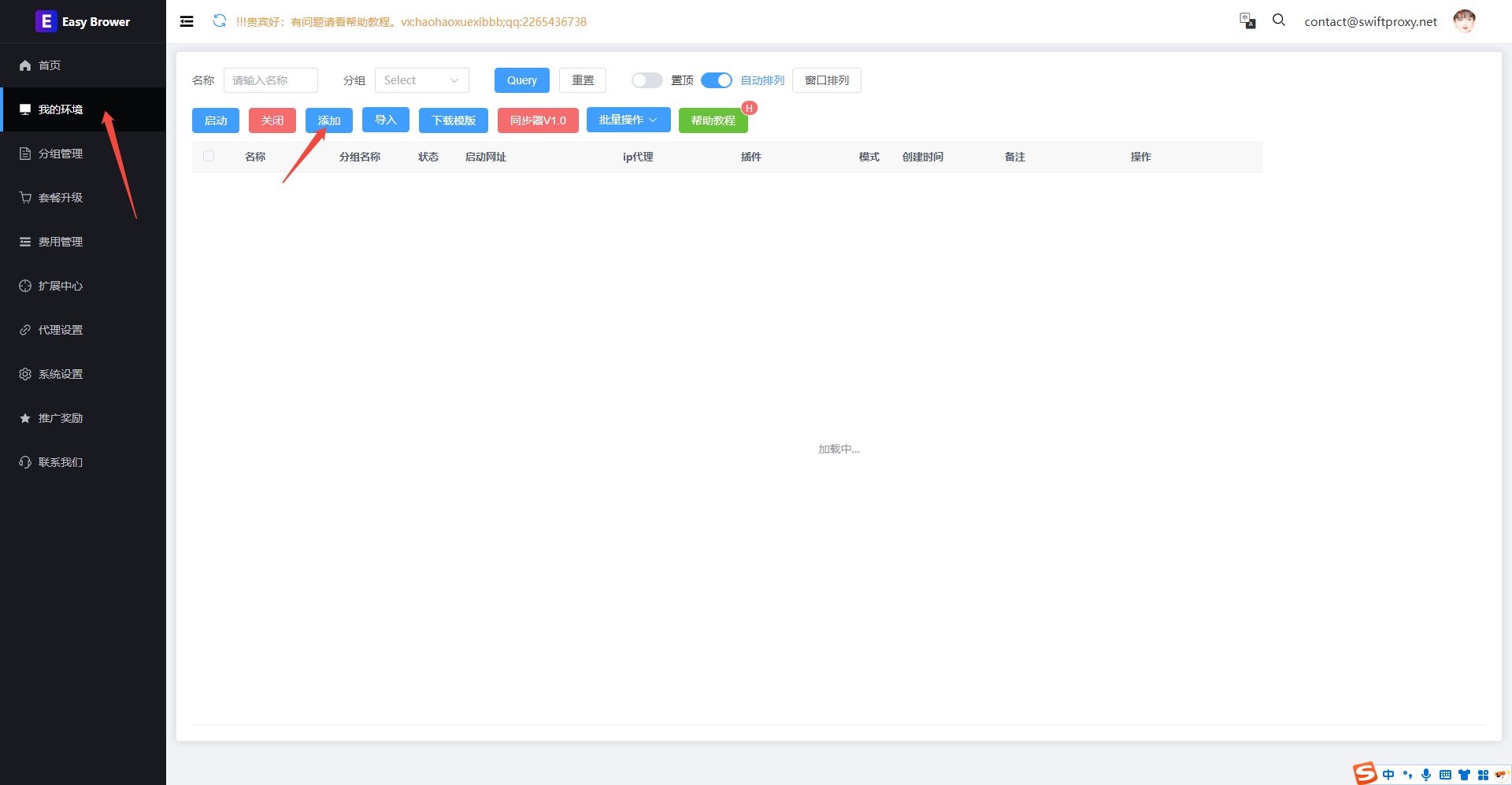
1. Add a proxy by clicking "我的环境" on the left side and then hitting "添加".
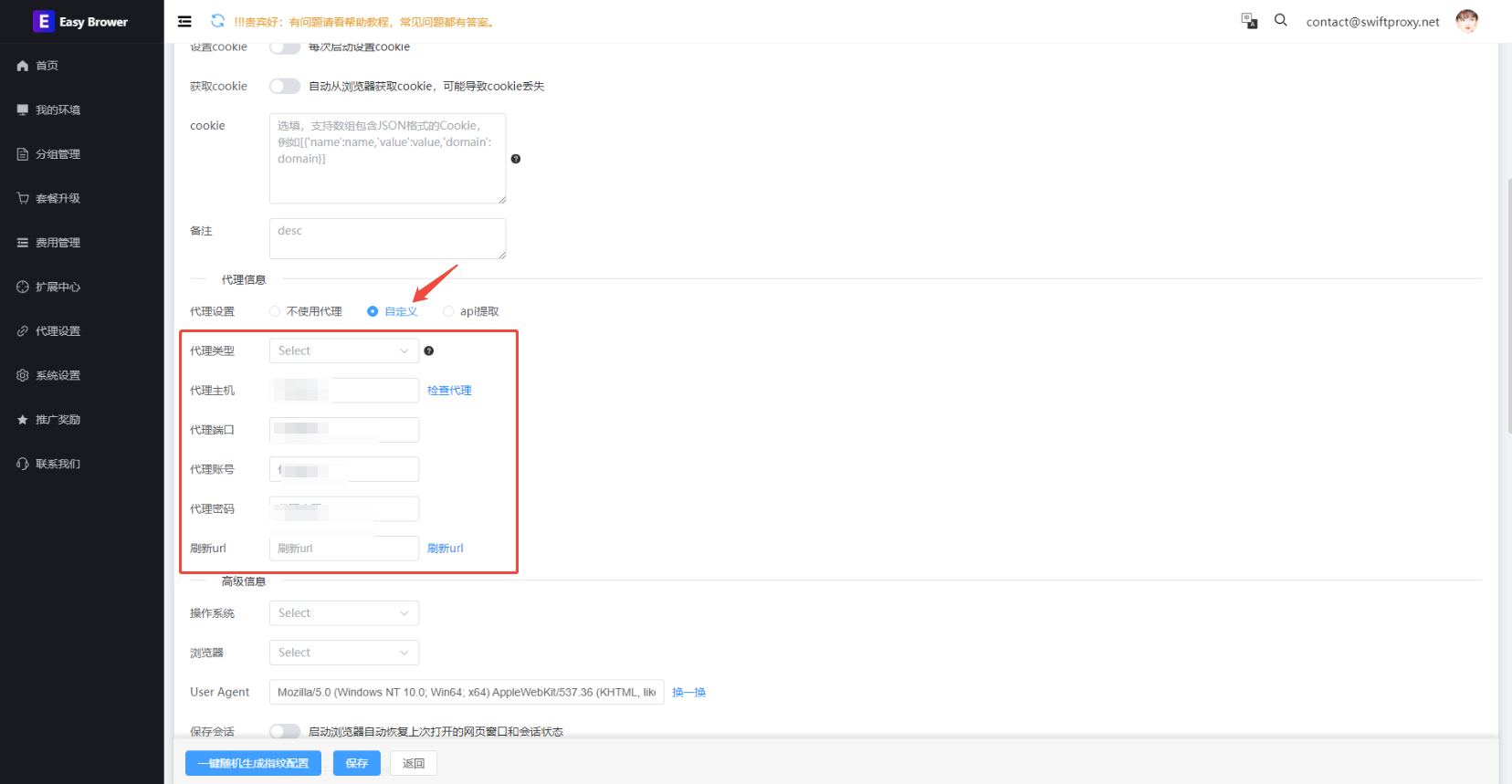
2. To configure your proxies, in "代理信息", select "自定义", paste Username, Password, Hostname, and Port, and hit "保存" to finish.
3. Back to "我的环境", and click "启动" to launch the browser.