> For the complete documentation index, see [llms.txt](https://docs.swiftproxy.net/llms.txt). Markdown versions of documentation pages are available by appending `.md` to page URLs; this page is available as [Markdown](https://docs.swiftproxy.net/proxies/integration-and-usage/static-residential-proxies-integration/dolphin-anty.md).
# Dolphin Anty
## **What is Dolphin Anty?**
Dolphin Anty is an anti-detect browser designed for efficient mass management of browser instances. Users can easily start and stop profiles, install extensions, and manage proxies and cookies. Each browser profile can have assigned statuses and notes, with one-click IP rotation and proxy replacement.
## **How to configure Dolphin Anty with Swiftproxy Static Residential Proxy?**
### **Step 1: Get Proxy Information and Download**
1. Download Dolphin Anty from the [official website](https://dolphin-anty.com/?ref=3521497).
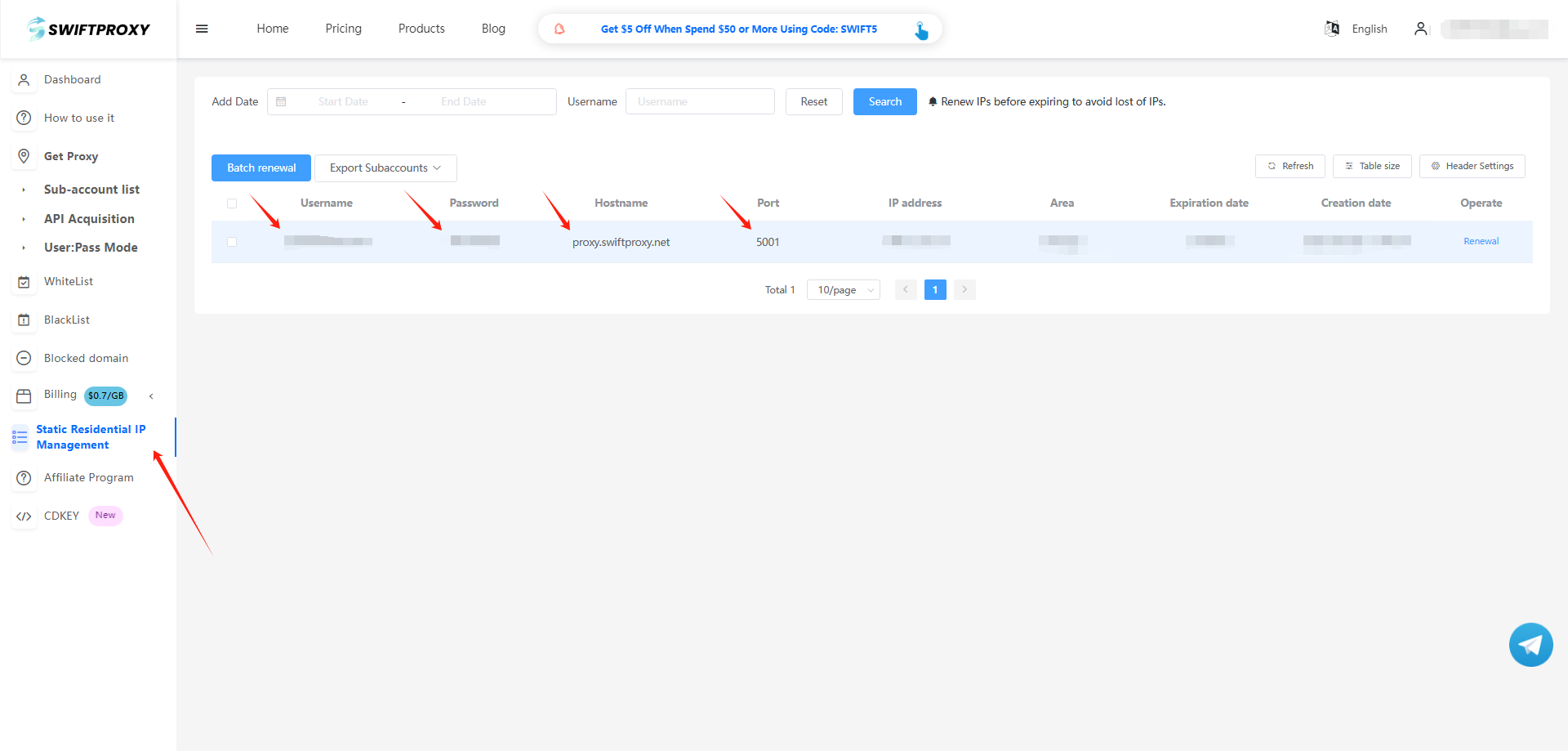
2. Visit the [Swiftproxy dashboard](https://www.swiftproxy.net/user/ucenter) and copy Username, Password, Hostname, and Port.
### **Step 2: Configure Swiftproxy in Dolphin Anty Browser**
1. Once logged in, select "Browser profile" from the sidebar, and click "CREATE PROFILE".
2. To configure your proxies, choose "Advanced", select "New Proxy", and choose HTTP or SOCKS5. Paste the proxy information, including the username, password, hostname, and port that you copied from the Swiftproxy dashboard, then hit "CREATE PROFILE" to complete the configuration.
3. After successfully saving Swiftproxy, click “Start” to begin using the browser.
 2. To configure your proxies, choose "Advanced", select "New Proxy", and choose HTTP or SOCKS5. Paste the proxy information, including the username, password, hostname, and port that you copied from the Swiftproxy dashboard, then hit "CREATE PROFILE" to complete the configuration.
 3. After successfully saving Swiftproxy, click “Start” to begin using the browser.