> For the complete documentation index, see [llms.txt](https://docs.swiftproxy.net/llms.txt). Markdown versions of documentation pages are available by appending `.md` to page URLs; this page is available as [Markdown](https://docs.swiftproxy.net/proxies/integration-and-usage/static-residential-proxies-integration/clonbrowser.md).
# ClonBrowser
## **What is ClonBrowser?**
ClonBrowser anti-detection browser is the only full-featured free and allows users to edit and control the browser fingerprints and other information, supports multi-agent protocols, and you can dock any platform for multi-account management.
## **How to configure ClonBrowser with Swiftproxy Static Residential Proxy?**
### **Step 1: Get Proxy Information and Download**
1. Download Clonbrowser from the [official website](https://www.clonbrowser.com/download).
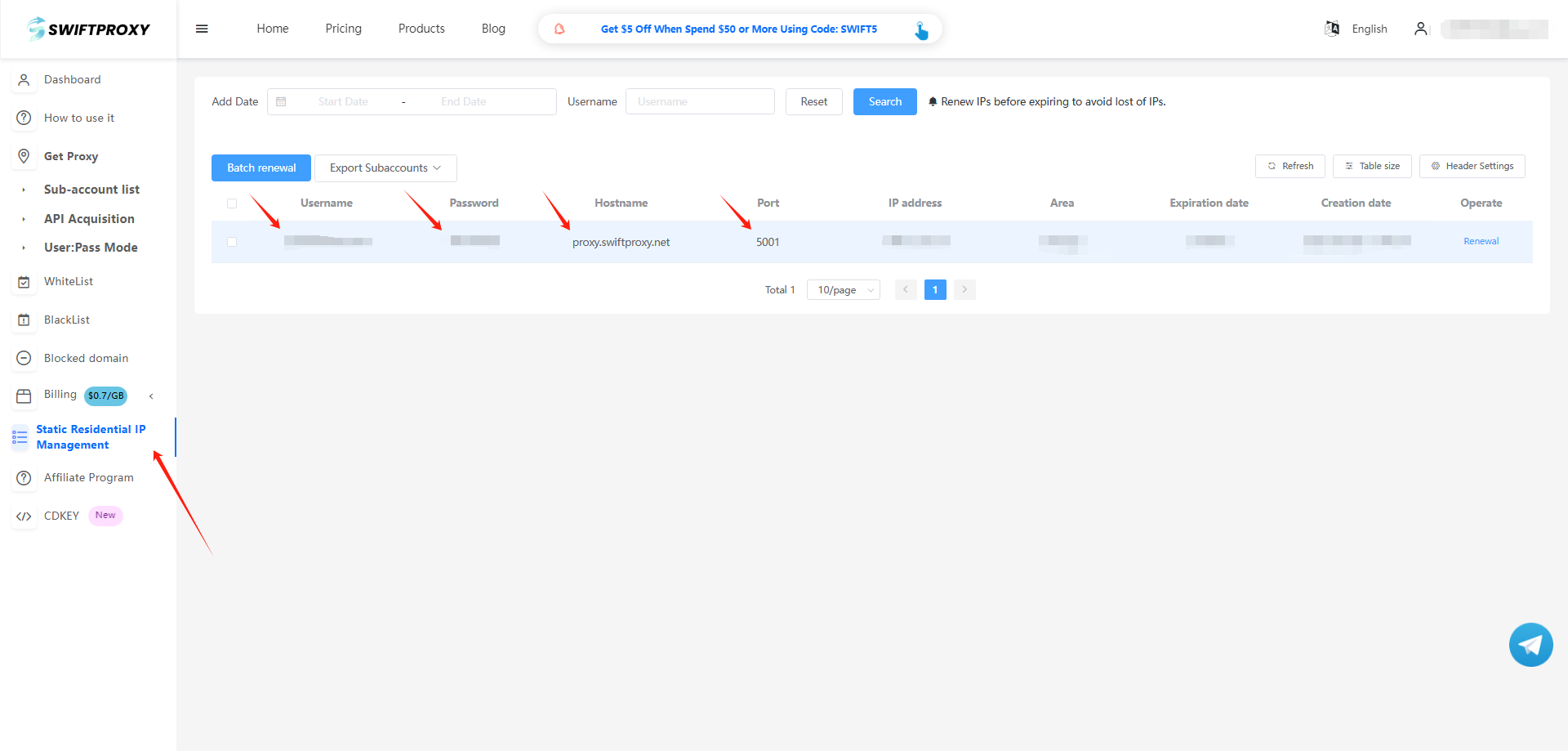
2. Visit the [Swiftproxy dashboard](https://www.swiftproxy.net/user/ucenter) and copy Username, Password, Hostname, and Port.
### **Step 2: Configure Swiftproxy in Bitbrowser Browser**
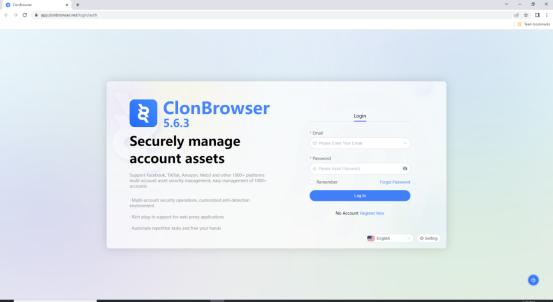
1. Download the appropriate version of ClonBrowser, then create an account.
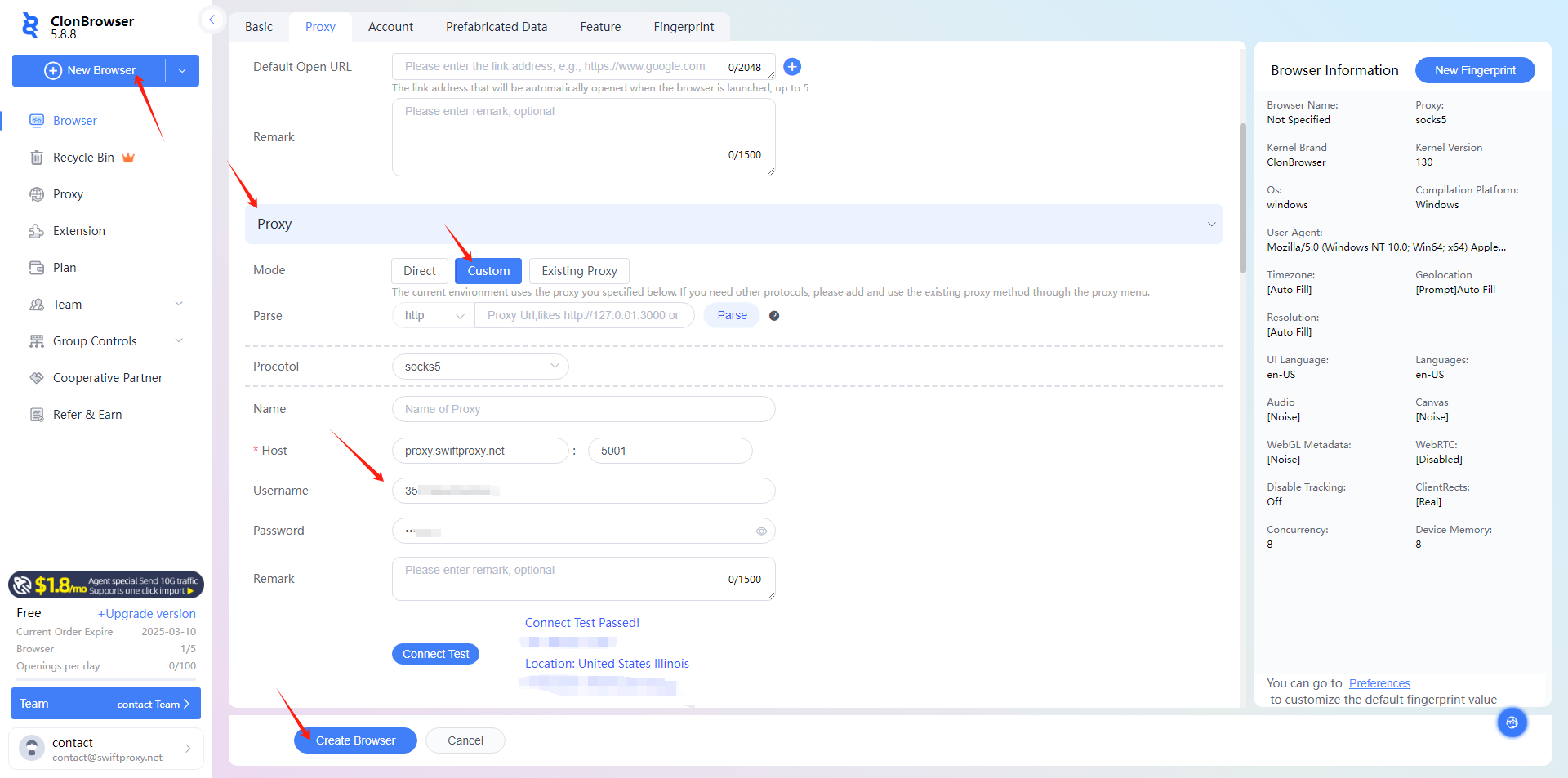
2. To configure your proxies, click "New Browser", scroll down a bit, then select the Proxy, and paste the proxy information, including the username, password, hostname, and port that you copied from the Swiftproxy dashboard. Click "Create Profile" at the end.
3. Tap "Launch" to start browsing using Swiftproxy's static proxy service via ClonBrowser.
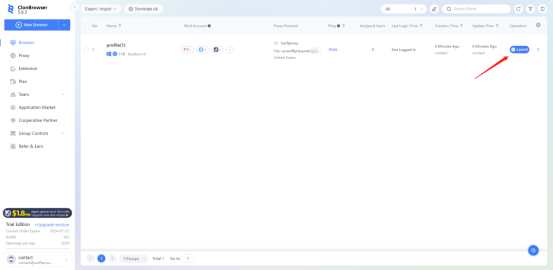
 3. Tap "Launch" to start browsing using Swiftproxy's static proxy service via ClonBrowser.

3. Tap "Launch" to start browsing using Swiftproxy's static proxy service via ClonBrowser.
