> For the complete documentation index, see [llms.txt](https://docs.swiftproxy.net/llms.txt). Markdown versions of documentation pages are available by appending `.md` to page URLs; this page is available as [Markdown](https://docs.swiftproxy.net/proxies/integration-and-usage/static-residential-proxies-integration/brave-browser.md).
# Brave browser
## **What is the Brave browser?**
Brave is a privacy-first browser based on Chromium, focusing on privacy protection, built-in ad blocking and tracking protection functions, and providing a cryptocurrency reward mechanism. It is a browser that takes into account the three core elements of privacy, speed, and revenue.
## **How to configure Brave browser with Swiftproxy Static Residential Proxy?**
### **Step 1: Get Proxy Information and Download**
1. Download Brave browser from the [official website](https://brave.com/).
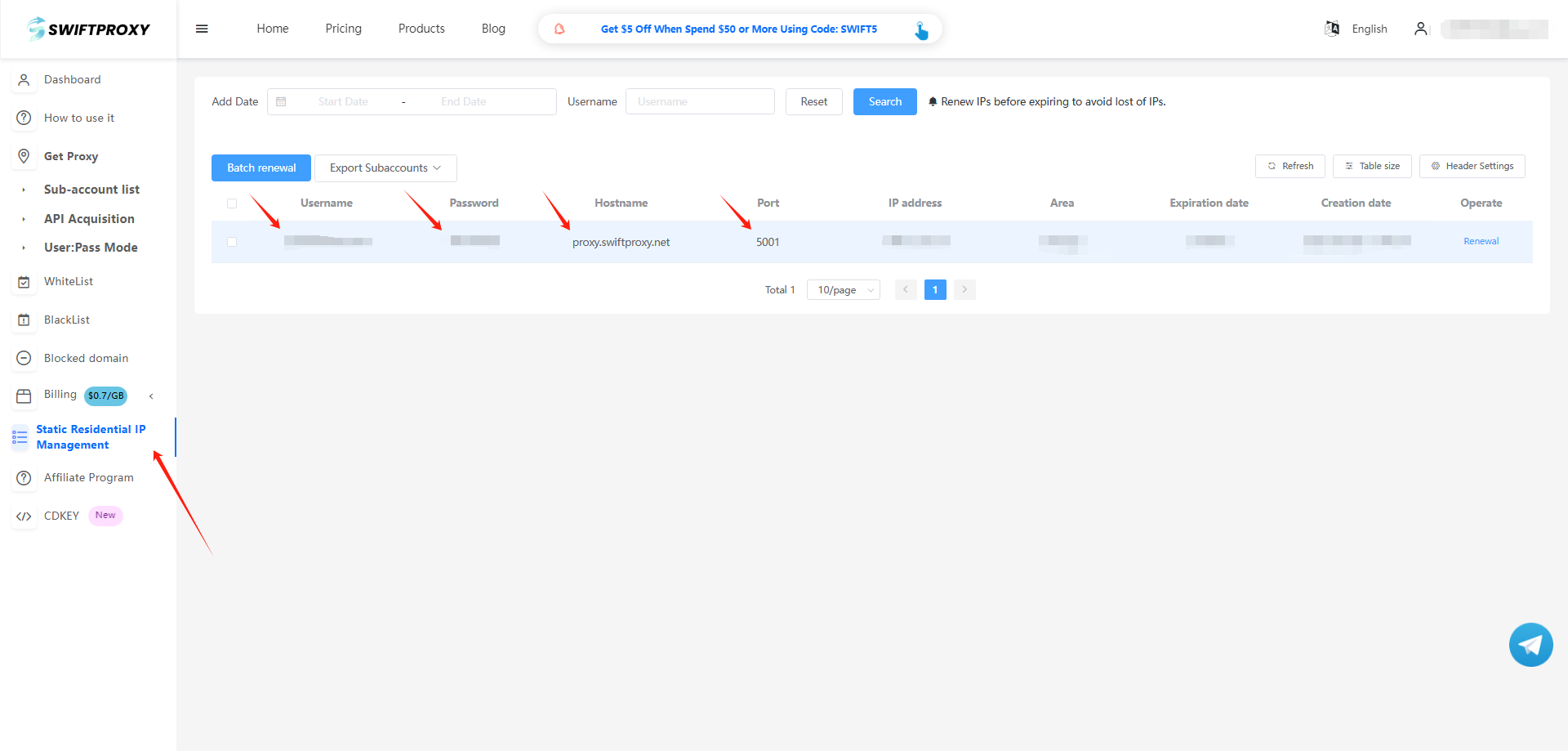
2. Visit the [Swiftproxy dashboard](https://www.swiftproxy.net/user/ucenter) and copy Username, Password, Hostname, and Port.
### **Step 2: Configure Swiftproxy in Brave browser**
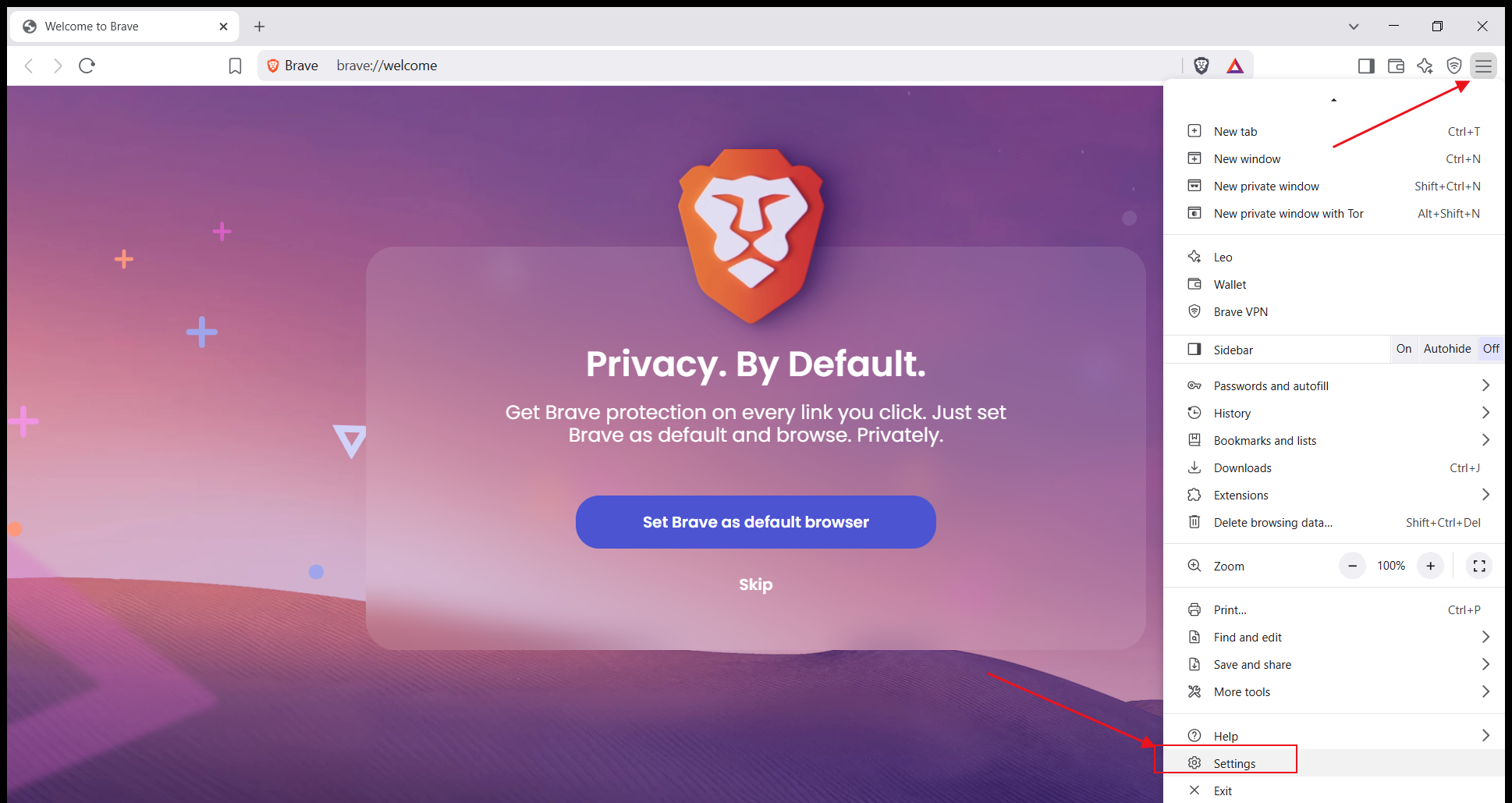
1. Open the Brave browser, click the three-line icon in the upper right corner to enter the menu bar, and select "Settings."
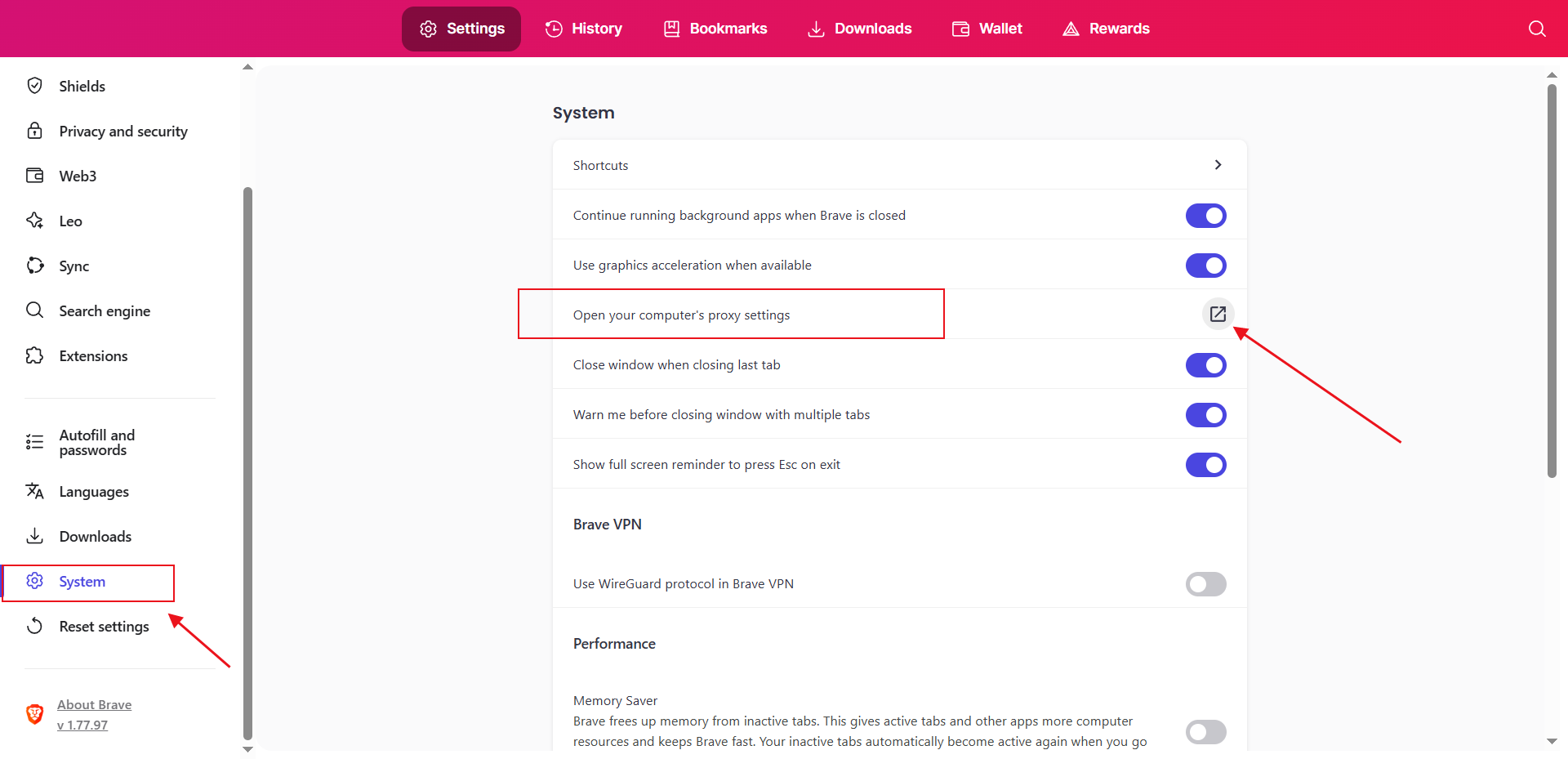
2. In the "Settings" interface, click "System", find the "Open your computer's proxy settings" option, and click it.
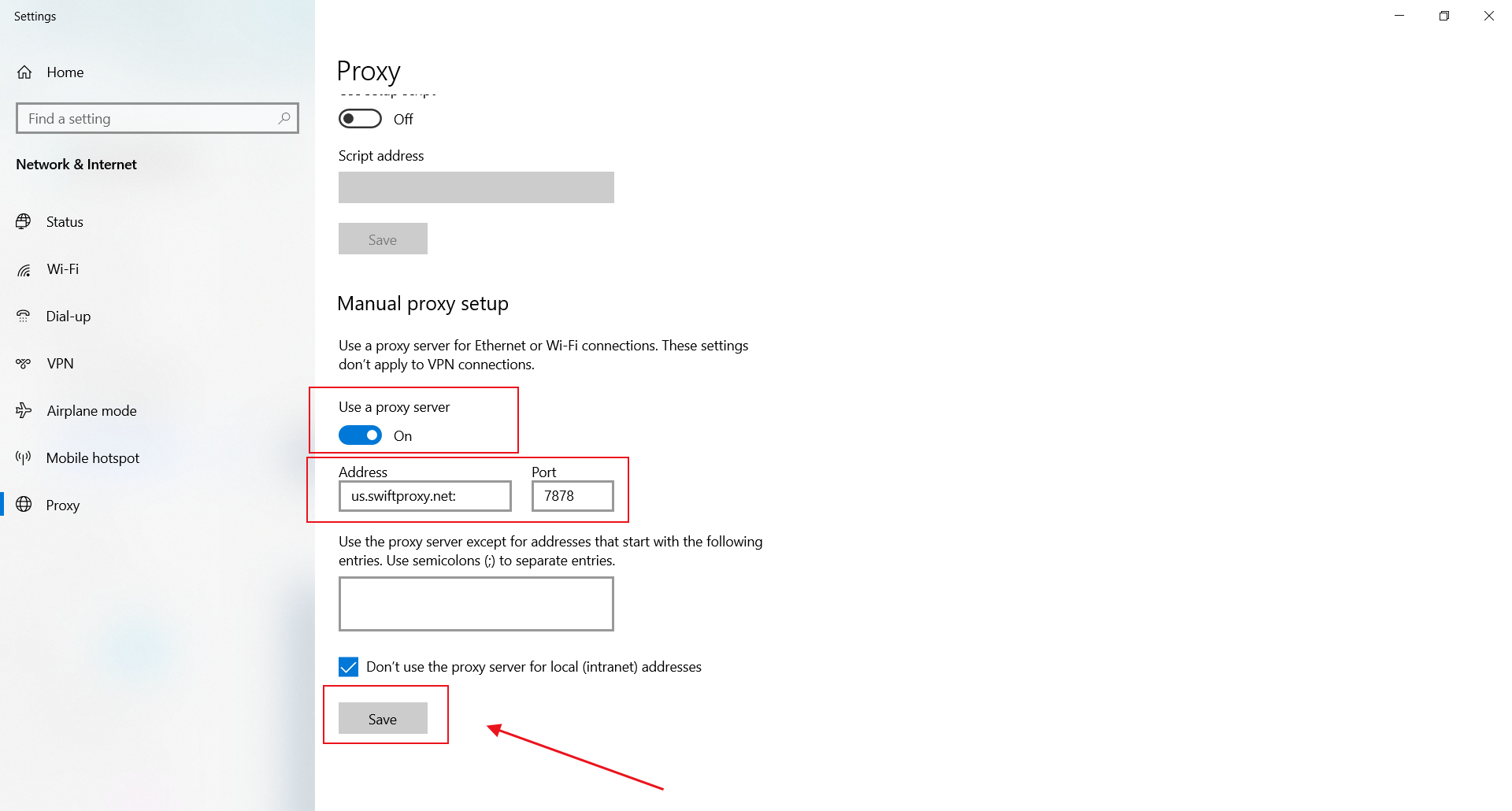
3. In the pop-up system settings page, turn on the "Use a proxy server" button, paste Username, Password, Hostname, and Port just obtained, and click Save.
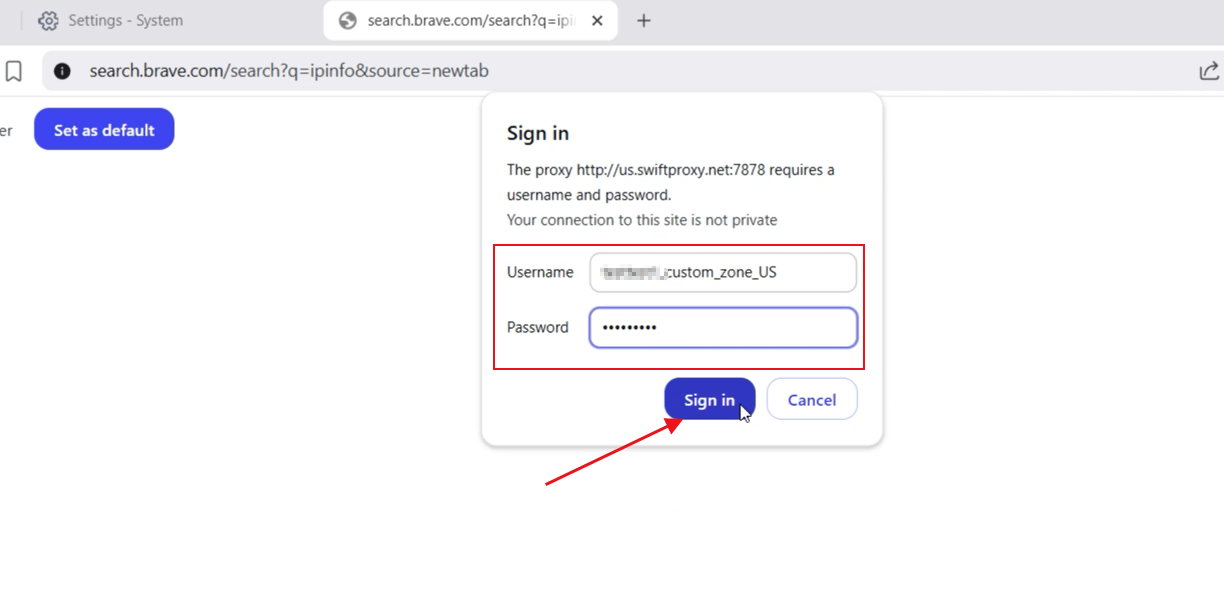
4. When you return to the Brave browser to open a new web page, a pop-up window will appear, prompting you to enter "username" and "password" to log in, enter the Swiftproxy web page, copy the corresponding fields, paste them, and log in.
 2. In the "Settings" interface, click "System", find the "Open your computer's proxy settings" option, and click it.
 3. In the pop-up system settings page, turn on the "Use a proxy server" button, paste Username, Password, Hostname, and Port just obtained, and click Save.
 4. When you return to the Brave browser to open a new web page, a pop-up window will appear, prompting you to enter "username" and "password" to log in, enter the Swiftproxy web page, copy the corresponding fields, paste them, and log in.