> For the complete documentation index, see [llms.txt](https://docs.swiftproxy.net/llms.txt). Markdown versions of documentation pages are available by appending `.md` to page URLs; this page is available as [Markdown](https://docs.swiftproxy.net/proxies/integration-and-usage/static-residential-proxies-integration/bitbrowser.md).
# Bitbrowser
## **What is BitBrowser?**
Like other anti-detect browsers, it prioritizes privacy and security. What makes it unique are its advanced anti-detection and anti-fingerprinting capabilities. These features ensure that each browser profile operates independently, providing a higher level of security and anonymity:
* Proxy Setup
* Intuitive Dashboard
* Profile Management
## **How to configure BitBrowser with Swiftproxy Static Residential Proxy?**
### **Step 1: Get Proxy Information and Download**
1. Download Bitbrowser from the [official website](https://www.bitbrowser.net/?code=ab0cdb).
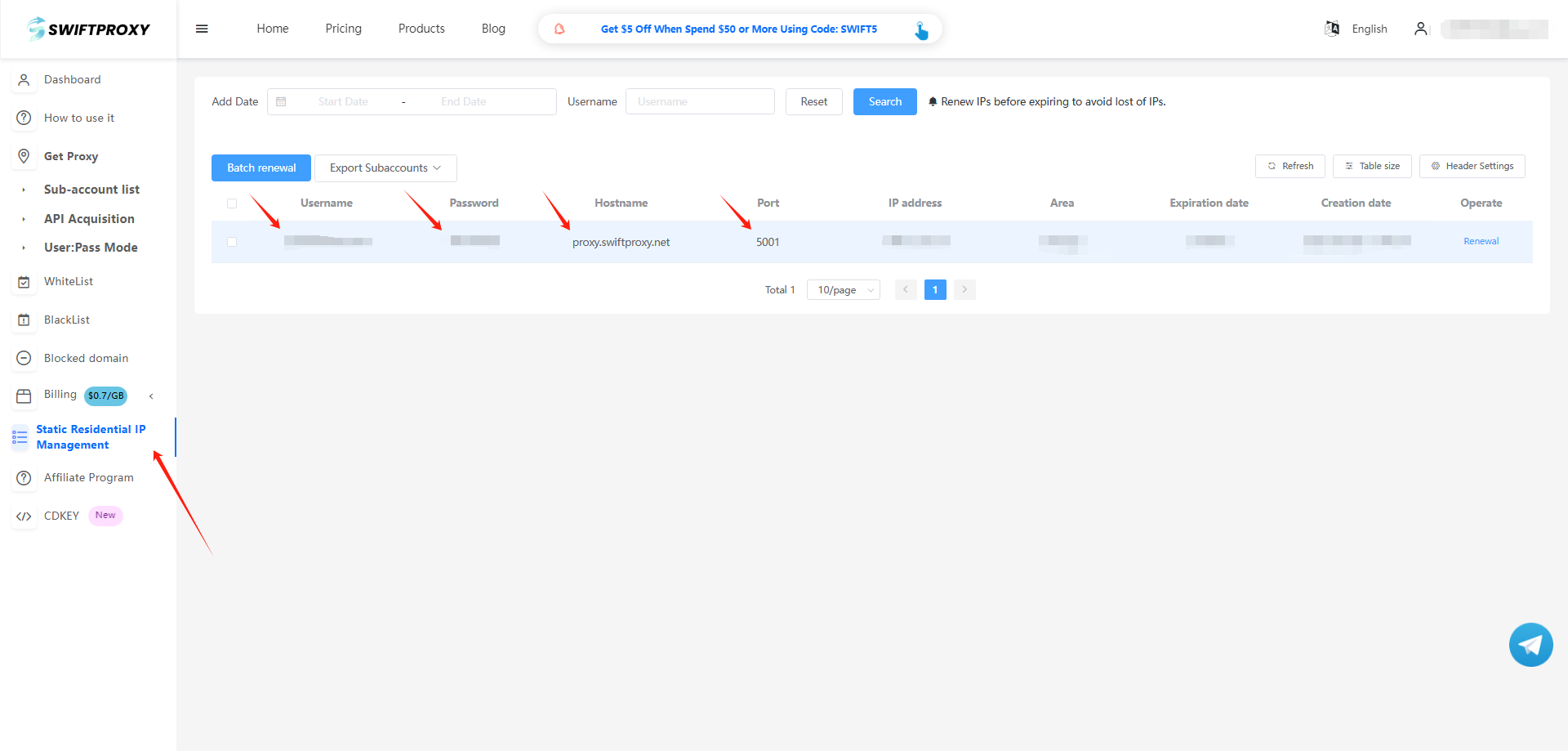
2. Visit the [Swiftproxy dashboard](https://www.swiftproxy.net/user/ucenter) and copy Username, Password, Hostname, and Port.
### **Step 2: Configure Swiftproxy in Bitbrowser Browser**
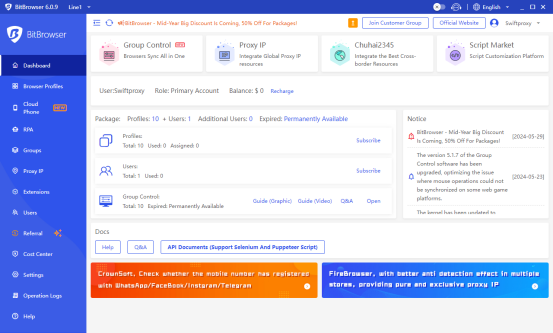
1. Log in to Bitbrowser, and you can start using BitBrowser's free plan, which is limited to one user and ten browser profiles.
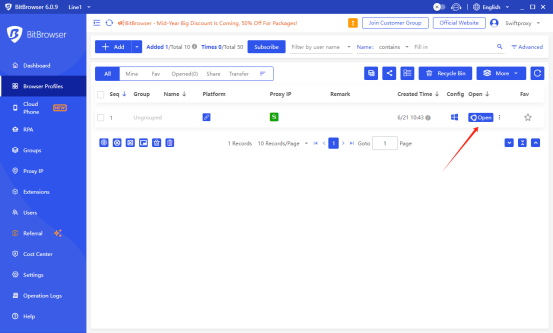
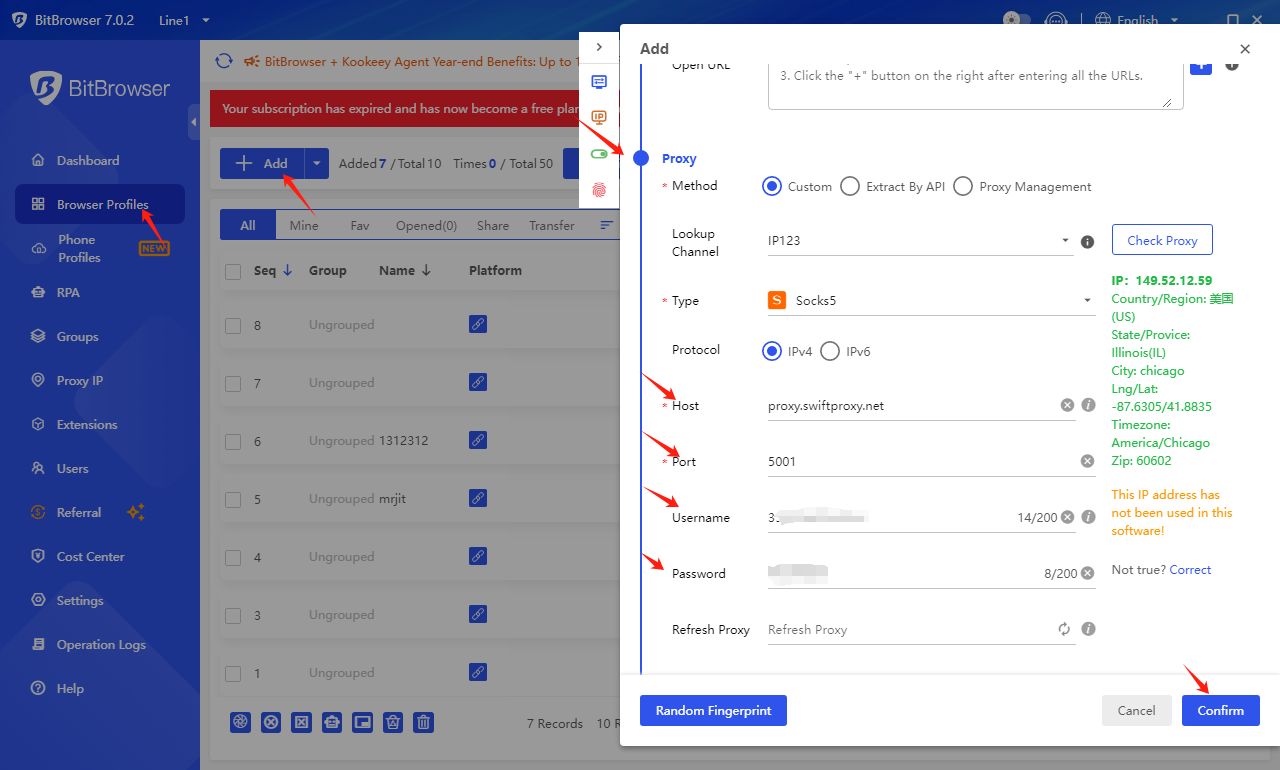
2. To configure your proxies, click "Browser Profile", and click "add", scroll down a bit, then select the Proxy, and paste the proxy information, including the username, password, hostname, and port that you copied from the Swiftproxy dashboard, click "confirm" in the end.
3. Tap the Confirm button, then open a web page via BitBrowser.
 3. Tap the Confirm button, then open a web page via BitBrowser.

3. Tap the Confirm button, then open a web page via BitBrowser.
