> For the complete documentation index, see [llms.txt](https://docs.swiftproxy.net/llms.txt). Markdown versions of documentation pages are available by appending `.md` to page URLs; this page is available as [Markdown](https://docs.swiftproxy.net/proxies/integration-and-usage/static-residential-proxies-integration/adspower.md).
# Adspower
## **What is AdsPower?**
AdsPower started life in 2019 with the radical idea of making online marketing easy and effective. To fulfil the ambition of "no more account bans", AdsPower is dedicated to the intensive development of digital identity emulation technologies. Offering the ability to manage valuable business assets in separate virtual browser profiles, AdsPower helps businesses grow by providing a best-in-class, secure advertising solution.
## **How to configure AdsPower with Swiftproxy Static Residential Proxy?**
### **Step 1: Get Proxy Information and Download**
1. Download AdsPowe**r** from the [official website](https://www.adspower.com/?ref=swiftproxy\&snid=1721117505614200609_H0evbnDp\&custom_id=).
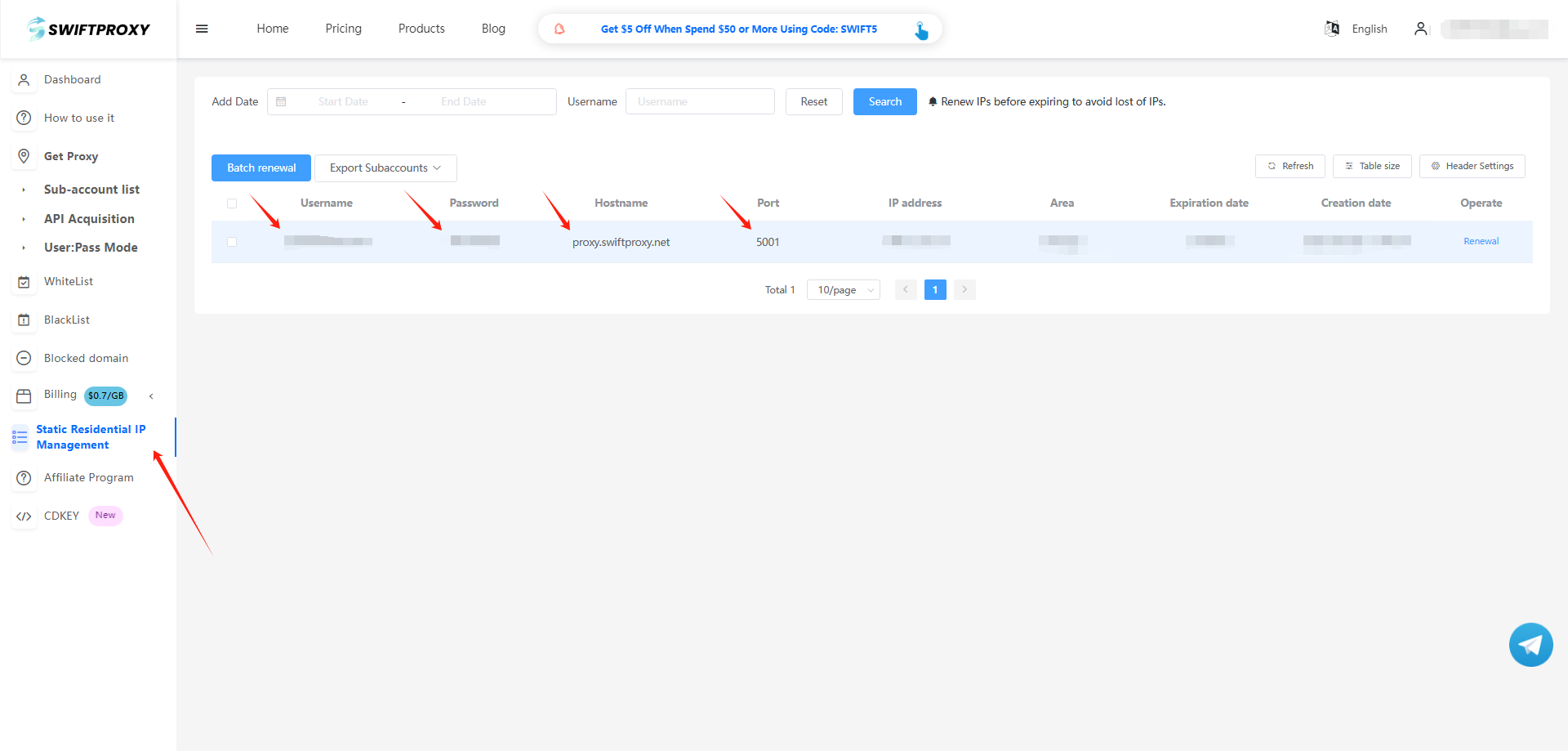
2. Visit the [Swiftproxy dashboard](https://www.swiftproxy.net/user/ucenter) and copy Username, Password, Hostname, and Port.
### **Step 2: Configure Swiftproxy in Adspower Browser**
1. Log in to Adspower and click "New Profile".
2. To configure your proxies, select "Proxy" and choose HTTPS or SOCKS5. Paste Username, Password, Hostname, and Port to Adspower, then hit "OK" to complete the configuration.
3. Click "Open" to start the browser.