> For the complete documentation index, see [llms.txt](https://docs.swiftproxy.net/llms.txt). Markdown versions of documentation pages are available by appending `.md` to page URLs; this page is available as [Markdown](https://docs.swiftproxy.net/proxies/integration-and-usage/residential-proxies-integration/morelogin.md).
# MoreLogin
## **Why You Should Trust MoreLogin?**
MoreLogin is a cutting-edge technology company dedicated to browser security. Since our founding seven years ago, Morelogin has secured over 5,000,000 accounts. MoreLogin specialises in developing a variety of technologies, including browser kernels, fingerprinting, cookies, and automated processes. At the same time, Morelogin continues to actively explore additional cutting-edge technologies to provide more comprehensive security for our users.
## **How to configure MoreLogin with Swiftproxy Residential Proxy?**
### ▶️ **Video Tutorial**
{% embed url="" %}
### **Step 1: Get Proxy Information and Download**
1. Download MoreLogin from the [official website](https://www.morelogin.com/).
2. Visit the Swiftproxy website to get your proxy IPs.
* [**API Acquisition**](/proxies/residential-proxies/get-proxy/api-acquisition.md)
* [**Username and Password Authentication**](/proxies/residential-proxies/get-proxy/user-and-password-verification.md)
### **Step 2: Configure Swiftproxy in Morelogin**
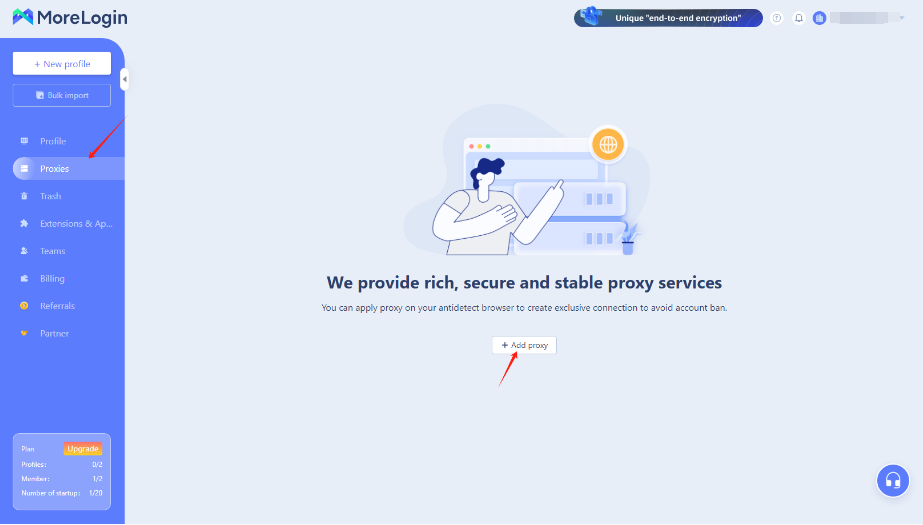
1. Once logged in, tap "Proxy" at the sidebar, and tap "Add proxy":
 2. To configure your proxies, copy your proxy information from the Swiftproxy dashboard to Morelogin, then click "add" at the end.\
**Note**: You can find the required proxy details in **Step 1.**
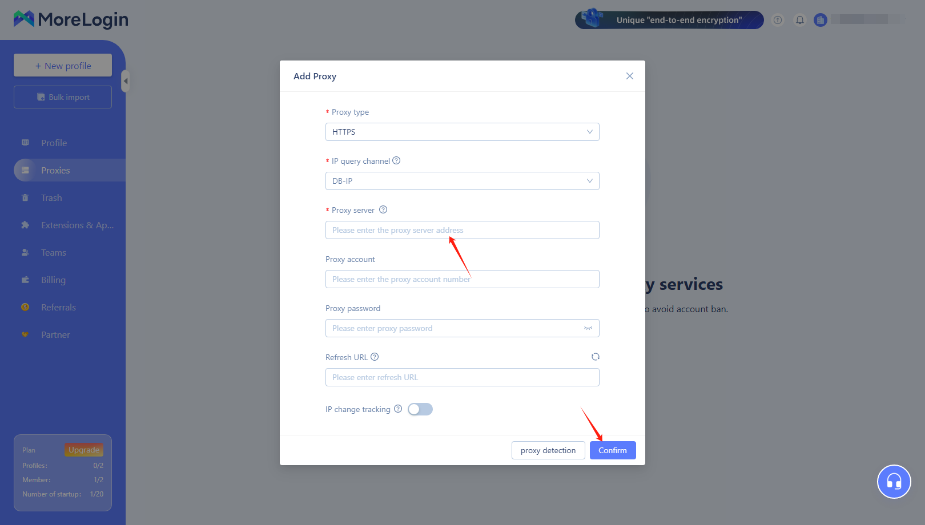
2. To configure your proxies, copy your proxy information from the Swiftproxy dashboard to Morelogin, then click "add" at the end.\
**Note**: You can find the required proxy details in **Step 1.**
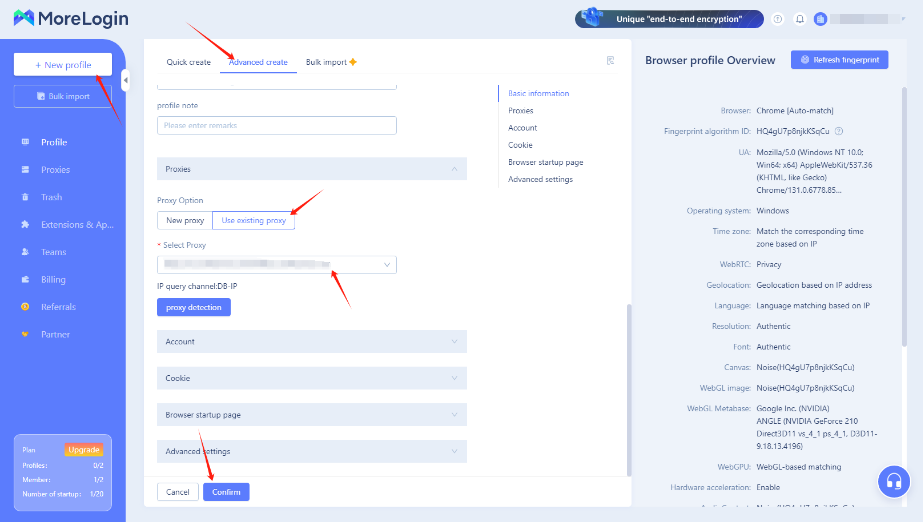
 3. Click "New Profile" and choose "Advanced creat". Scroll down to the Proxy section, tap "Use Existing Proxy", and select the proxy we set up earlier. Then, tap "Confirm" at the end.
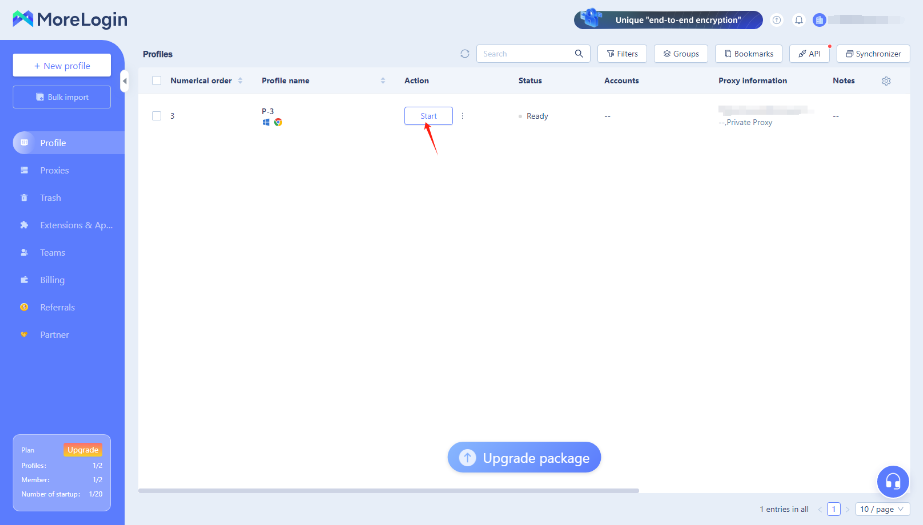
 4. Tap "Start" to open the browser window.