> For the complete documentation index, see [llms.txt](https://docs.swiftproxy.net/llms.txt). Markdown versions of documentation pages are available by appending `.md` to page URLs; this page is available as [Markdown](https://docs.swiftproxy.net/proxies/integration-and-usage/residential-proxies-integration/kameleo.md).
# Kameleo
## **What is Kameleo?**
Kameleo offers a cutting-edge solution for protecting online identities through advanced browser fingerprinting and automation. With features like unique fingerprints for virtual profiles, mobile profile support, and integration with automation frameworks, Kameleo empowers users to manage multiple accounts effectively and prevent account bans.
## **How to configure Kameleo with Swiftproxy Residential Proxy?**
### **Step 1: Get Proxy Information and Download**
1. Download Kameleo from the [official website](https://kameleo.io/?utm_source=swiftproxy\&utm_medium=article\&utm_campaign=proxy_partnership).
2. Visit the Swiftproxy website to get your proxy IPs.
* [**API Acquisition**](/proxies/residential-proxies/get-proxy/api-acquisition.md)
* [**Username and Password Authentication**](/proxies/residential-proxies/get-proxy/user-and-password-verification.md)
### **Step 2: Configure Swiftproxy in Kameleo Browser**
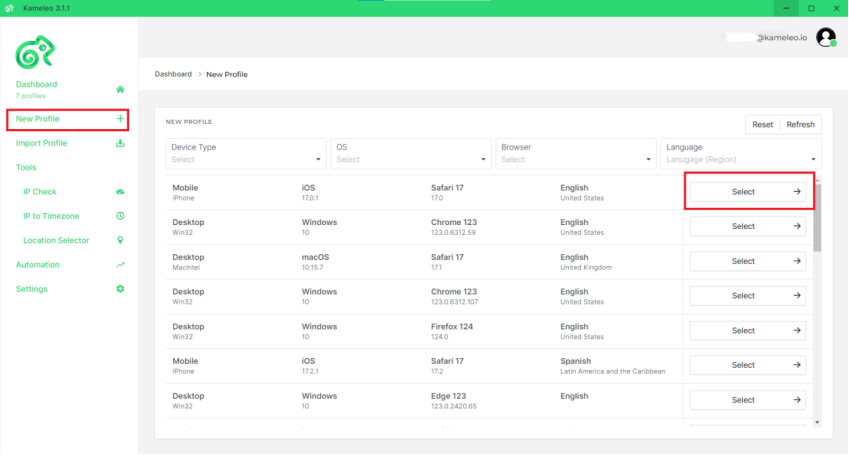
1. Open the Kameleo app, click on **New Profile,** then **select** one**.**
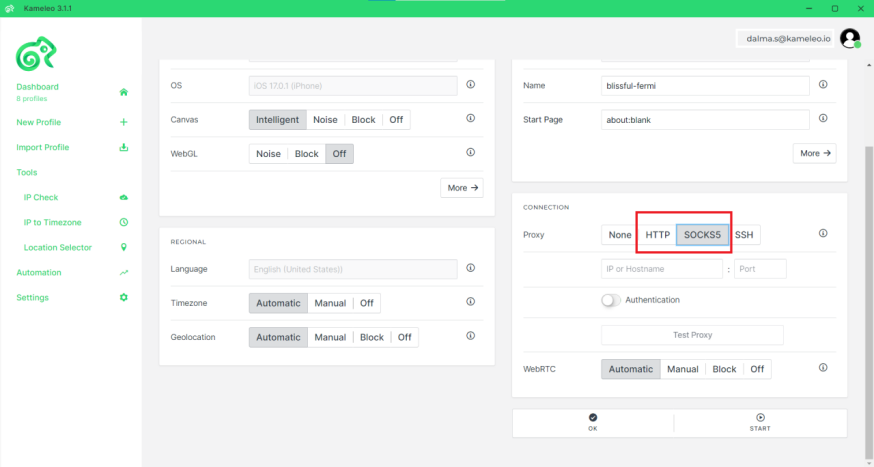
 2. Choose either HTTP or SOCKS5 protocol.
 3. Copy your proxy information from the Swiftproxy dashboard to Kameleo, enter the Server and Port information into the corresponding Settings fields in Kameleo, and switch on the **Authentication** toggle.\
**Note:** You can find the required proxy details in **Step 1.**
3. Copy your proxy information from the Swiftproxy dashboard to Kameleo, enter the Server and Port information into the corresponding Settings fields in Kameleo, and switch on the **Authentication** toggle.\
**Note:** You can find the required proxy details in **Step 1.**
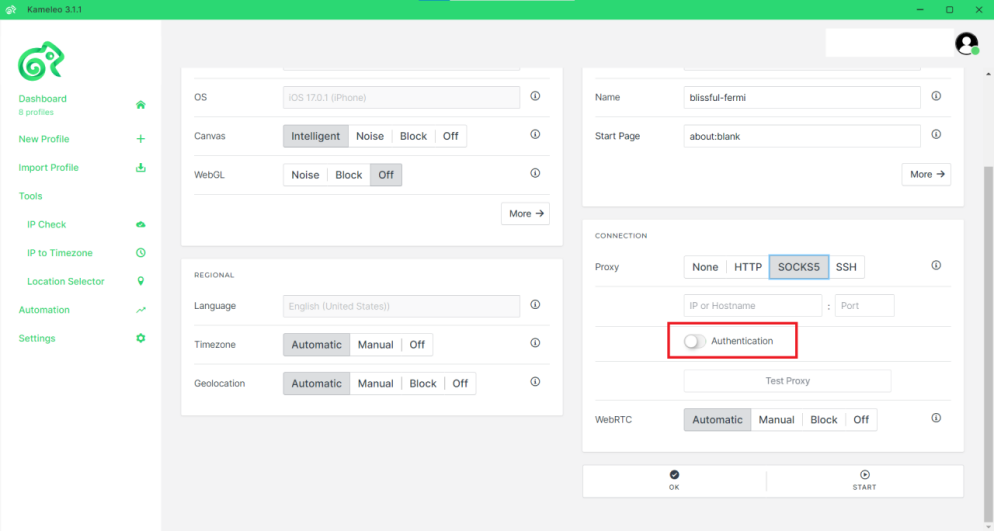 4. Click Test proxy; if the connection is successful, a message will appear at the top of your screen saying Proxy works! Then you may start the Kameleo browser profile with the given proxy.