> For the complete documentation index, see [llms.txt](https://docs.swiftproxy.net/llms.txt). Markdown versions of documentation pages are available by appending `.md` to page URLs; this page is available as [Markdown](https://docs.swiftproxy.net/proxies/integration-and-usage/residential-proxies-integration/gologin.md).
# Gologin
## **Why Choose Gologin?**
Choose GoLogin for efficient and secure multi-account management. It allows you to create unique profiles, set proxy locations, and share accounts with your team. With built-in high-quality proxies, AES-256 encryption, and 24/7 real-time support, GoLogin ensures data security and smooth operations. It also offers fast bulk actions and a high-performance API for enhanced efficiency.
## **How to configure Gologin with Swiftproxy Residential Proxy?**
### ▶️ **Video Tutorial**
{% embed url="" %}
### **Step 1: Get Proxy Information and Download**
1. Download Gologin from the [official website](https://gologin.com/).
2. Visit the Swiftproxy website to get your proxy IPs.
* [**API Acquisition**](/proxies/residential-proxies/get-proxy/api-acquisition.md)
* [**Username and Password Authentication**](/proxies/residential-proxies/get-proxy/user-and-password-verification.md)
### **Step 2: Configure Swiftproxy in Gologin**
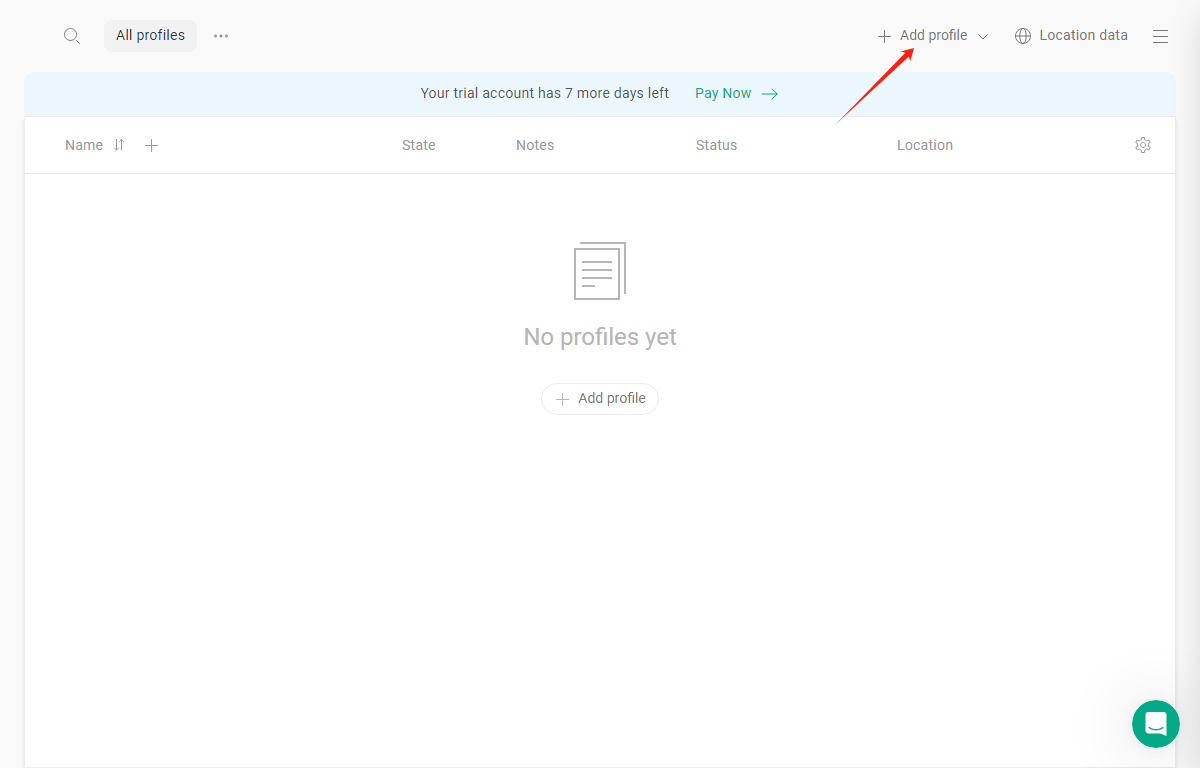
1. Once logged in, tap "Add Profile":
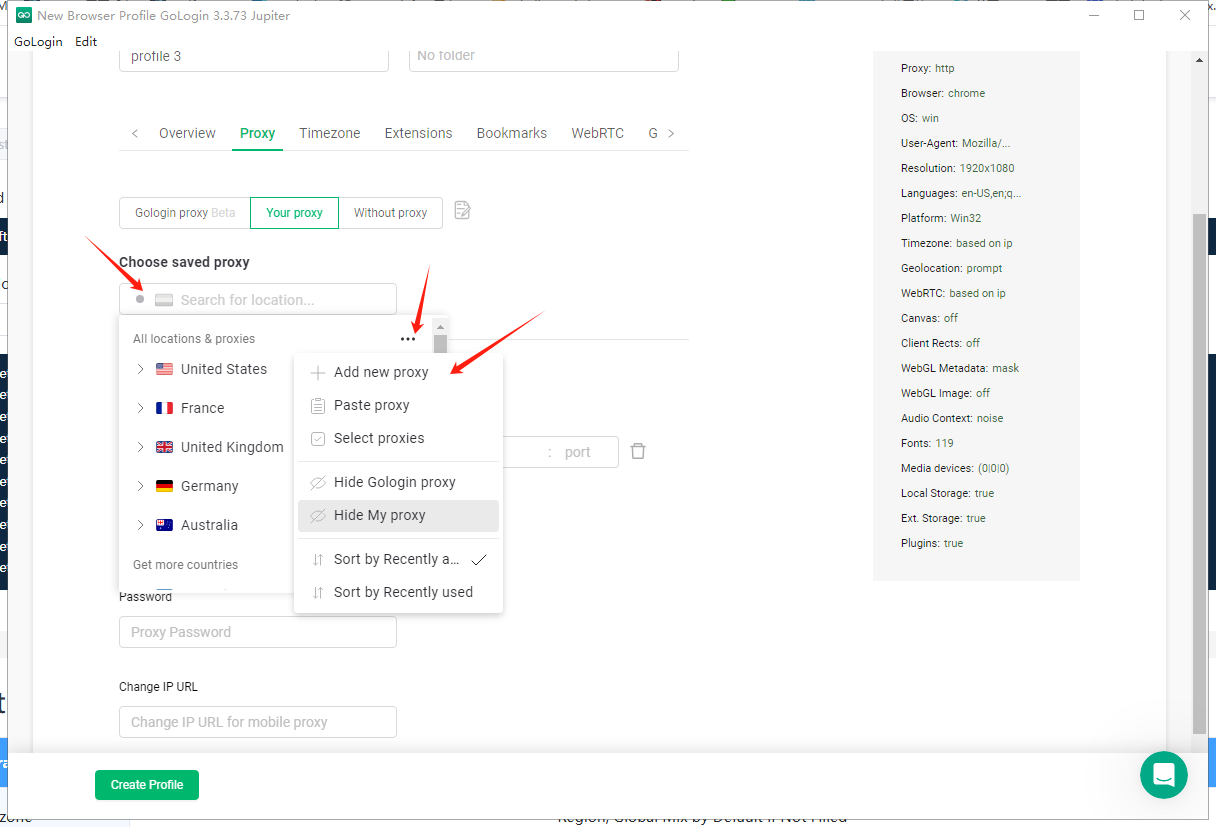
2. Tap "select saved proxy", tap the three-dot button, and tap "add new proxy".
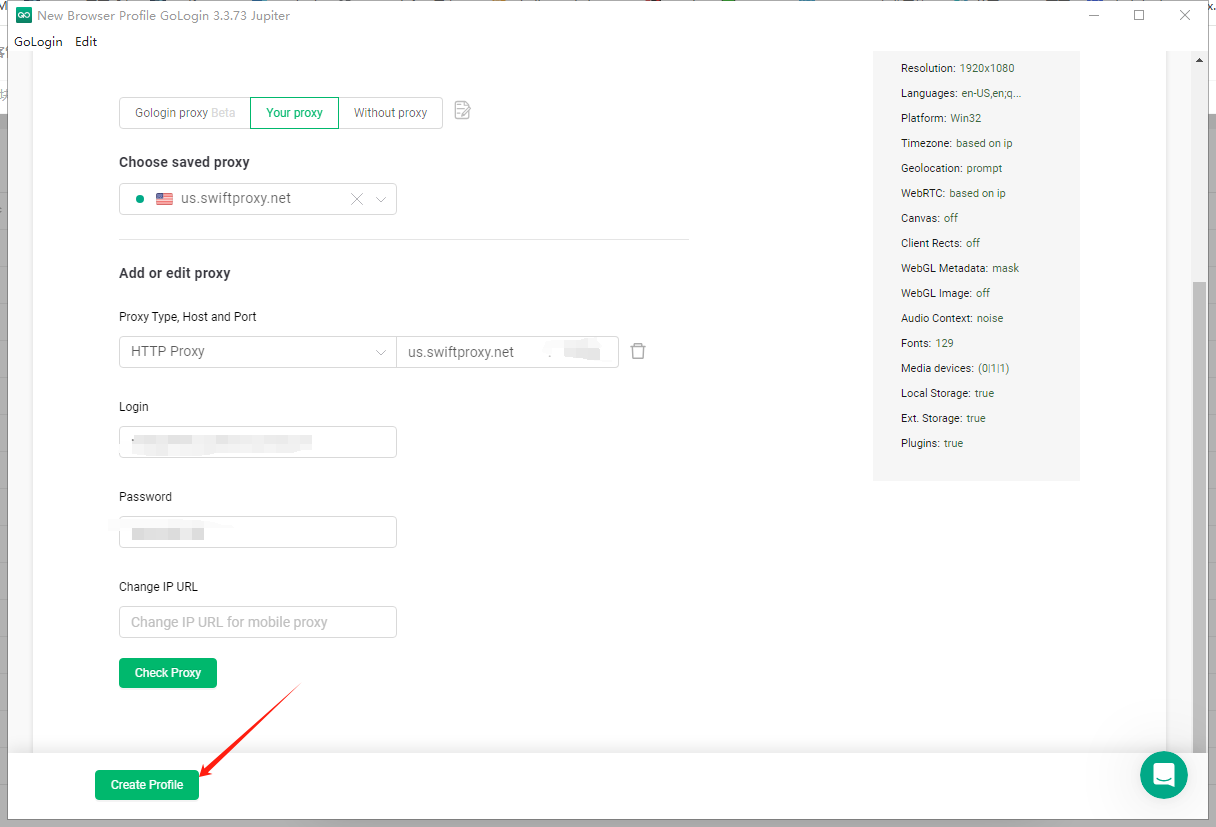
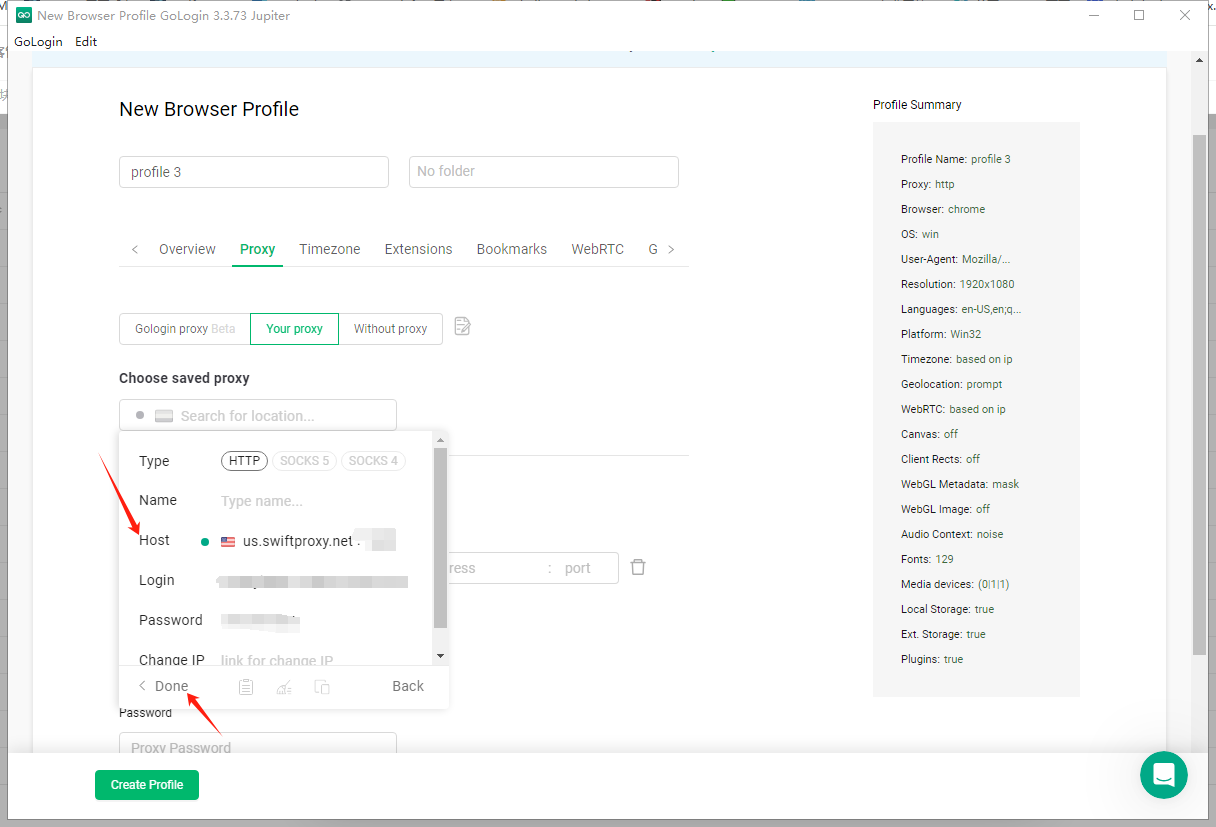
3. Paste your proxy information from the Swiftproxy dashboard, and click "done" in the end.\
**Note**: You can find the required proxy details in **Step 1.**
4. Tap "create profile".
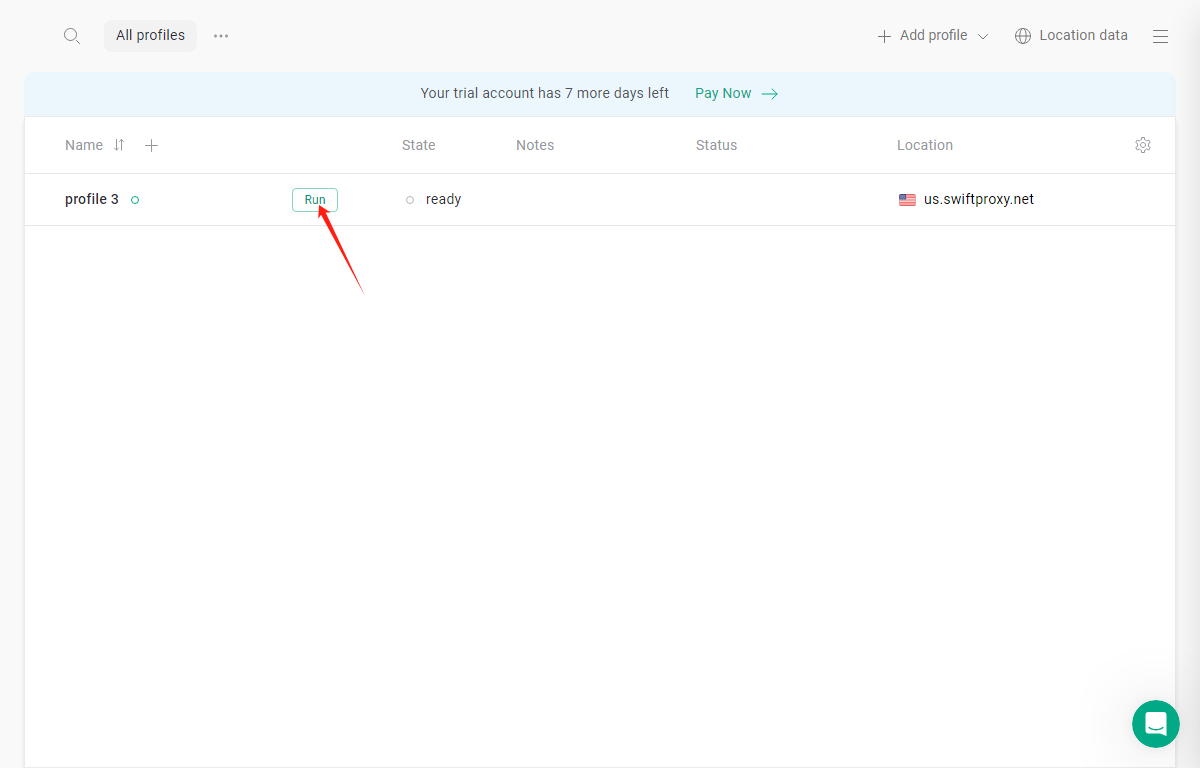
5. Tap "RUN" to open the browser window:
 3. Paste your proxy information from the Swiftproxy dashboard, and click "done" in the end.\
**Note**: You can find the required proxy details in **Step 1.**
3. Paste your proxy information from the Swiftproxy dashboard, and click "done" in the end.\
**Note**: You can find the required proxy details in **Step 1.**
 4. Tap "create profile".