> For the complete documentation index, see [llms.txt](https://docs.swiftproxy.net/llms.txt). Markdown versions of documentation pages are available by appending `.md` to page URLs; this page is available as [Markdown](https://docs.swiftproxy.net/proxies/integration-and-usage/residential-proxies-integration/clonbrowser.md).
# ClonBrowser
## **What is ClonBrowser?**
ClonBrowser anti-detection browser is the only full-featured free and allows users to edit and control the browser fingerprints and other information, supports multi-agent protocols, and you can dock any platform for multi-account management.
## **How to configure ClonBrowser with Swiftproxy Residential Proxy?**
### ▶️ **Video Tutorial**
{% embed url="" %}
### **Step 1: Get Proxy Information and Download**
1. Download Clonbrowser from the [official website](https://www.clonbrowser.com/download).
2. Visit the Swiftproxy website to get your proxy IPs.
* [**API Acquisition**](/proxies/residential-proxies/get-proxy/api-acquisition.md)
* [**Username and Password Authentication**](/proxies/residential-proxies/get-proxy/user-and-password-verification.md)
### **Step 2: Configure Swiftproxy in Clonbrowser Browser**
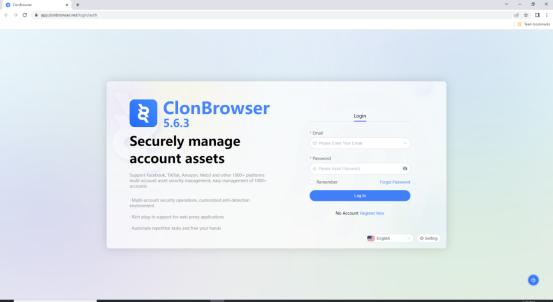
1. Download the appropriate version of ClonBrowser, then create an account.
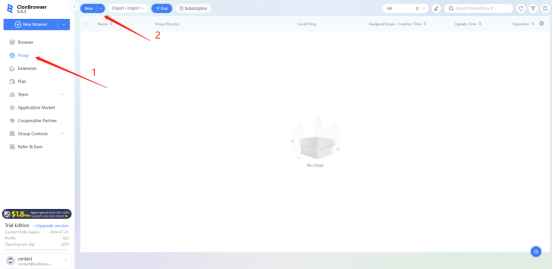
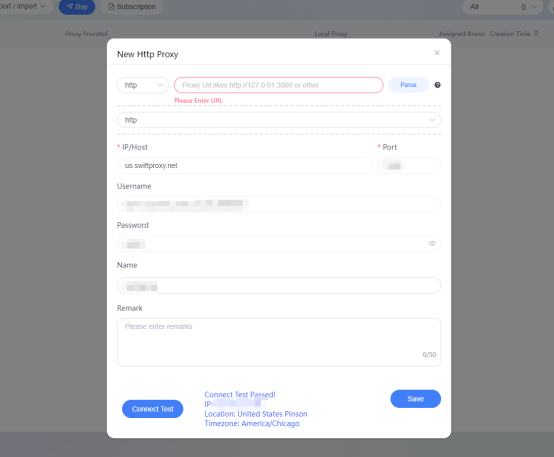
2. To configure your proxies, first select "Proxy", then click on "New" to add a proxy.
3. A new window will appear, allowing you to enter your proxy credentials.
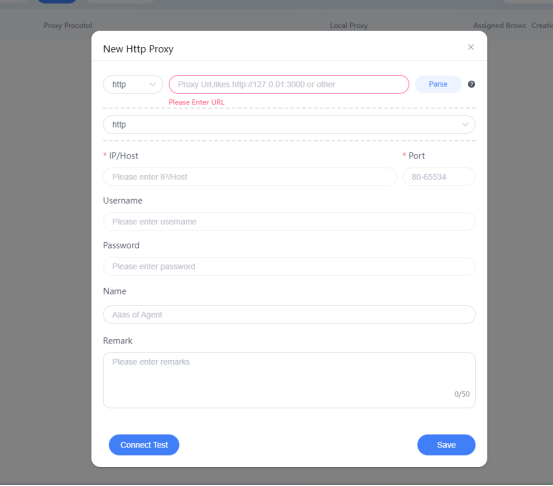
4. Copy your credentials from the Swiftproxy dashboard to ClonBrowser as shown below, then hit “Save” at the bottom right corner. You may tap the “Connect Test” to check if the proxy is set up successfully. \
***Note:** You can find the required proxy details in **Step 1.***
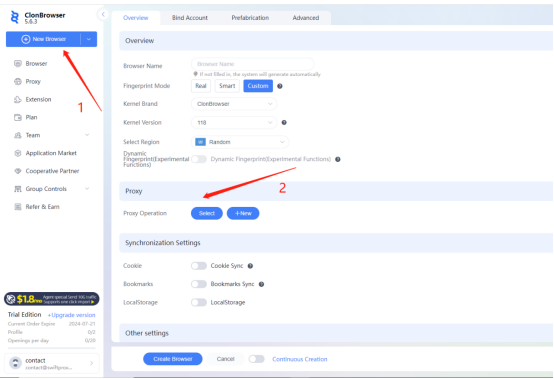
5. Click "New Browser", scroll down a bit, then select the Proxy.
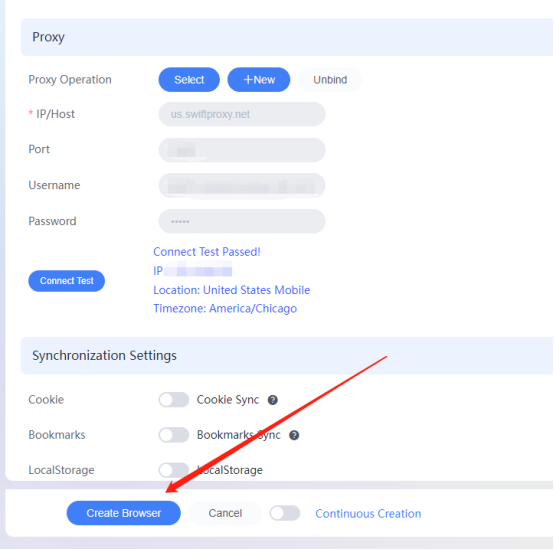
6. Select the Proxy settings we configured previously then hit “Create Browser".
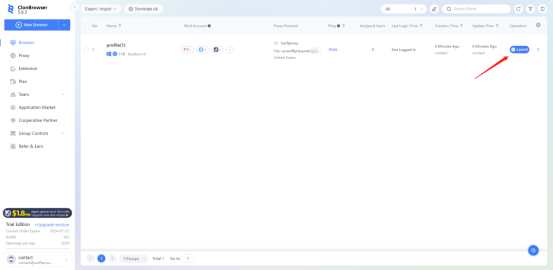
7. Tap "Launch" to start browsing using Swiftproxy’s residential proxy service via ClonBrowser.